I can't fix the "Missing files" problem!!!
 shahin.sh.tb
Posts: 0
shahin.sh.tb
Posts: 0
I tried everything but it doesn't fixed yet... :((((((
Can somebody HELP me please?
Capture.PNG
1337 x 998 - 61K

Daz 3D is part of 
Connect
DAZ Productions, Inc.
7533 S Center View Ct #4664
West Jordan, UT 84084
Licensing Agreement | Terms of Service | Privacy Policy | EULA
© 2026 Daz Productions Inc. All Rights Reserved.
Comments
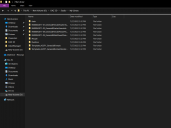
Can you give us a bit more information? What did you try to do and what resulted? If you got error messages, what were they?
Those don't look installed right to me so I can see why you are getting errors. Did you manually download and unzip them yourself?
Thanks for reply
When i want to open any file i receive different "missing files" or "error opening file" errors.
In short, i can't open any file, Nothing!
yeah, does it cause a problem?
Yes, you have a fiolder named for the zip and that cporbably contains a folder named content - the folders from the /packagename/content/ folder need to be in the root My Library folder, merged with the other folders of the same name.
Could you help me more? (with steps) i don't understand.
thanks
Instructions for manual installation
If you use DIM to install your content, there will NOT be a "Content" folder. In the "ole days," DAZ installed stuff in a content folder, but no more. This can be confusing if you install stuff manually. Some of the old content really bungled the job of file and folder placement.
"Content", like "My Library" or "My Daz 3d Library," was just a default name. The Content folder in the zip is there to separate content from other types of file, such as plug-ins.
Richard, I've manually installed my content since the days of Poser 4. In the old stuff, all too many PAs used an extra Content folder. You had a Content folder nestled under another Content folder. That would be one reason DAZ Studio or Poser wouldn't find files.
(In my lazy old age, I've just let DIM do all the work, and hope it all comes out in the wash.)
That might have been an error zipping up or unzipping. A lot of people put their files in a Content, or later a My Library folder in the zip but that wasn't needed and should not have been retained when unpacking.
In that case it probably isn't the same issue, if it is just a few files or even one. There was a change in the way Daz Studio handles the file paths whicgh means that where it was previously ignoring doubled-up separators like "//Runtime/Textures/somefolders" it is now dropping the foldername after the // and so looking for /Textures/somefolders", which of course it can't find. Is that what you have?
This feed talks about a lot of problems but not solutions.
The common problem is the inability to locate fles, (I'm assuming) after an update.
So where should the files be located? How can thiis be fixed? Can it be done manuallly, or do I have to follow a certain procedure?
Thanks.
Which files? If the content was working before an application update it should be working after.
NOTE: Regarding syntax, i'll be switching between / and \ depending on what i'm talking about. Explorer uses \ for file paths, DSON(DSF, DUF, etc), uses / for file paths. and while studio will produce errors with / for poser files, they generally use colons( : ) for their file paths.
To cover ever thing...
There are 4 causes of missing file errors.
1. Not having the requisite content.
2. Not having matching paths between drive and Content directory manager.
3. Typographical errors or errors due to changes in DSON.
4. Absolute file paths.
Not having requisite content.
There are two issues that will result in missing file errors of this type, just not having the content, or drive corruption.
A lot of content has dependencies, such as Auto face enhancer pretty much needing all the base characters for genesis 8 female to not produce errors.
The main solution to this issue, is to purchase and install the dependencies. Alternatively, you could uninstall the problem content, ignore the errors, edit the preset, or, depending on product, remove DSF files from the data folder that aren't going to be used.
I don't recommend the latter two, unless you have a firm grasp on studio's file structure, understand DSON at least enough to be dangerous, and have the original files backed up in case of a screw up.
Drive corruption can also cause these erros, and generally just require reinstalling the content.
IF files previously worked, but now don't, check the drive to make sure the files are actually there. If not, it might be time to get a new hard drive.
Not having matching paths between drive and CDM.
This is mainly the cause of missing files, when persons use manual installation, change the file paths used by DIM to something other than the default, or have been using studio long enough that they've got a mix of directories that studio has used over the years.
If you're using DIM for content installation, the current default directory is C:\Users\Public\Documents\My Daz 3d library.
If the file paths under Current Directories in Content Directory manager, don't match the default, or don't match the paths an individual is using, they need to be updated accordingly.
Perttia's post has a nice graphic about this.
Manual installtion cause this problem because people don't understand how CDM works to do it properly.
In the original post, the individual has simply decompressed the zip files, in their entirety, to the default directory.
This created the errors, as there were too many directories between what was mapped in CDM and where the files being called are located. This might also create a "nested directory" error in the log.
The path should be C:\Users\Public\Documents\My Daz 3d library, but in this case, the path is C:\Users\Public\Documents\My Daz 3d library\IM00042071-01_Genesis8FemaleStarterEssentials\Content\
If you notice when working in studio, the only part of the file path that is shown is the My Daz 3d library, with the drive letter, and upper level directories ignored.
This is the "parent" directory, and all Data, user facing files, and texture files should be under this directory.
For loading assets, even this is ignored, as the file paths in DUF's only include paths like /data/whataburger/burger.dsf, or /runtime/textures/whataburger\burgerpattie.jpg.
The last one is mostly going to a problem for us old heads, or if you come across some older content from another site, or content that's using the previous paths.
The two solutions here, map the additional folders in CDM, or just merge the directories in explorer, just be sure to only move the Data, user facing files and runtime directories/folder, and not the parent folder.
Typographical errors and errors due to changes in DSON.
Typographical errors(typos) and as richard pointed out, changes in how studio does certain things, can result in the missing files error.
Unfortunately, the only solution to this issue, is manual editing, or hoping there's an update to the asset pack to correct the issue.
I personaly ran into the issue richard pointed out with some SASE characters, where the eye material all contained the // as opposed to the /.
Notepad++ makes it fairly trivial to replace these errors in multiple files at the same time.
If you do need to make this kind of change, be sure to back up the files, but don't replace them in the original asset package(zip), make a new package.
This will prevent the erasure if there's an update to the original package at some point.
Absolute file paths.
Studio can use two types of file paths, Relative, and absolute.
The only difference, absolute paths include a drive letter.
Absolute: c:/users/narf/derpy/data/whataburger.dsf
Relative: /data/Whataburger.dsf
LIke the typos, it requires editing the offending files, removing everything above data, or runtime or user facing files.
For anybody reading this, if i've missed something, be sure to let me know.
In fact Windows wil recogniise / as a path separator, it just doesn't use it when generating a path.
I’m a hobbyists/dabbler at this stuff but retirement has given me the opportunity to spend (sometimes, waste) more time on it. There are several scenarios for Missing Files:
This scenario is more of a nuisance than anything else since the product loads correctly. It can generally be fixed manually without too much difficulty by editing the calling (.duf) file in Notepad++ (or a similar text editing program) to remove the line(s) that call for the missing file. If the calling file is compressed, then it needs to be uncompressed first using Daz Studio’s Batch Convert feature, a program such as 7-Zip, the Windows Zip utility, or other comparable program.
These two scenarious need fixing to load the product correctly and generally can be fixed manually without too much difficulty by editing the calling file in Notepad++.
This is the worst case scenario and the missing file needs to be obtained for the product to load properly.
Notepad++ is easy to learn and use. You don’t have to learn every feature; just the ones that you need to accomplish what you need to do. Searching for text is one of Notepad++’s strong points. You can make changes in one file or simultaneously in multiple open files, if needed. Notepad++ is light years better than Windows Notepad or other text editors and it’s free: https://notepad-plus-plus.org/downloads/ .