SOLVED -- How to get rid of "green film"
 Hera
Posts: 1,970
Hera
Posts: 1,970
Hi!
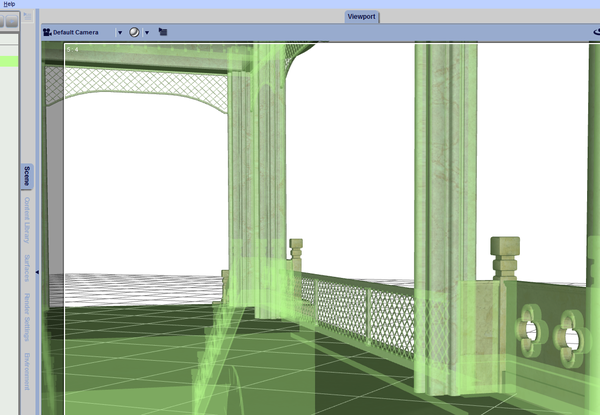
After installing DAZ on my new computer, every item in the viewpoint has suddenly begun to get covered in a "green film" whenever I hover across it.
Is there a way to get rid of this feature, which does nothing but constantly annoying me and slows down my work since I have to hover out all the time to actually see what I'm doing?
Namnlös.png
1116 x 772 - 642K
Post edited by Hera on

Daz 3D is part of 
Connect
DAZ Productions, Inc.
7533 S Center View Ct #4664
West Jordan, UT 84084
Licensing Agreement | Terms of Service | Privacy Policy | EULA
© 2026 Daz Productions Inc. All Rights Reserved.
Comments
If you are using DS4.7, go to Window > Panes (Tabs) > Tool Settings, and under 'Draw Style' select Bounding Box Only.
If using DS4.8, then there is a separate Draw Settings pane, and you can set the Draw Style inside it.
Thanks Jimmy for a rapid & clear answer. A big digital kiss coming your way! :kiss:
Ooooo!
Thank you :)