issue on the option "Rig or Re-target Skeleton" - DazToMaya 1.8 with Maya 2020 or 2022 versions.
 aescalle_654802c013
Posts: 7
aescalle_654802c013
Posts: 7
Hi,
I get this issue on the option "Rig or Re-target Skeleton" - DazToMaya 1.8 with Maya 2020 or 2022 versions.
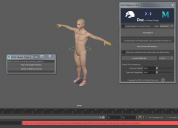
When I click on the option, nothing change on the model. No new rig. The model stay in T position.
These new things appears in the Maya's Outliner:
- Geometry
- ExportSetup
- hip_ctrl_zero
I get this error message:
// Error: file: C:/Users/MACPRO03/Documents/maya/modules/DazToMaya/scripts/DAZTools.mel line 1694: Could not add constraint or connections.
I have tried to reinstall several time the DazToMaya plugin. Doesn't want to work even with the github files...
The complete log error message is:
// Warning: file: C:/Users/MACPRO03/Documents/maya/modules/DazToMaya/scripts/DAZTools.mel line 491: New name contains invalid characters. Illegal characters were converted to "_". //
---- Geometries grouped ----
// Error: file: C:/Users/MACPRO03/Documents/maya/modules/DazToMaya/scripts/DAZTools.mel line 1694: Connection not made: 'hip_scaleConstraint1.constraintScaleX' -> 'hip.scaleX'. Destination attribute must be writable. //
// Error: file: C:/Users/MACPRO03/Documents/maya/modules/DazToMaya/scripts/DAZTools.mel line 1694: Could not add constraint or connections. //
Is someone to help or get same issue ?
Thank you in advance for a help ;-)

Daz 3D is part of 
Connect
DAZ Productions, Inc.
7533 S Center View Ct #4664
West Jordan, UT 84084
Licensing Agreement | Terms of Service | Privacy Policy | EULA
© 2026 Daz Productions Inc. All Rights Reserved.
Comments
I had the same issue but using "choose file" and selecting the FBX file, the script will bring the character rigged into the viewport. I don't know why but daz to maya bridge doesn't work properly. I recently started to work with blender and it works pretty well with the daz integration. Now I'm trying to resolve how to transfer all my Maya animations into the daz-blender characters.
Did you change the option from control rig to none in the upper right hand side? I think it's the attribute editor, but it's whatever shows up in the upper right when you bring in a character. There's one person who noted this in some other thread here and that was the only time I recall seeing that being the fix, there should be better documentation about this.
Hi guys,
Unfortunately setting to "None" the "source" only partially fixes the problem, the rig created with "Rig or retarget skeleton" breaks if I move it with "source" set as "control rig" (image 2) or with another animation (image 3).
Steps to reproduce the issue:
1) Open a Genesis 8.1 character in Daz, click on the plugin window (without morphs/without clothes)
2) in Maya, click Auto import and import in a new scene
3) in Human IK, click on "None" as source
4) Click Rig or Re-target skeleton, select an empty folder when asked
5) Character comes out with a rig in A-pose as in image 1 attached. It is movable if "None" is set as source, but breaks with "Control rig" set as "source"
Has anyone solved this? The DaztoMaya plugin needs some love, I'd really like to use it in my workflow as it'd save me hours.
yeah I am getting a bunch of these rigging issues