Renders in Iray not finishing or look rough
 omradiocom
Posts: 66
omradiocom
Posts: 66
I'm excited to see what will happen with DazStudio's merging with Iray tech. But my renders are all looking incomplete. What setting am I missing here? The photos look photo realistic up to a point...then its as if it just won't finish the render.
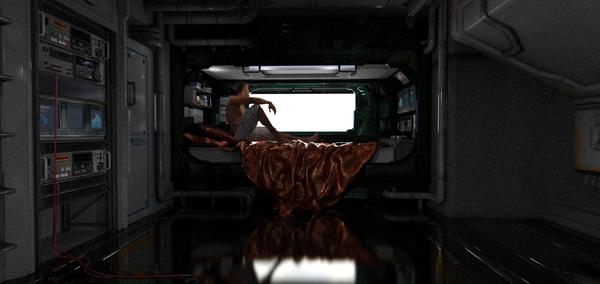
Image1.jpg
1860 x 881 - 1M
Post edited by Richard Haseltine on
This discussion has been closed.

Daz 3D is part of 
Connect
DAZ Productions, Inc.
7533 S Center View Ct #4664
West Jordan, UT 84084
Licensing Agreement | Terms of Service | Privacy Policy | EULA
© 2026 Daz Productions Inc. All Rights Reserved.
Comments
I'm having a similar issue. Looking forward to an answer to this.
If you have the Environment set to Sun/Sky then there's not much light can get into the scene. Either set itt o use Scene lights, with or without a dome, or adjust the Tone Mapping section to increase the amount of light uses (higher ISO, slower shutter etc.). Alos, if there's a built-in skydome in the model turn it off or apply the Emissive Iray Uber Shader preset to it.
Under the render settings there is an option to turn on a noise filter.
It should filter out all that noise
Rawn
Please don't post the same question in multiple places, it just leads to duplication of effort. Since you were a bit clearer in the Iray render thread, that you issue was the halting condition, and I've explained that there are three settings under progressive that control when the render stops - max time, max number of iterations, and min convergence, I am going to lock this thread.