DAZ textures on the Tropical Bundle
 Granville
Posts: 702
Granville
Posts: 702
Something is a miss with the beautiful Tropical Bundle. When I load it in the normal or hires DAZ material there is a bunch of white surfaces. I installed it using DIM. Many of the surfaces are white. What am I doing wrong? See the render below. I am using DAZ studio 4.7 with the AOA ambient light and distant light. The white patches show up in the Viewport and the render.
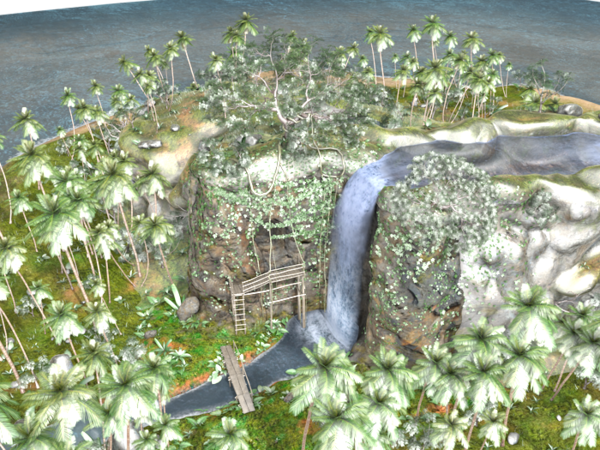
Tropical_Coast_White_Render.png
700 x 525 - 891K

Daz 3D is part of 
Connect
DAZ Productions, Inc.
7533 S Center View Ct #4664
West Jordan, UT 84084
Licensing Agreement | Terms of Service | Privacy Policy | EULA
© 2026 Daz Productions Inc. All Rights Reserved.
Comments
This one?
http://www.daz3d.com/tropical-bundle
Looks like something. Shadows not on Ray-trace, Lights way to bright, Textures not there (it would complain about that when you load the scene), A surface shader did not convert correctly Closing Studio and starting it back up would probably fix that), etc.
I suspect "Shadows" on the light settings are not on Ray-trace, or the Lights are way to bright.
Thanks, I am still working on it. I think it is that the lights are way too bright. The specular is blowing out. I haven't quite fixed it yet. I will keep working.
If you're using the Distant for sunlight and the Ambient for shadow fill, that's exactly what I'm doing for some outdoor scenes I'm setting up just now. How are you adjusting the light parameters? I usually turn the sun intensity up a bit and fill intensity quite low — leaving the Ambient at its default value will probably blow out the textures just as you're seeing. (I have the Tropical sets, but so far I've only used the lights that come with it.) There are other parameters on the AoA lights that I haven't fiddled with much yet, so there might be other things to keep in mind.