Help! Some of my stuff uninstalled and won't come back!
 Fae3D
Posts: 2,927
Fae3D
Posts: 2,927
So I've never had this problem before. In my Daz Studio, there are a whole bunch of products that are "greyed out" in my Content Library. They can be found under the correct letter of the alphabet, but tacked onto the end of each letter. They will not show up in Smart Content, and act as if they need to be installed. However, when I go to DIM, they show as ALREADY installed! I tried uninstalling them and reinstalling, but that didn't work. I tried refreshing the products, that didn't work either. The worst thing is, these are really important products, like all my Genesis generations Head and Body Morphs, and my Genesis 8 Female Centaur (the male centaur is working for some reason).
Can anybody please help me fix this? Has anyone else had this happen? I'm using Daz Studio 4.15.0.30 Pro, on a Mac running Catalina 10.15.7., and I install using DIM only, I don't want to use Connect.
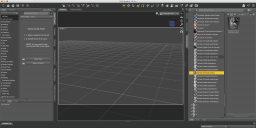
Attached is a screenshot to show what it looks like.

Daz 3D is part of 
Connect
DAZ Productions, Inc.
7533 S Center View Ct #4664
West Jordan, UT 84084
Licensing Agreement | Terms of Service | Privacy Policy | EULA
© 2026 Daz Productions Inc. All Rights Reserved.
Comments
I am having the EXACT same problem. The product is there on disk but DAZ thinks that it is not there
Are the fils available in the Content Library under Daz Studio Formats?
Ok, it looks like they are there. If I go to the Daz Studio Formats I can get them there. Thank you for mentioning that, at least now I can get to my centaur.
And what's really strange, is that the morphs DO seem to be available in the Shaping tab. So I have no idea what is going on.
I appreciate your help, do you have any suggestions as to what I can do to fix this? It's so strange!
Sounds like a metadata issue
Yes, for some reason the metadata is not being added to the database. You see the preoduct, so the database itself is accessible (the product list gets updated when DS goes online to your account - which it doesn't need to do if you are isntalling through DIM). Open the Content Library option menu (the lined/hamburger button in the top corner, or right-click the tab) and select Content DB Maintenance, in the dialogue check Reimport Metadata, then in the next dialogue select everything and (hopefully) let it ad all your installed products to the database.
Alright, I tried reimporting the metadata, but unfortunately that didn't seem to work. Now the icons look a bit different, but other than that nothing changed. Attached is the view of the new icons.
Do you think I should open a ticket?
That has imported as user data, rather than vendor data as it should. I suspect this is a system-specific issue, possibly database corruption - if it is that then you may have to reset the database and again reimport the metadata.
Ok, that sounds weird. I wonder why it did that?
I don't know how to reset the database, could you please walk me through that part? I really, really appreciate your help!!!
Edit: Nevermind, I found it! I'll try that and let you know if it works.
That doesn't seem to have done anything. The same items are still greyed out, after resetting the database and then reimporting the metadata. I hope I don't have to redo everything again -_- But I suppose that, if DIM thinks everything is ok, maybe I just need to reinstall Daz Studio? Or could updating it to the newest stable version help? I'm willing to try whatever.
Have you tried UNCHECKING "Filter by Context" as shown in your picture?
If you reset the database and didn't allow daz Studio to go online then you would not have any greyed out products (though you might still not have the products installed through DIM showing correctly).
Ah, I think I did let it go online, it asked for my username and password and I didn't think anything of it and just accepted. But not letting it go online will only get rid of the grey items, it won't actually make them install correctly, right? So it doesn't really matter if they show up grey or not, other than to let me know that those are the ones that aren't working right, correct?
BTW, I tried upgrading to 4.16, and that didn't seem to help anything either. Thought it was worth a try.
And the checkmark on the filter by context seems to have no effect on the Content Library. I think that just affects the Smart Content. But thank you for the suggestion.
The greyed-out icon means that Studio doesn't see the product as installed, but there is, or was, metadata available. I see this when I uninstall a product from DIM. The greyed-out icon shows at the bottom of the list in the alphanumeric Product section, but returns to its normal state (picture icon) after re-installing. The hangers-on might be from an earlier installation to a different location (didn't you change drive or library location recently?). That might be interfering with the current installation, so uninstall, delete the greyed-out icon from the Product Library (right-click, delete) then re-install.
Thanks for the info, NorthOf45, I'll try that if this gets any worse. As it is right now, I'm still able to use Daz Studio, so I'm just going to leave it alone right now. I'm planning on upgrading my computer's IOS soon, so I'll just redo everything then.