Down on the Corner and Entire ARTCollab Store - On Sale Now! [COMMERCIAL]
 ann0314
Posts: 2,909
ann0314
Posts: 2,909
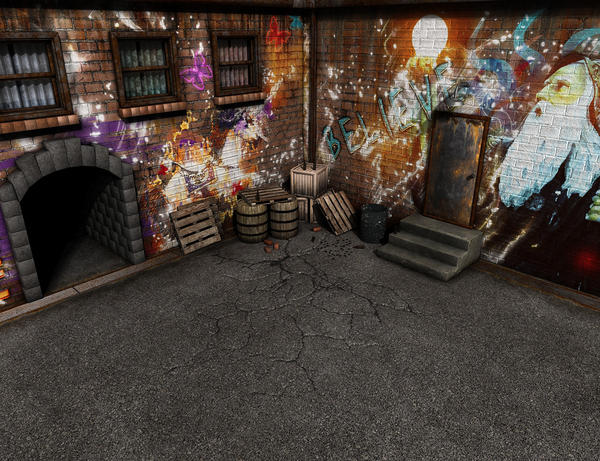
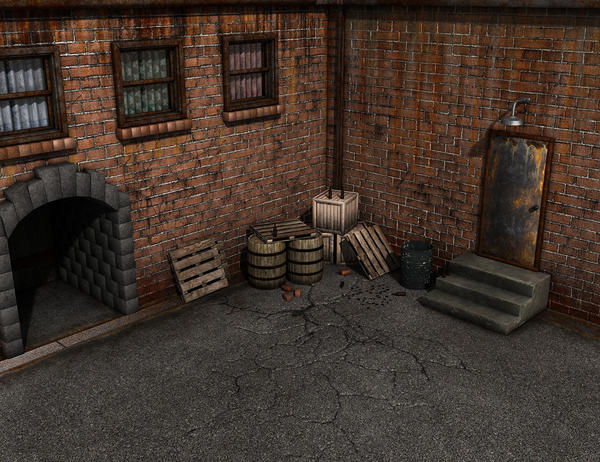
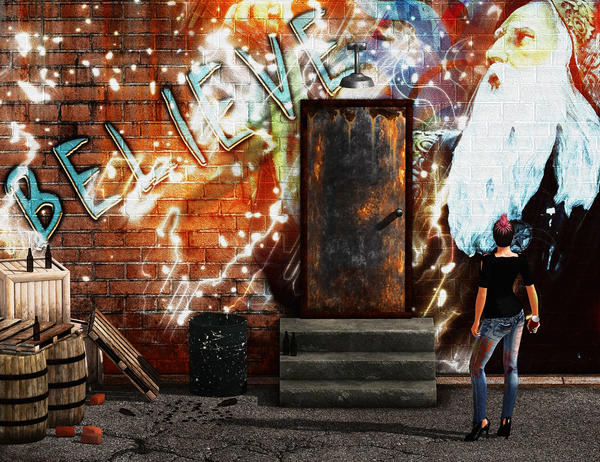
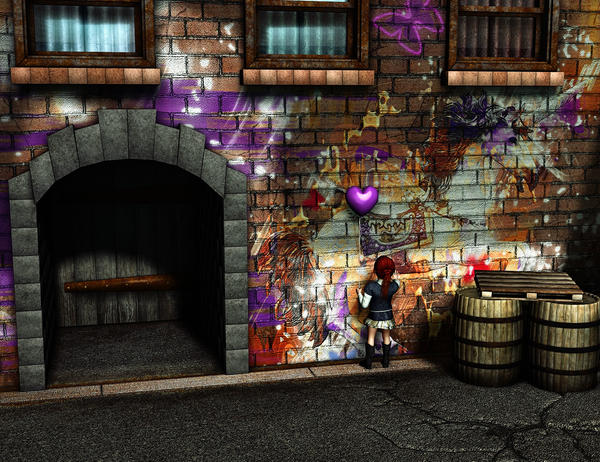
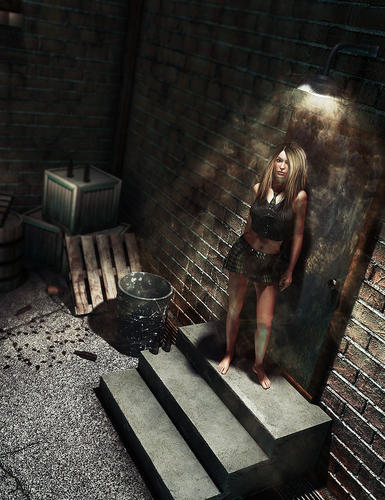
Just released for DS and Poser: Down on the Corner
Set Includes the following presets:
Full Scene Clean
Full Scene Dirty
Full Scene Graffiti
All Pile
Barrels
Brick Pile
Crates
Glass Pile
Pallet Stack
Set Includes the following props:
A Street Corner
Barrel
Bottle Broken
Bottle
Brick
Can
Crate
Pallet
Sky
Wall textures included:
A Street Corner Clean
A Street Corner Dirty
A Street Corner Graffiti 1
A Street Corner Graffiti 2
A Street Corner Graffiti 3
A Street Corner Left Graffiti 1
A Street Corner Left Graffiti 2
A Street Corner Left Graffiti 3
A Street Corner Right Graffiti 1
A Street Corner Right Graffiti 2
A Street Corner Right Graffiti 3
Lights included:
AOIBL Day
AOIBL Evening
AOIBL Night
IBL Day
IBL Evening
IBL Night
*All of the above included in BOTH DS and Poser Formats
PS If anyone has done any IRay Renders of our stuff, please feel free to share them in the thread as we would love to see them! :)

Daz 3D is part of 
Connect
DAZ Productions, Inc.
7533 S Center View Ct #4664
West Jordan, UT 84084
Licensing Agreement | Terms of Service | Privacy Policy | EULA
© 2026 Daz Productions Inc. All Rights Reserved.
Comments
And some more :)
Neat. Is the graphetti easily editable?
Its not included in a layers PSD file or something if that is what you are asking? But there are a fair few options as well as no graffiti dirty and clean options as well :) Or do you mean are there clean walls so you could do your own on them? Cuz that would be a yes. :)
Sorry, I was still filling in all the info in the first post so the info is there now if that helps :)
A couple IRay renders for those playing with that to see :) No IRay settings included but these were done with really minimal tweaking so if anyone wants to know how I did them, just ask :) Also if they aren't totally amazing, forgive me, I am honestly not all that "brilliant" with DS in general (this is why I have Neil - THANK YOU NEIL!) LOL :)
I'm not actually sure what I'm asking....I guess something like, is the graphetti (besides being a word I can't spell, nor can my spell checker) just an image file going in a channel overlaid against the wall, or is the wall/graphetti a single texture?
That might be it...not sure...(I guess with a solid wall texture, it's not too hard to craft my own either way...putting graphetti on walls was one of the first photoshop tricks I learned way back when :D ).
Those are single textures, not layered as it would have been a massive resource hog for LIE or Poser given the volume of textures and sizes for the scene itself :) But there is the Dirty and Clean bare walls that anyone can put whatever they like on :) And you could possibly load the dirty and graffiti image into say Photoshop and do some masking and kinda change some that way. Sorry it wasn't more the way you were hoping though :(
Greetings,
It looks like a really cool set, just the right mixture of gritty and fantastic. Just as a matter of typical curiosity, are the door or windows rigged to open at all?
Thanks for this, it looks right up my alley! ...bad fox pun...
-- Morgan
Impressive work, it caught my eye right away. Love that graffiti!
I'd appreciate knowing this as well.
Thanks
Generally we do try to rig everything in our sets that can be rigged but we decided not to have the doors and windows open and close for this specific piece. We decided to focus on the outer elements instead.
Generally we do try to rig everything in our sets that can be rigged but we decided not to have the doors and windows open and close for this specific piece. We decided to focus on the outer elements instead.
Thanks for the answer - I'll be honest it means I won't pick it up at the moment - it seemed so perfect for having someone leaning out of the window.
Thanks for the answer - I'll be honest it means I won't pick it up at the moment - it seemed so perfect for having someone leaning out of the window.
Well maybe next time around :) Sorry it wasn't what you were looking for :)
Hmm actually that maybe possible even though it's not rigged as the window is modeled so would really just take a transmap for the bottom half of the pane and a small interior set to pu behind it I think.. Might have to try it later :)
Not a problem. With the clean or dirty walls, it's easy to copy it, load the copy in photoshop,position a picture in another layer. Set the blending mode...screen most likely...save a jpg or PNG, and custom textures :)
Looks like the door is a separate piece, so having that as part of a mural would be tricky, but not much (thinking on it, there's likely a cut out area in the wall texture where the door would be, so easy enough to grab that from your custom image to make a door texture :) )
Me playing around in IRay with our Control Room :)
Dang there is some lights in that der set! looks pretty cool. Scene lighting is only from the monitors and buttons?
Lovely!!!
I miss the dinosaurs!
Dang there is some lights in that der set! looks pretty cool. Scene lighting is only from the monitors and buttons?
There is a touch of Dome lighting going on as well but not much. Most of the light is being carried by all the glowing bits.
I do want to do a re-render though as now I want to get the lights pluming more like on the chair. :)
I made this one for the PC weekly, the shady market corner
Hehe very cool Totte! Love all the different elements you added in to the scene. Your artwork always tells a story :)
IRay render of Forgotten Temple Ruins. Sorry about the graininess; I had to stop it well before it was done.
A wider view.
Nice ones Scott
Really nice Scott! Love the wide view one especially! :)
Thanks, Totte and Ann! Here's one of the new set...not a bad place for urban wildlife. DS4.8/Iray render. Everything out-of-the-box except the bottles and the lightbulb.
Very nice :)
And yeah out of the box it looks pretty decent really. I only adjusted the bottles (which went to "clear" in IRay so I put them back to brown) and then the windows I think and that was about all that needed really changed :)