Sshodan Raiding Cloak over Centaur
 zvzulndr
Posts: 6
zvzulndr
Posts: 6
in The Commons
What parameters did you use or how did you get the cloak to drape over a centaur body as show in this promo:
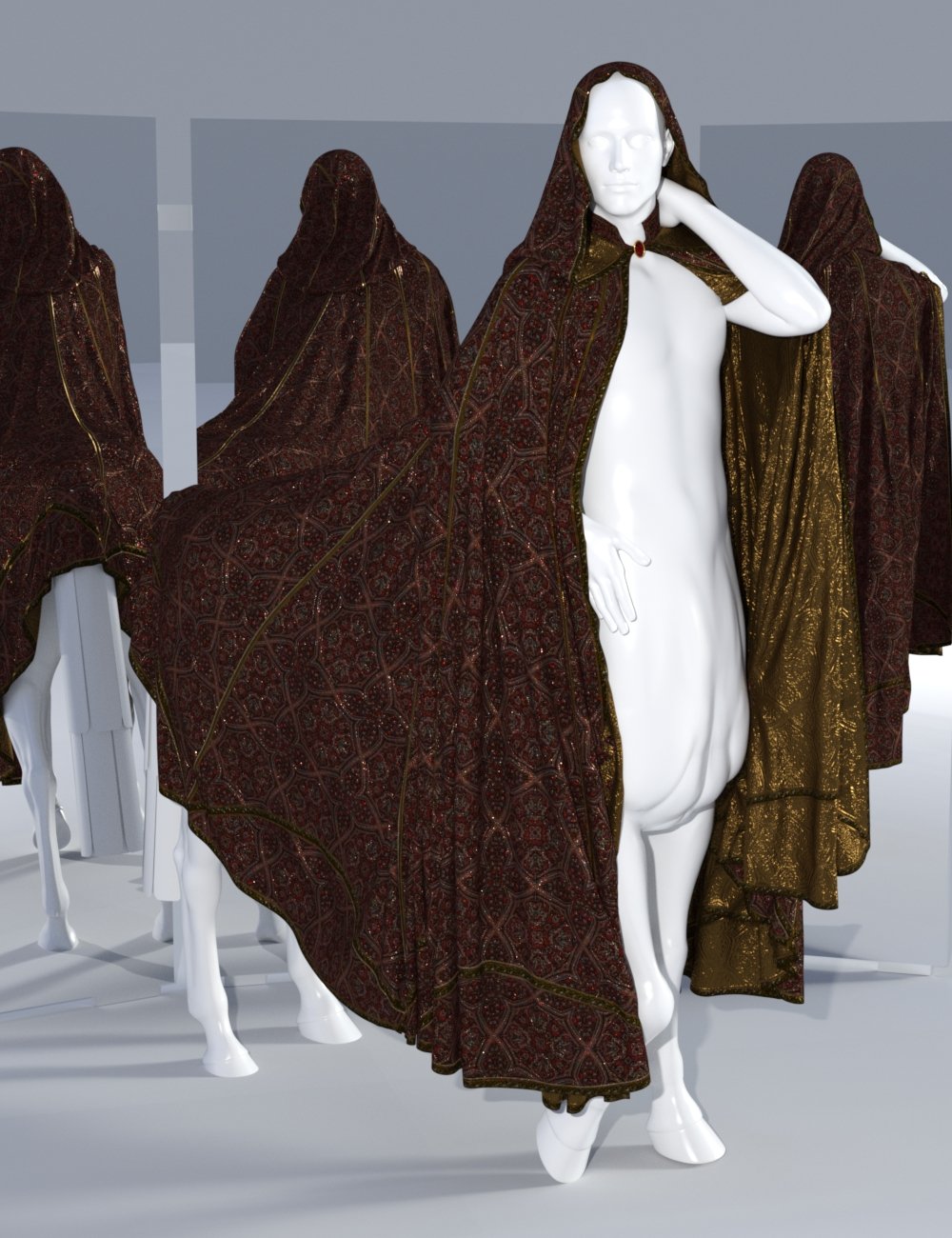
Everytime I try it with "full spread" or changing simulation parameter, I end up with crumpled mess in the first few frames.

Daz 3D is part of 
Connect
DAZ Productions, Inc.
7533 S Center View Ct #4664
West Jordan, UT 84084
Licensing Agreement | Terms of Service | Privacy Policy | EULA
© 2026 Daz Productions Inc. All Rights Reserved.
Comments
Hey @zvzulndr
Did you ever receive an answer to your question? Or resolve it yourself? If you figured it out, then I would love to know because I am experiencing the same issue.
For Genesis 8 centaurs, then I created these tools for helping with timeline simulations some time ago: https://www.daz3d.com/forums/discussion/comment/9241396/#Comment_9241396
For Centaur 9... I had converted the same controls to Centaur 9, but I've had a bug while trying to package those up, so I'm currently sending them to someone else to test them before I share them here... but I should be able to add those later.
The version for Centaur 9 has now been uploaded and can be found in my Freebie thread: https://www.daz3d.com/forums/discussion/comment/9458441/#Comment_9458441