Classic long hair (dforce) question
 Malandar
Posts: 777
Malandar
Posts: 777
in The Commons
Um is there any way to make the part not quite so wide? See how wide it is? and it is not consistant, the front bit seems about right almost, but then it gets WAY wide, what is going on with that? and is there something I am missing somewhere that will fix it? I have looked through the tabs looking for a morph or something, but I haven't found one yet.
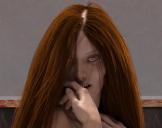
problem with hair.jpg
1682 x 1328 - 3M

Daz 3D is part of 
Connect
DAZ Productions, Inc.
7533 S Center View Ct #4664
West Jordan, UT 84084
Licensing Agreement | Terms of Service | Privacy Policy | EULA
© 2026 Daz Productions Inc. All Rights Reserved.
Comments
Hair seems to be too low on the head, try raising it a bit.
Okay, I'll bite... how I tried using the translate up/down slider but it does not move the hair at all, and it is "fit to" the character which is how it loads. I haven't been able to figure out how to move it yet.
Does the character have a 'Height' slider activated. I find some hairs and clothing don't play nice when a Height morph is applied to Genesis 8, rarely Genesis 3. I usually just dial it out and lengthen the legs and torso slightly to give me the desired height of the character.
I have looked inside her head looking to see if it is a matter if it being too low on her head and there is not enough below the surface of her skin to fix the problem with the part. I thought I had found the dial that would fix the issue, but it is still much wider than it really should be. I just had the idea that "Oh I can check the scale dial on the hair and scale it up a little and see if that works... but it has no scale dial...
I'll have to try that and see what happens.
Okay, I think I finally fixed it, but I had to find a mixture of dials that don't say anything about fixing the highway sized part in her hair.
A combination of the hairline thickness and roots expand dials makes the wideness go away, it's not perfect, but it works.
When I have this problem, I will try parenting the hair to the figure instead of fitting it. Then I can scale and move it around, and it will look better.