Buggy post editing window. Post requiring html to hold formatting.
 Lissa_xyz
Posts: 6,116
Lissa_xyz
Posts: 6,116
It's nice to see the icons back, but I'm noticing that editing a post now requires the use of html on the user's side to maintain any type of formatting.
/edit This post doesn't seem to be doing it. For what it's worth, this is the post doing it for me: filament refraction ??? - Daz 3D Forums
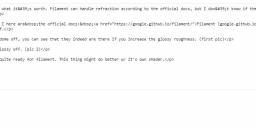
msedge_JXImcXbzpw.jpg
1230 x 354 - 138K
Post edited by Lissa_xyz on

Daz 3D is part of 
Connect
DAZ Productions, Inc.
7533 S Center View Ct #4664
West Jordan, UT 84084
Licensing Agreement | Terms of Service | Privacy Policy | EULA
© 2026 Daz Productions Inc. All Rights Reserved.
Comments
I can't embed images in edit mode... the forum has been fubar'd!
I just noticed the image I had with my original post is gone now. LOL
...testing the situation.
Entering text directly into the field without using the Source option. Reduced the horizontal window size and the text wrapped correctly.
Embedding an image.
OK see what the issue is. After clicking the little gear in the right hand corner and selecting "Edit" (like to fix a typo or add information), the edit window switches into Source (HTML) mode instead of normal mode. You also don't get any of the formatting buttons wither so you have to know HTML to do things like change the font to bold or:
...insert a line feed.
...or change font colour
Yeah, definitely buggered as it's hard to read with all the codes (particularly if you don't have the best eyesight or are dyslexic)and if you are not savvy with HTML, your post looks like rubbish.
@DAZ_Rawb said that fixing the missing icons and style sheet issues broke the WYSIWYG editor and they are currently working on it.
Gotchya. Thanks Mike.