Map Transfer & Displacement
 Hurdy3D
Posts: 1,113
Hurdy3D
Posts: 1,113
Hey,
I've baked a multi mesh in sub-d 4 in Blender to a displacement map for a G8M figure.
The dispalcement map is working fine for G8M.
Now I want to have the same dispalcement on G8F. For this purpose I've transfered the dispalcement via the DAZ3D Map Transfer tool to G8F.
Sadly, this is not working very nicely:
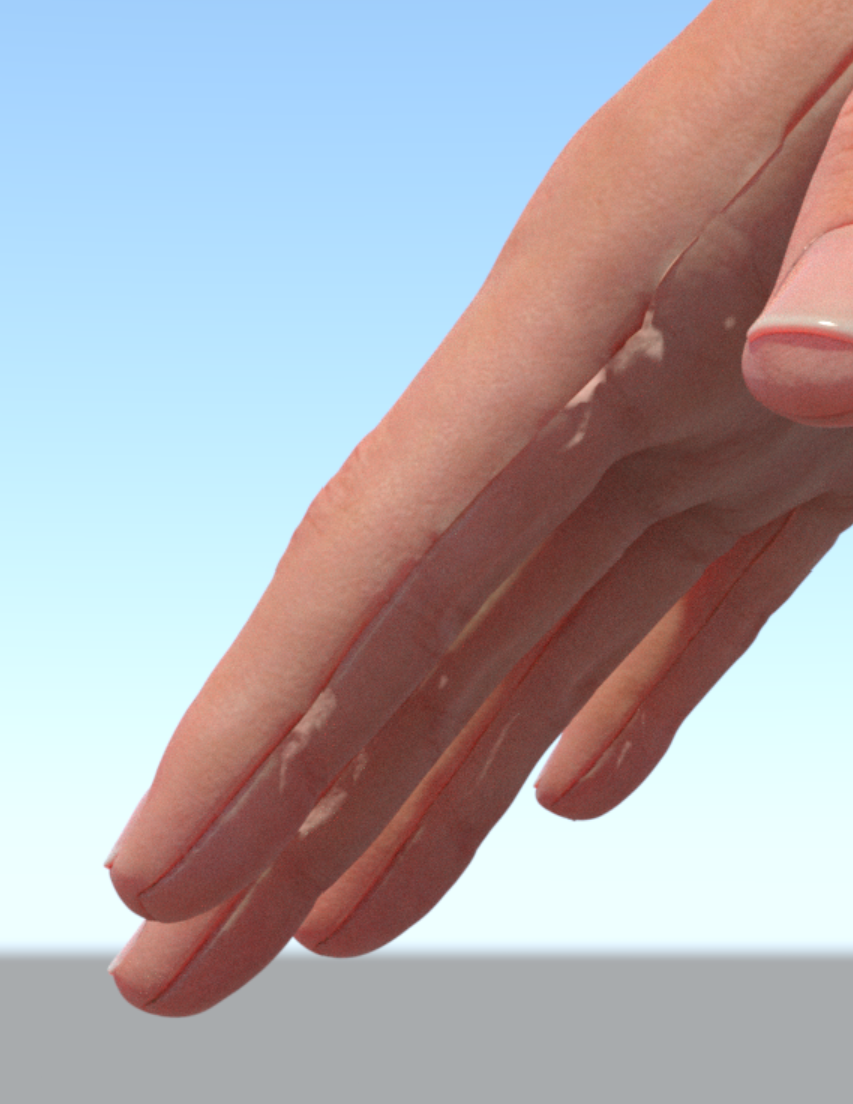
The reason is that there's some bleeding going on on the displacement map, as you can see if I use the displacement map as the base color texture:
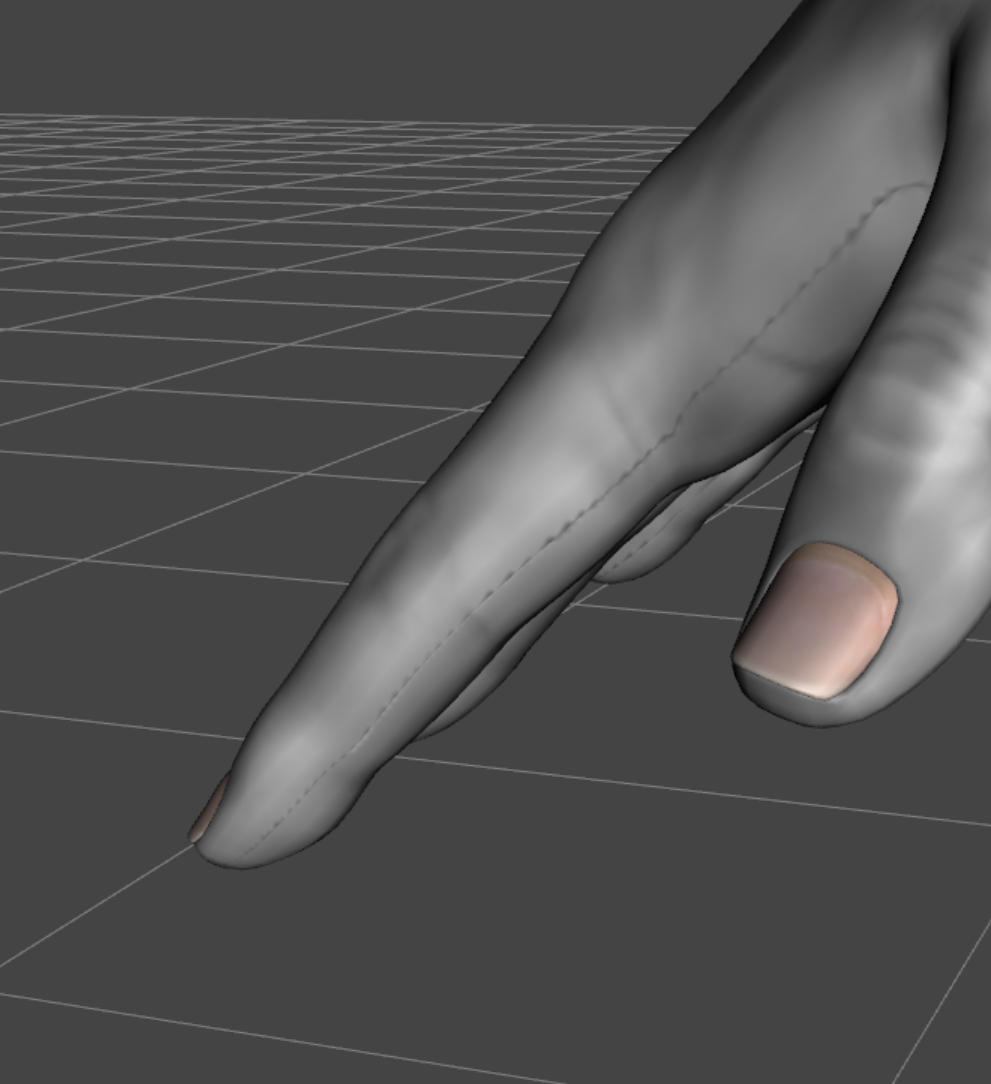
I played with lot of settings (qualility and bleeding slider of the map transfer tool and the resolution of the baked texture 4k up to 16k), but I don't get rid of the the bleeding seam which cause the deformationens and the seams.
Any idea how to fix this?


Daz 3D is part of 
Connect
DAZ Productions, Inc.
7533 S Center View Ct #4664
West Jordan, UT 84084
Licensing Agreement | Terms of Service | Privacy Policy | EULA
© 2026 Daz Productions Inc. All Rights Reserved.