Problem with UltraScenery
 LindaB
Posts: 193
LindaB
Posts: 193
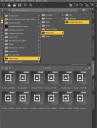
I bought UltraScenery recently, but haven't gotten around to playing with it yet. Then I saw that addon components are available in the fast grab sale, and was thinking about picking them up. I thought I should try using AltraScenery first, to be sure it works for me before putting more money into it. But I ran into a problem right off the bat - I can't load the script! It's not in the Script folder with the other scripts. So I found script components under 'resources' (see screenshot) and discovered files are missing. I reinstalled UltraScenery, both manually and using the install manager but the files are still missing. I would send a support ticket, but by the time I heard back, the sale would be over. Can someone tell me where I can find the files to launch the script? Any idea as to what I should do? Otherwise I'll have to let the opportunity pass and write a support ticket. thanks.

Daz 3D is part of 
Connect
DAZ Productions, Inc.
7533 S Center View Ct #4664
West Jordan, UT 84084
Licensing Agreement | Terms of Service | Privacy Policy | EULA
© 2026 Daz Productions Inc. All Rights Reserved.
Comments
The file you need to actually run is the UltraSceneCreator, which you can find in Utilities if you're using Smart Content, or Environments -> Landscape -> UltraScenery in Content Library.
Ultra scenery includes a user guide. Takes about 5-10 minutes to read, and addresses all the obvious questions, to get a render quickly. Very straight forward.