DazToMax import works great... but maybe not with dForce yet
 phong3d
Posts: 15
phong3d
Posts: 15
Caveats - I'm in the middle of re-establishing myself with 3DS Max after - literally - 20 years, so any technical observations on my part should be taken with a grain of salt. I've installed this one and Blender as well, and this seems vastly more ready for prime time. Anyway...
- I created a G8 male figure and added dForce hair, top and bottom, then simulated them to fit.
- Export felt pretty slow, but I'm not sure what geometric voodoo is involved... I have a 3.8Ghz I9-9900 and 32 GB of RAM - it's not a dedicated 3D workstation, but it's no slouch. I'd say start to finish was about 5 minutes.
- I added the Daz importer to the menu - the option was available aleady, so that was no problem at all, I just added the DazToMax option under my import menu. Piece of cake.
- When I tried to auto-import, it threw an error, as there was a problem with the XML exported from Daz. I'll put that in a Github bug (or maybe submit a fix if I can figure it out quickly).
Second try -
- Another G8 male figure, only this time, straight up Ken Doll export - no wardrobe, hair or any accessories
- Export took 20 seconds or so - VASTLY quicker.
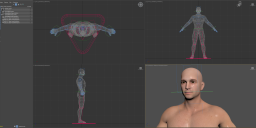
- Import was very fast into 3DS Max. There's my boy!
Character looks properly rigged and everything *seems* to be in order. I'll dig around more, but it looks solid. I'll try the Blender import next, but it sounds like that's a lot more dramatic, based on the discussions so far.

Daz 3D is part of 
Connect
DAZ Productions, Inc.
7533 S Center View Ct #4664
West Jordan, UT 84084
Licensing Agreement | Terms of Service | Privacy Policy | EULA
© 2026 Daz Productions Inc. All Rights Reserved.
Comments
you are lucky, after instalation i have no script menu in daz and the script does not appear in the library, i have run the script manually on genesis 8 starter, after, i run the script in max and i have this msg
"but maybe not with dForce yet"
Once a DAZ Avatar is exported and rigged, of course you won't have the dforce simulation.
But for any other 3D app on earth, once out of DAZ, there is Marvelous Designer. You can import your cloth as OBJ to garment. And simulate from there in Marvelous.
Without ever exporting out of DAZ my avatars, I still do all the simulations in Marvelous anyway. So much more control over what's happening.
uninstall the bridge from the install manager and reinstall it
then you will have an file in the all user/aplications/roaming/
DAZ 3D/Studio4/RunOnce/Daz to 3ds Max_Install.dsa
drag that file into Daz 3D then your script menu will be back