DAZ Studio Newbie Question about using own mats and creating .duf files / personal use
 Rivendark
Posts: 19
Rivendark
Posts: 19
I have been a long time Poser user and recently I have decided to try playing around in Daz Studio. I like to create my own textures for a lot of things, and with poser, after applying it to the object and modifing the surface parameters to my liking I would create a new material set for a specific object (eyes, a shirt, a sphere.. etc) and using the save to library option make a new .mc6 or .pz2 file so I could always go back to that texture if I wanted to apply it on teh same object in another render. Including a tumbnail etc.
I have not been able to figure out how to that in Daz. I can go into the surface tab, then browse to the directory I have saved the modified texture and select it, but I do not wish to do that every time. I would like to save my new texture setting for that object and I would like it to be part of the materials section of my smart content. So.. how do I do that? :)
I looked on line but I have not been able to find the answer I am looking for. Maybe I am using the wrong wording in the search?

Daz 3D is part of 
Connect
DAZ Productions, Inc.
7533 S Center View Ct #4664
West Jordan, UT 84084
Licensing Agreement | Terms of Service | Privacy Policy | EULA
© 2026 Daz Productions Inc. All Rights Reserved.
Comments
You can save a material preset for the selected object / surface once you've applied your textures. That would be the equivalent of mc6 or pz2 MAT pose. There are also hierachical material presets, which will apply to a main item and various items parented to it, eg a figure and clothes parented to it.
You can also save shader presets, which can be applied to any surface, like a mt5.
Well, I figured that was possible.. but "how" was my question
I assume, I would do.... File> Save As> Material Preset > .... name the file, then save it into the directory I want it to go to.. but how do you access it? (I tried but can't see it anywhere through smart content)
To be more precise.. lets say I create a pokadot texture for Michael 8 Basic Wear Muscle Shirt and I want that texture option to be saved in the same directory where all the possible textures for that items are. The .duf extension, with the tooltip image (not the runtime/texture directory).. Like C:\Program Files\DAZ 3D\Applications\Data\DAZ 3D\My DAZ 3D Library\People\Genesis 8 Male\Clothing\Basic Wear\Materials\Iray\.*name of duf file* and show up in Daz Studio's material for that figure... How do I do that?
Oh don't save anything like that to the program folders!
Main content directory, possibly it's located under Documents as in Drive:User:Documents:something about Daz Studio:My Library ....
Under My Library > People > appropriate figure > clothing > appropriate subfolder > I make additional subfolders for my stuff, suit yourself, save.
These will then be found using the Content Library.
In order to find things via Smart Content meta data needs to be written and I'm not going there!
One can also click on the "+" sign to bring up the save dialog which will save the files into that very folder.
In order to find things via Smart Content meta data needs to be written and I'm not going there
I guess that is not an easy thing to do.
Thank you for showing me a way to do it Pictures are always better than words at times
It's not hard to add simple metadata: find the product in content library, right-click on it and select "categorize", then add it to a category.
Now if you use the "filter by context" option so that only materials compatible with the selected object appear, it's a bit more complicated as you'll need to edit the metadata to tell DS which object those materials are for.
There's a tutorial here: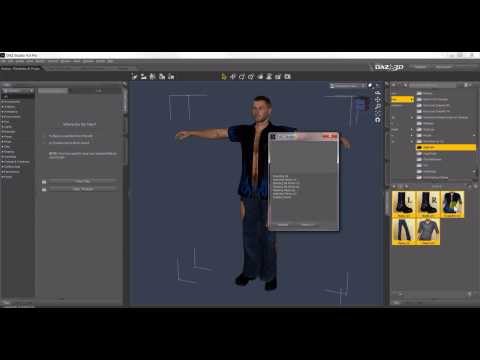
Thank you!
(Sorry for the late reply)