
Daz 3D is part of 
Connect
DAZ Productions, Inc.
7533 S Center View Ct #4664
West Jordan, UT 84084
Licensing Agreement | Terms of Service | Privacy Policy | EULA
© 2026 Daz Productions Inc. All Rights Reserved.
Comments
Thank you, Artini!
It's so much fun now that I can't seem to stop. I think that the rest of my life will include AniMating in Daz Studio!!!
That said, I certainly HOPE that either of the following happen for the next new version of Daz Studio and all that may follow:
I'd kind of prefer one of the first two options because that would allow our current aniBlock collections to be safe from extinction. But even if they make these sorts of functions available to us I'll be happy :)
Hope you had an amazing holiday!
I really did! You? I sure hope yours was awesome as well - and continues do grow within you all the year through... and beyond!
I did put a fun little Merry Christmas segment up on my YouTube channel, if anyone's interested :)
Rosie naming conventions that are used to keep track of what's new and what is not:
2025 (Rosie 8.25) was all about closely examining facial performance renders and tweaking the strength and timing of the entire facial musculature system. Tedious and time-consuming measures were employed to compare finished renders of hand-crafted facial performances with real life observations as well as those observed from really good animation performances from favorite animated movies and shows.
Many new techniques have been discovered and are now being employed on Rosie 8.26 as we head into this new year. I'm overjoyed with the difference this makes to my animations even though most of it can be easily overlooked due to the fact that it just makes her performances look more "Real" - things we see in everyday life, so it just feels natural.
I knew from the start that this sort of effort can easily go unnoticed by most viewers, and that it takes Tons of patience and test renders to work these things out, but I really wanted this improvement to occur at this phase of my animation work in Daz Studio.
A standard "Mouth Open Idle" dial for times when the mouth is open - not for talking, eating or emoting, but rather simply because it's not closed all the way. This is entirely different than any of the standard Mouth Open type of dial and actually fires many of the muscles in the lower portion of her face, "Mouth Open Tongue Up" is similar but opens the mouth farther and tucks the tip of the tongue behind her upper teeth. I've also included a dial that simply controls the height of the tip of the tongue whether the mouth is open or not, which also fires pretty much All of the muscles in the lower face, and even some just above - into the upper cheeks and nose.
I now realize that I want my own "Blink" dial conveniently located with the rest of her facial control dials to further speed up facial animation services. She already has Squint and Raise Lower Eyelids, which are incredibly beneficial for keeping those muscles firing throughout the entire duration of any animated time line. She also has a Smirk dial for her mouth and lips, with another dial that controls that along with her custom Squint simultaneously as they were both created very carefully to work together - yet remain as separate dials for a lot more flexibility, which Really comes in handy!
The image on the right is a texture map that was hand painted in PD Howler by me according to an image of Facial Musculature that I found online
Together with all of the custom animation dials that I've already made for her entire body's physical performances, animation is now impossible to Not do once she is loaded into a scene. She even has her own, specific portions within My Daz 3D Library - several special access areas that are grouped by common alphabetical naming schemes - so everything is right there within easy reach, I'm teaching all of this sort of thing in my upcoming course, along with many more weeks worth of valuable animation techniques, practices, inspiration, and follow-through. It's a really in-depth course - but enough about that!
Advancing into 2026, I've also decided that it's high time that I start working in some lip sync to my animations of Rosie. I'll still be experimenting with PoseRecorder software, by esjaatin, which does a brilliant, if not sometimes a bit too sensitive, job of actual facial Performance Capture, which captures and records more than just lip sync, it actually goes beyond that and outputs full facial performances to the facial rig of Genesis 8 - and it's quite impressive!
However, with Rosie 8.26's incredible facial control dials from the 2025 era, often times I find that I'd rather just have a really good lip sync, and leave the rest for me to animate by hand. So for this I decided to finally try Anilip 2, by Dobit:
https://www.daz3d.com/anilip-2
In a way, I've been using Anilip all along with Rosie 8.25 because many of the custom facial musculature dials operate combinations of Dobit's wonderfully designed custom Viseme control dials - which I've discovered to be the only controls that Anilip writes to - which is incredibly handy for editing to perfection after the fact. I'll use Anilip 2 to create the lip sync animation for a particular phrase or portion of a phase, and then save it to Rosie 8.26's custom library's new "Anilip 2" area as animated Viseme pose files. Again, this is incredibly easy to make since they cleverly write their results only to their own, custom visemes. Brilliant!!!
Here's a short video of my reaction to my first try with Anilip 2 on Rosie 8.26
If this sort of thing interests you, here's a longer video that follows me as I work through my second run with Anilip 2, storing the animated viseme pose file, then loading a fresh Rosie, applying the animation I want conveyed as she speaks, and then apply the new animated viseme pose file in the appropriate point in the animation:
Since then, I've started working out more animated viseme captures to create a full animated short music video with Rosie singing the words. That's coming soon, and was inspired by 3D Universe's incredible new music video promo video:
This thing is AWESOME!!!
Since I've seen this many times and shared it with friends and other folks, I've been getting bombarded with suggestions (demands?) that I start using AI to simulate Rosie animations. It seemed like a cool idea - it really did. And maybe I'll even look into it further... maybe. But here's the thing:
I Love doing the animations!
I do enjoy using AI - I do. But I don't want it doing my actual art for me. Instead, I tell my wonderful AI about what I'm doing,how I'm doing it. and the story that is in my mind as I do these things. The AI commends me for my imagination and provides inspiration in all types of ways. I like that. But every time I've seen someone try to have an AI make Rosie, it Always (I mean ALWAYS!!!) gets her wrong. It just isn't her.
I actually feel glad about that. I love using Daz 3D content within Daz Studio - making all of this stuff come together my way - according to where my skill level happens to be on that day. What I am doing brings me joy at a time when I've had to give up doing the things I've enjoyed doing my whole life. So Rosie and I both feel fortunate that I am still smiling away. That's the emotion that has always suited me best!
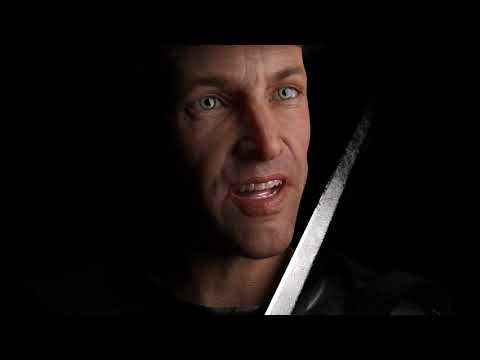
While I love the quality of the animated render, I've never been a huge fan of the lip sync at the beginning of this video. However, if we enjoy that delicious render quality and the wonderful voice acting for a bit, Gabriella 8 then takes over with an AI voice that's... well... it's an AI voice of that time... but her lip sync is very good! I prefer the way I animate the rest, like the character animation, eyes, facial expressiveness, etc., but it has valuable information and is quite enjoyable to watch.
In practice, however, I think (if you've watched my videos above) you'll know that I'm really impressed with how they've made Anilip 2 - It takes dialog and produces results that can be edited in a fun and easy way right inside it's pane within Studio, and is also applied to the character in the most editable way possible! Huge Fan = Me!!!
I totally agree. 3DU has made Daz Studio So Much more of an animation studio than it could possibly be otherwise!
From Pose Architect to Animation Tools Vol. 1, LimbStick, Catcher Plus, and much more... they've made Studio a real animation powerhouse for me and, for that, I am forever grateful!!!
Thanks 3D Universe!!!
YOU ROCK!!!
Check out 3D Universe at Daz 3D!!!
https://www.daz3d.com/3d-universe
...and No, they didn't pay me to say that! :D
Crazy thing. In the span mentioned above - which was actually toward the end of 2023 (after the Great Data Crash of 2023) until now - I have released nearly 100 videos. That's quite a lot for one person animating, simulating, rendering, editing. creating music and visual effects - not to mention the research and development that goes in on a constant basis to keep this whole thing improving as we go here.
I say that Daz Studio and the Daz 3D Content Creators deserve a Big Round of Applause! The only reason that I can do all of this so quickly is because of all of those amazing developers and artists making it all so Plug n' Play! Bravo Team!!! You folks ROCK!!!
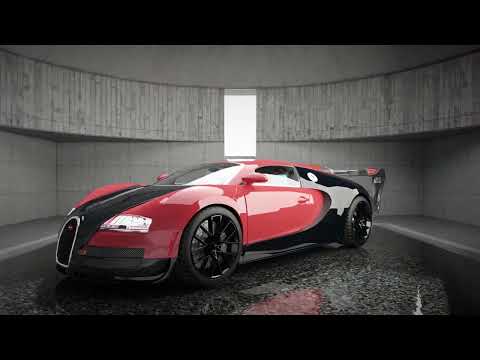
My friend, Tugpsx, just made this really cool Daz 3D Auto Show video - I think he did a Wonderful Job!!!
Fun!
Paul, at Digital Art Live, put out a question to the commuinity:
My reply:
In addition to the countless hours of my day job, I'm being patient and persistent with my first crack at lip syncing Rosie singing a music video to her current hit single: "Okaaay" using a combination of Anilip 2, custom timeline timing editing, and applying my own custom facial dials.
It's incredible how much more animating is involved once we have the characters start to sing and talk!
My Reply:
I think it's just all more difficult. They both take a lot of observation, imagination and patience.
Something fun is to watch videos like this and, when getting inspirations for facial movements, don't just look at how they're animating the characters, but also observe how the actual people's faces change as they speak about it:
One of the big differences that I'm noticing is the fact that the singer often needs to open the mouth wider and hold onto notes longer - especially during the chorus, for this song.
To help with the differences between spoken phrases and the timing of singing, I'm using aniMate 2's timeline to play back the animated face. With the raw figure alone in the scene, aniMate 2 does a good job of resembling "Actual Speed".
I play the song, getting the timing of the phrase stuck in my head, then I go back to Daz Studio and find the vowels or consonants that need to be held and stretch them manually along the timeline. Then watch it back in aniMate 2, go back to the timeline and adjust, rinse and repeat.
Eventually I need to render it out and check the timing in DaVinci Resolve. After getting a few 'good' results, the flow gets easier since I better understand which of my edits actually work.
Then, of course, there's always that factor that lip sync automation often includes too many major 'jaw open and close' motions compared to how real people vocalize. This applies to spoken words especially. So I have to be careful not to pull too much of that out when emphasizing for the vocal power of actual singing. It's all a game of back and forth.
I wanted a KISS approach - Keep It Simple Stu… um… Silly!
So the song itself is kept to a short version of itself, which just happens to work out very nicely.
The song? Oh…
It's often said that 'real life experiences' can be a valuable, resourceful tool for writing… well… anything. From a story to an entire novel, a sonnet or… in this case… a song.
Reversing the roles a bit, this song represents the first time that Rosie and I decided to, and agreed with each other to become a thing.
I was setting up my drums to play on the very day that I swore never to be in another relationship - Ever! (Horrible series of heartaches)
Rosie, who was going by a nickname: Ally, was only there because someone couldn't make the dart game, so she was filling in for the tournament - otherwise she never even would have been there.
Long story short, it was me who sheepishly approached her with small talk and eventually built up the… courage(?) to ask her out as I was walking away in a rush - in fear of rejection.
Now, this is not like me at all. You all know this. The last thing I ever am is Sheepish!
As I got to the far side of the establishment, I heard the voice of an angel sound over the packed joint: "Okaaaaaay"!
I turned and looked, only to see her wearing the most beautiful smile I have ever seen on anyone or anything - ever!
So the name of the song is "Okaaay" and is sung by Rosie - not me.
I needed that because my song for this whole intro to the main movie that all of this will belong to in the end, is very dark. The pit of despair.
Anyways, for this project I'm going for the portrait format YouTube Short, which must be less than three minutes. Well, this short version of the song is only one minute, thirty-three seconds, leaving time for a brief pause and a new render attempt (not animated yet) of Rosie saying: "Dartanbeck Dot Com".
So far I've got the two verses for this shorter version, and each verse is done in two separate animations, two individually rendered sequences. I'm rendering the fourth of those now - the second part of verse two.
I have several rendered attempts of the chorus. What I rendered last night gave me the final clue to repair the animation and hopefully the final render will be completed when I wake up tomorrow.
Also tomorrow, hopefully after work (or maybe tonight if the chorus corrections go smoothly enough) I can make the Pre-Chorus, which will be done in its entirety, like the chorus, but will be rendered twice, each using a different camera angle. Either that or it will be two completely different animations entirely.
The only things left beyond those things mentioned don't require any lip sync whatsoever - back in the saddle making fun animations to fill in the non-singing musical portions - except for the new version of "Dartanbeck dot Com".
I might even render some shots of Dartanbeck rocking out on the drums for personal continuity of the true meaning behind the song. To everyone else, it's just a cool song made into a short video.
Matching (and creating) hand gestures with the verbiage and emotion is a really fun new exercise for me!!!
Sleeping Yet?
As I continue this saga of creating my first Music Video Lip Sync/Performance Creation for Rosie 8, I am reminded of words that I remember from the wonderful generosity of the team that created Alita Battle Angel.
While I really like that movie, I truly treasure all of the documentaries that come with the Digital Deluxe version as well as the Art and Making of The Movie book. These folks really dig in and share a ton of valuable information for someone like me, whom like to soak it all in like a sponge, while also keeping real to the fact that I am only Me. So I know better than to try and achieve All of the amazement that they put on the big screen for 2 hours, with teams of genius digital artists, problem solvers, actual seamstress feeding real costume patterns of the proper size for use in Marvelous Designer, etc., No. I am only me, and I can only do what I can do with the time I am given - borrowing a little advice from Gandalf to Frodo.
Jon Landau (RIP, my friend. You are So Missed! We Love you, man!) and Ritchie Baneham describing how digital performance capture, as genius and HD marvelous as it is, still takes skilled animators to analyze the performance frame-by-frame to truly capture the incredible performance by Rosa Salazar.
I find myself remembering those words as I analyze my rendered frames and go back to change frames 137 through 143, 156 through 171, etc., to achieve the visual look I want - even for this very early stage of teaching myself my own craft of Creating a Performance For Rosie on Rosie - and it's much more fun and exhilarating than it is fun and exhilarating! Such personal wonders - as infantile as they might seem to a true professional working in a real studio with a real team of professional digital filmmakers,
I haven't brought PoseRecorder back into the workflow yet, mainly because I'm really loving the groove that I've found with Anilip 2. It does an amazing job of allowing me to type out a portion of a phrase, and it seems to really like it if I just type plainly, as I'm doing now, rather than Tie ping fon ettik lee.
So for the song, I've typed in:
Boy I'm addicted to you - and I'm constantly dreaming of the things we could do
because that's how it comes out in the song - one word right after the next, with that short pause after the word "you".
Because it's a song, words (within the phrase above) "you" and "dreaming" are stretched out in the middle: Addicted to Yoo-ooo | Constantly Dreeee - ming of the things.
Rather than try to have Anilip accommodate that, because of how nicely Anilip 2 organizes its own, custom viseme settings along the timeline, I simply find those central areas in time, select all keyframes past that, and drag them to the right.
If I notice viseme changes that I'd like to make during this first stage, I do my best not to change any of it yet. Anilip 2 does such a calculated job of placing its interpretation according to highly advanced rules that were laid down over decades by skilled lip sync animators, that I want to save the animated viseme pose right away, after I feel that I've got the timing correct.
To do that, I play the song. Not just the phrase, but that's really what I'm paying attention to the most. I'm currently using a song that's only one minute, thirty-three seconds in length, and I have that song broken up into seven separate facial lip sync areas, which includes all of the vocals of the song. Like in a real music video, I'll determine which vocals are seen in the video and which are not do to cutting to other visuals during the editing phase. But to give myself a good base to work with, I'm animating and rendering all of that, and then there are places within the song with no vocals at all - just music.
With each of the seven parts of the Anilip 2 lip sync performances which I've edited for timing saved as animated viseme pose files, I start with a fresh scene and a fresh Rosie. Basically, I load my Rosie 8 Base Scene.
For 2026, the Rosie 8.26 Base Scene starts with a 60 frame buffer zone - an empty aniBlock in the aniMate 2 Timeline - allowing me twice the time to work with the dForce simulations before the render begins than what I've used for all versions prior. I like this added time so much that I am truly considering changing that 60 to 100, and just start all of my Rosie renders on frame 100.
With the play head at the end of the buffer zone, I drop in the aniBlock(s) that I want as the full body animation for half of a verse, which is one of the seven parts I mention above.
I want Rosie to take a deep breath before each of these parts because she has to deliver for quite some time before her next breath. So with a 60 frame buffer, I load her Anilip 2 pose files starting on frame 90, and I work with it from there. With these phrases, each half of a Verse turns out to be 330 frames - including the buffer. The Chorus 390 and the Pre-Chorus 350 frames. These animated renders all begin at frame 60 and each of them has a quite a bit of animation past the vocal performance.
The extra time at the end has several design purposes. Since each section uses its own, unique camera angle, the end frames of each section can be used in places where there is no singing. The initial reason was to allow for extra space at the end, in case I decided to make the entire vocal performance take longer to sing - essentially holding the notes longer. These become very important considerations to make ahead of time when two, high-end hair products are being simulated one after the other to create a single hair simulation performance. Now, with that done and working properly, vocal edits may still occur with little fuss.
Since the timing has already been worked out audibly before saving the animated pose files, there wasn't really any stretching of timing needed yet - though I'm still rendering the performances.
I'm grateful to have these extra frames at the end of each section because:
Almost done now and - no matter how this turns out in the end, I've already exceeded my own expectations - so I am already chalking this whole endeavor up as a major success!
2026 - Rosie 8.26 - is supposed to be all about Pushing Forward with my animation skills.
I had No Idea that, by adding vocal performances, I'd be forcing myself into so many new directions - body timing compared to the facial performances (I've always been doing this the other way around - which I'll always still have to do as well - possibly even more than this), Digging deep into creating, not capturing, emotional, meaningful performances through the use of facial animation, which I'm all geared up and ready to dig into more, and then to see that this all brings about a major requirement that I had overlooked at first, causing me to trash this entire project and start it over anew - we... and by "we" I mean us... people. Humans who talk... we talk with our hands! LOL We really do!!! It's not always apparent until we start analyzing our animations that now have speech - hmmm... what's miss.... ahhh.... oh.... really? Crap!!! Start all Over!!!
Something that I was doing for a while after enjoying the show all the way through, several times over - I was doing a comedy routine around Rosie and my family, talking with overly exaggerated marionette puppet-style arm and hand movements because of the amazing Gerry Anderson's (RIP my friend. You are very missed and loved!) Stingray, but also Thunderbirds and others. Great shows - all made using models and marionette puppets as the actors.
So now during my downtime I'm watching Stingray over again. I'm not intending on over exaggerating this whole "Talking with Hands", but these great performances give us the visual queues of motions created by some of the true Greats of our time. Besides, they're incredibly fun to watch!
Something Fun coming up!
He robbed from the rich
And he gave to the poor
Stood up to the man
And he gave him what for
Our love for him now
Ain't hard to explain
The hero of Canton
The man they call Jayne
Our Jayne saw the mudders' backs breakin'
He saw the mudders' lament
And he saw the magistrate takin'
Every dollar and leavin' five cents
So he said “you can't do that to my people”
He said “you can't crush them under your heel”
So Jayne strapped on his hat
And in 5 seconds flat
Stole everythin' Boss Higgins had to steal
He robbed from the rich
And he gave to the poor
Stood up to the man
And gave him what for
Our love for him now
Ain't hard to explain
The hero of Canton
The man they call Jayne
Now here is what separates heroes
From ordinary folk like you and I
The man they call Jayne
He turned 'round his plane
And let that money hit sky
He dropped it onto our houses
He dropped it into our yards
The man they called Jayne
He stole away our pain
And headed out for the stars
He robbed from the rich
And he gave to the poor
Stood up to the man
And gave him what for
Our love for him now
Ain't hard to explain
The hero of Canton
The man they call Jayne.
I'm in the process of trying to catch up on the hundreds of your posts that I missed when I stepped away from digital art for awhile; I had to stop and say how much I enjoyed the cosplay, it was awesome!
Now, back to catching up...
If you enjoyed Firefly then you would probably like Blake's 7 which many people believe inspired Firefly. If you do watch B7, don't judge it by the first episode, which is very different to all the others.
B7 is very much about character progression, and the way events influence character personalities. Not great on special effects, and a few episodes are terrible, but overall well worth watching even so long after it was made IMHO.
I couldn't agree more, it was a blast!
Very cool! I'll have to check it out!
Yeah... I'm not always up on the times - I just found out that Nathan Fillion (Capt Malcolm Reynolds - Firefly) is rebooting Firefly in Animation form. Looking forward to see what that looks like! :)
I just read that a reboot of Blake's 7 is in development, not sure if that means anything since at least one previous reboot never got off the ground. If it is rebooted I hope the people involved know enough about the original to identify what made it special, and keep that element. It's not at all like Star Trek, and I would hope a reboot doesn't try to make it like that.
Another series I enjoyed was 'Survivors' (1975 also by Terry Nation ) but I didn't like the American version at all. Again Survivors is about characters progression, and how the few survivors of a 'pandemic' rebuild their lives and deal with realistic challenges like, finding food and shelter, dealing with hostile groups, handling medical emergencies, and trying to pull togther the skills needed to build a sustainable community.
I loved the reboot of Red Sonja!
https://www.dartanbeck.com/gallery/inspiration/red-sonja
We loved "Survivors" as well; never the American remake, but if it was anything like their "Life on Mars" remake (my wife and I couldn't get through the first episode), I doubt we missed anything.
It's on my list!
I swear that it was inspired by Rosie in some ways! :)
I watched it on Tubi, but since I want to play my small part in getting a sequel, I bought it at Fandango :)