Nvidia Control Panel settings for Daz Studio
 Galaxy
Posts: 562
Galaxy
Posts: 562
Is these [Nvidia Control Panel Texture Filtering] settings free up some memory of the graphics card vram, if I disable or change some of them?
Specially
1. Adjust image settings with preview
and
2. Manage 3D settings.
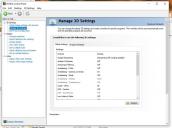
Nvidia Control Panel.jpg
984 x 731 - 100K
Post edited by Galaxy on

Daz 3D is part of 
Connect
DAZ Productions, Inc.
7533 S Center View Ct #4664
West Jordan, UT 84084
Licensing Agreement | Terms of Service | Privacy Policy | EULA
© 2026 Daz Productions Inc. All Rights Reserved.
Comments
After applying Adjust image settings with preview Daz Studio viewport is bacame faster than before. However Manage 3D settings are currently confusing.
Again, please make sure that all the needed information is in the body of the post. I can't recall any previous discussion of these.
I cannot explaint it properly because I am currently confused about those settings. I found this/these settings inside this Nvidia Control Panel https://www.microsoft.com/en-us/p/nvidia-control-panel/9nf8h0h7wmlt?activetab=pivot:overviewtab