Mesh Grabber is AWESOME!
 3Diva
Posts: 12,058
3Diva
Posts: 12,058
Mesh Grabber and the new Mesh Grabber Rotations Add-On is absolutely awesome! I've been wanting something like this inside Daz Studio for YEARS! It's a now a reality and it makes a HUGE difference in my scene setup time. It quickly and easily fixes poke through, helps me "mess things up" a little to add realism, allows more realistic collision between objects, it can quickly add a little bit of asymmetry to expressions and faces, and a super fun thing - minor modelling INSIDE Daz Studio.
In less than ten minutes I made a primitive sphere and plane into an iceberg on the water. It's not awesome or anything, and I'm sure it could look a bit better if I spent more time on it. But considering it went from This:
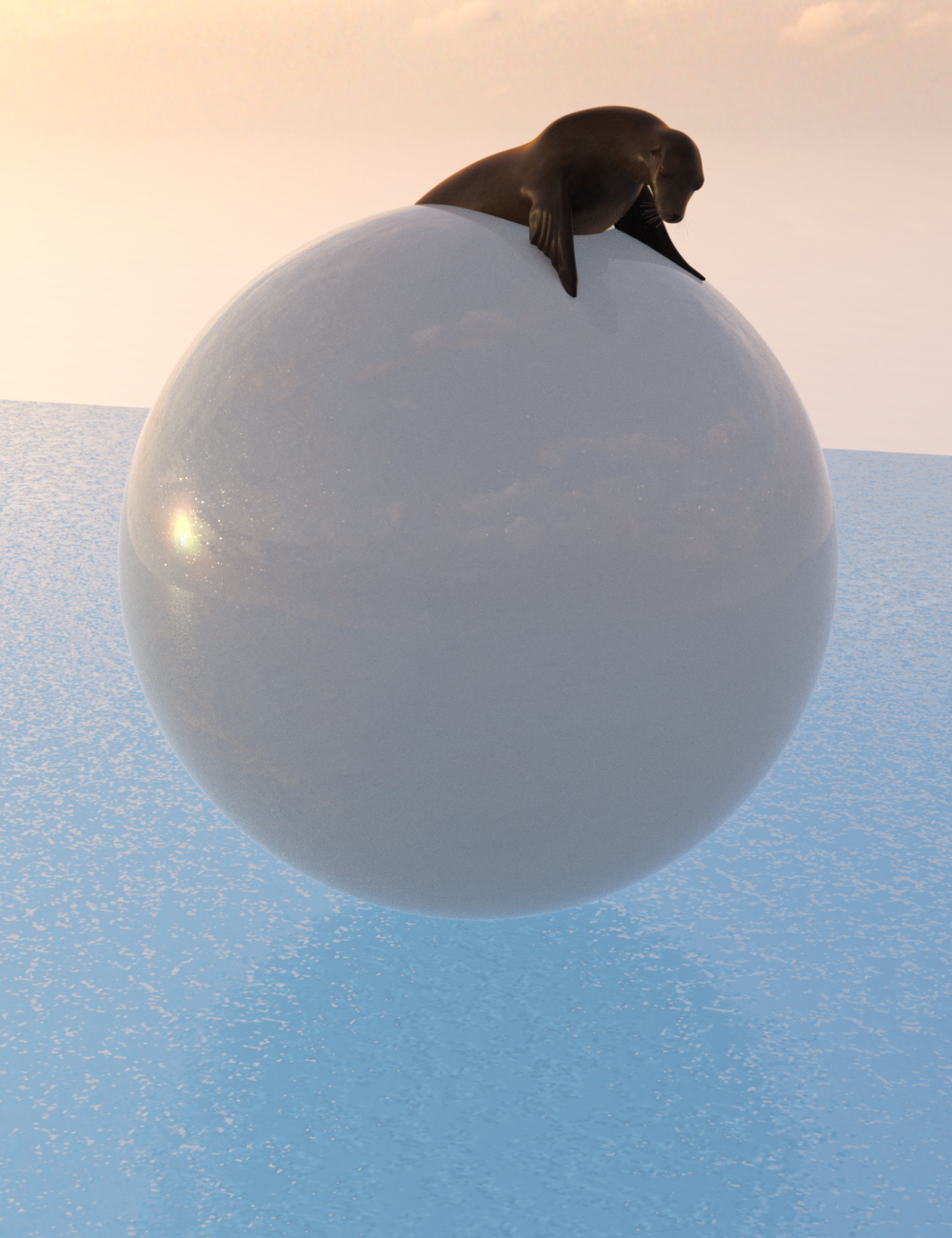
To This:

...In less than ten minutes, I think it's really cool to be able to do that so quickly and easily.
To me, Mesh Grabber is a game changer! I use it in pretty much every scene I set up now. It's crazy versatile. I would love to see what fun things you guys do with it too! :)



Daz 3D is part of 
Connect
DAZ Productions, Inc.
7533 S Center View Ct #4664
West Jordan, UT 84084
Licensing Agreement | Terms of Service | Privacy Policy | EULA
© 2026 Daz Productions Inc. All Rights Reserved.
Comments
Mesh Grabber is AWESOME! I use it all the time. Great Iceburg!!
i have it, but still havent had a chance to try it. will have to get around to that.
does it work on sub-d or just base and high resolution?
I've always wondered why DS doesn't have that feature built in - Poser has had it for many years.
Thank you. It was really fast and easy! The water took a little more time than the iceberg, but I was able to do both in less than 10 minutes total. So I'm quite impressed with the Mesh Grabber! :D
Very nice example. You should post it over in the commercial thread, too.
I THINK (I could be wrong though) that it only moves the base mesh. There's more info about it here: https://www.daz3d.com/forums/discussion/372546/released-manfriday-s-mesh-grabber-commercial/
Thank you, barbult. :D
Hallelujah!! I have to agree, it is a game changer. And the update has made it even more useful.
I bought Mesh Grabber when it was first released but haven't used it yet. Do you need the new addon to get the most out of it? Or is it more of a nice-to-have feature?
My only wish, unless it's a feature I missed, is a way to remove mesh grabber changes later. You can edit-undo, but once you get beyond a certain point I'm not sure if there's a way to go back.
I'd love to see some tips n' tricks on how to use it. I've done some soft body physics with it, but that's pretty much the extent of where I've taken the tool.
Nicely done with the iceburg! Right now I still only have the base Mesh Grabber, but I definitly plant to pick up the rotations add-on. The base has been super helpful. :-D
You select the object with Mesh Grabber, and then right-click to revert all changes made with Mesh Grabber.
And that's, ahem, only the tip of the iceberg.
Two questions. Is it relatively easy to use? Or is this for expert DAZ people?
And, will it let me finally move hair around more easily to conform to poses?
Its rather easy to use.
Imagine if we had a full vertex modeler built in.
#ReinventingCarrara
When I first bought Mesh Grabber, the lack of Rotation was the one thing that I thought held me back. I was so glad to get the Rotation beta and so disappointed when it expired before the Addon was released. Since then, I've become rather adept at using the tool, (if I say so myself, ;), ) and I find myself using rotation far less than I would ever have imagined. The better I am with the tool, the more I can do without using rotation. I've got the Addon now, and it's really nice to have. There are times when it really is necessary; Just not as often, for me, as I first believed.
I so want this and the AddOn for Mac!
I only have the base one and it is not a posing tool. So, it will not allow you to pose your hair if that is wht you want. However you can move it around some to not interesect with clothing and/or other objects.
I use it for hair all the time. While it doesn't work for styling and extreme tweaking will start to show distortion, you can easily yank bits of the hair mesh into place and IMO it makes a huge difference--especially if you're working with hair that doesn't have adjustment morphs or bones.
This is the tool I'd recommend to people who are looking for essential recommendations, especially if they're new to DS and find the interface intimidating. I learned how to make do with adjustment morphs and stuff (and those are still useful in many cases), but there were so many times I was beyond frustrated because a problem could've been fixed by just moving the mesh around. I never really got the hang of dFormers and Mesh Grabber just...works. It saves a huge amount of time for me.
So I love the Morphing Tool in Poser, it's simply the best feature in the program and I was quite surprised that DAZ Studio didn't have a native tool that could do something similar. I saw the Mesh Grabber and was going to get it on release but I didn't see any mention of being able to save the alterations as a seperate morph. In Poser you can make and name morphs out of your deformations, dial their intensity and even use the restore tool to restore whatever parts you want as precisely or as broad as you want. Is this something that Mesh Grabber can do or is that beyone the scope of its capabilities?
Really what I'm looking for is the same functionality of the Morph Tool in Studio.
Easy to use.
It is possible to save as morphs.
Cool render! :D
More than Mesh Grabber itself, ManFriday is awesome! I've bought everything he has ever done :)
Sorry, it seems to be DIM only. Since I don't like using DIM. Can we have a real istaller, please? I cannot see, where my files are located, nor where they have been installed to. I just can't get it to work inside DS.
After pressing "Install" Where do my files go ???
(Just uninstalled DIM. No way back to it.)
Can we have a real istaller, please? ;-)
I have to agree. I've been dreaming of this functionality inside DS since I left Poser behind ;)
Laurie
You have to go into the settings in DIM and tell the files where to go.
tried it. doesn't work. It allways get installed into the DS beta instead. It ignores changing the paths I am setting. I just don't understand. Why DIM only?
(Don't get me wrong here: Mesh Grabber is awesome)
If you installed the beta with DIM but installed the general release with a stand-alone installer, DIM only knows about the data. Go to settings (the gear icon in the upper right) > Advanced Settings,
go to the Applications tab, click the + sign in the lower left, and add an entry for "Daz Studio", "4.5+", "64-bit", and the path to Dazstudio.exe. Then uninstall and reinstall the Mesh Grabber add-on and it will be installed to both.
i also bought it when it was released and just bought the addon couple minutes ago, although haven't even tried the base out yet, maybe i'll do that today :)