Windows Crashed - Broken Database - SOLVED
 marksinister_0f3a44cacc
Posts: 97
marksinister_0f3a44cacc
Posts: 97
I wrote a message in the forum about this earlier but I can't find where I posted it, so I have to start over here.
My computer crashed and I had to reinstall. I was able to recover my CMS folder for daz studio but I'm finding out I can't recover my Smart Content from it because I never made a backup.
I used Content Databse Maintenance to recover all my support directory images for my Smart Content tab but whenever I go into a non Daz product or a very old Daz product I get this:
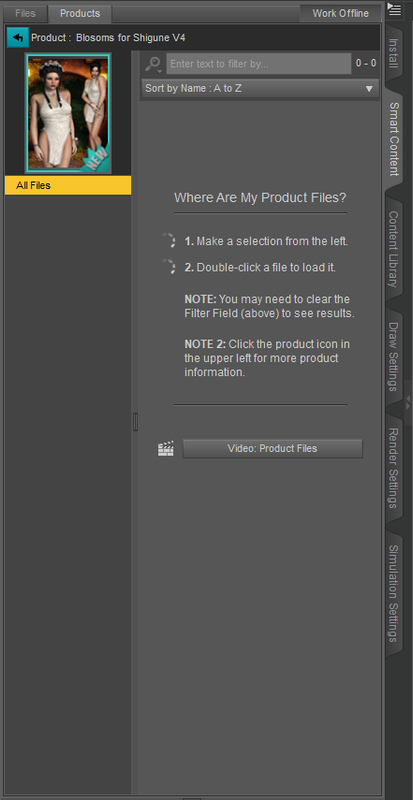
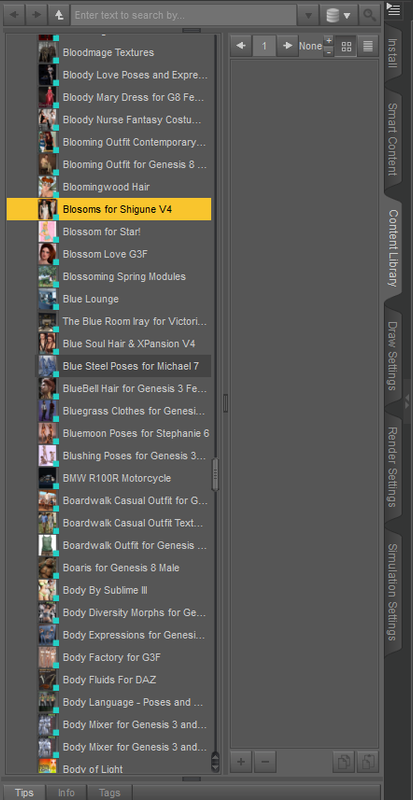
Where nothing is shown in the product menu, but when I go to the product in the Content Library it also shows nothing in the product menu.
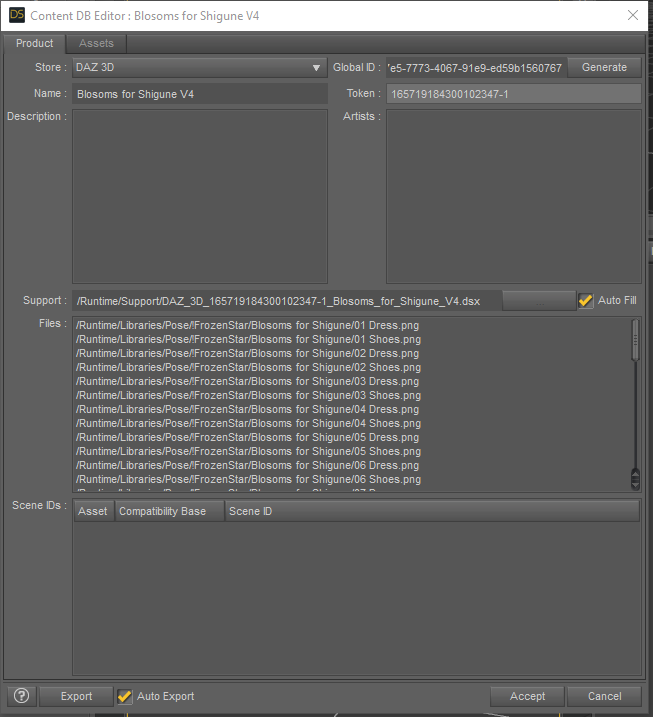
But when I go Edit MetaData all the information for the location to all the items with the product is shown in the files section.
How can I get those files to show up in my Content Library and My Smart Content Tab again?
When I go the the product folder in my Content Library and try to create product from and try to apply it back to that product nothing shows up.
Is there anyway to fix this?
I tried update metadata and nothing happened...
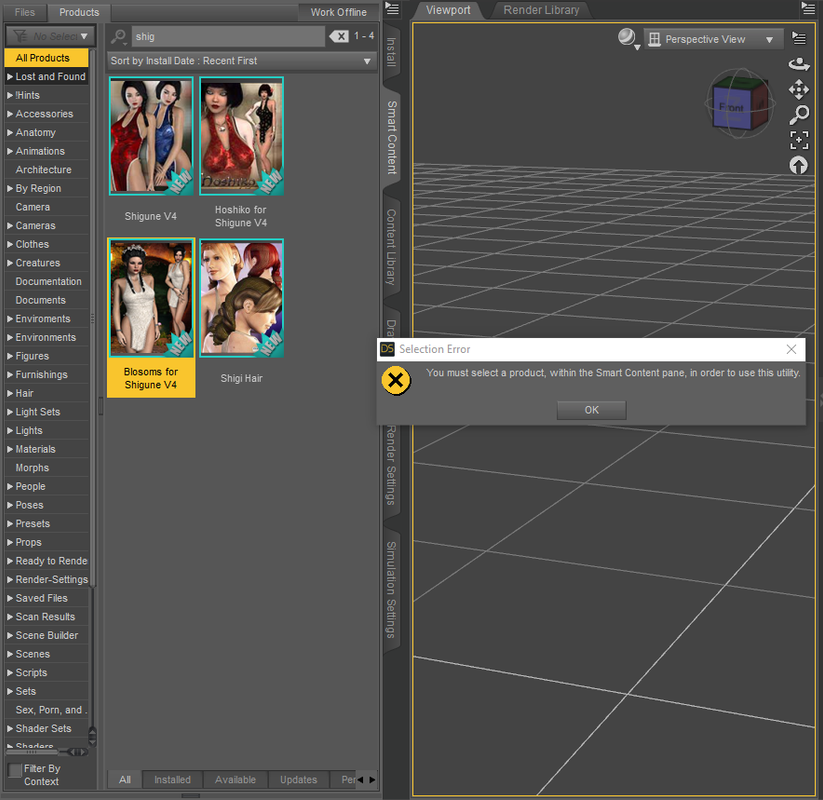
Also when I try to edit Metadata from the Smart Content tab I get the error below but not when I follow the product to Content Library when I use "Show Product in Content Library" and use it from there as shown above.
Windows 10 v1909
Daz Studio 4.12.0.86

Daz 3D is part of 
Connect
DAZ Productions, Inc.
7533 S Center View Ct #4664
West Jordan, UT 84084
Licensing Agreement | Terms of Service | Privacy Policy | EULA
© 2026 Daz Productions Inc. All Rights Reserved.
Comments
So are the files actually where the metadata says they are?
Yes the files are there. When my computer crashed only windows got messed up. I was able to see the CMS folder where the Database is located but because I didn't backup my database I can't restore it. My daz assets are located on a Removable Drive so once I reinstalled Daz I just ran the Content Database Maintenance and my Daz stuff repopulated in Smart Content only the Renderosity and 3rd Party products and very old Daz content does that. Those items I added to the Content Database by using a program call "Content Package Assist".
All the files on the Removable drive are there because I can open it from the Content Library but it's not showing up like in the photos in Smart Content or Product Content.
You could see the database folder but yu couldn't back it up?
You have updated the paths, both for Poser Formats and Daz Studio Format, since you are not using the defaults?
Windows crashed, I couldn't boot it so I had to do a fresh install over the old windows 10 OS. So the files were on the C drive still so I could still access the database files but I can't do anything with it because there's no way to recover the database without backing it up before my computer lost it's ablity to boot.
All my paths was added back to the new install of daz studio.
My Main files are located on a removeable L: drive the same as it was before my computer crash. Everything that's "DAZ Purchased" restored fine using the Database support files in the Runtime folder using "Content Database Maintenance". But all my custom support files for Renderosity products show up in the Smart Content but as you can see in the pictures there's no items appearing in the products.
I compared the two types of products differences and I see the problem that I need help to solve.
As you can see the Non Daz product is missing the asset files in the metadata, but the Daz product has it populated.
I need to know how to fix this. As I said above I tried the option of "Creating a Product from..." in the Content Library and used the same name as the product but the files aren't added to the Product Content.
I need to know how to add it to the metadata some how.
The files are there in the metadata just not showing in the assets.
If the database iss till there you should be able to copy its ContentCluster folder over the existing one, with DS and DIM closed, but then of course you will lose any chnages made since then. I suppose you could back up the new database, close everything, replace the new database with the old, if it works export user data, replace the old database with the new, and reimport metadata.
That doesn't work. When I copy over the new database I get an error about not being able to connect and to check if I have a firewall blocking a connection to the internet.
That was the first thing I tried. It didn't let me log into the database.
I'm going to try it again. But I'm going to try something different.
I'm not really worried about losing anything because I have all my Meta Support Files in the Runtime directory so I can just restore what I have which is mainly the Daz stuff.
BRB in a few days.
Ok, I tried to copy the database back on to the new installed database.
I got it to work, but there was a lot of things I needed to fix. It seems when I reinstalled windows my User Profile was different from my old setup.
So what I had to do was before I copied the files over, I had to fix all paths that pointed to my old profile to make it point to the new user profile.
I did this by going into the old CMS folder and checking most not all the files to see which ones had Windows Paths to User Profiles and Started changing all of them to my new User Profile Path.
Thank god.
Thanks for helping me fix this.
Do you know of any autoback up script that can run in Daz to run the Database backup? If not I'm going to have to clone the CMS folder using Windows scheduler.