Octane Outdoor Lighting Tutorial For Daz3D Plug-In
 MoonCraft3D
Posts: 379
MoonCraft3D
Posts: 379
Learning to master outdoor lighting with Octane is a breeze!
Check out my beginner-friendly tutorial here: https://mooncraftrp.com/index.php/2020/04/27/octane-plug-in-daz3d-outdoor-lighting-tutorial/

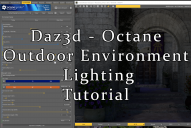
daz_octane_plugin_render_light_tutorial.png
1552 x 1038 - 2M
Post edited by MoonCraft3D on

Daz 3D is part of 
Connect
DAZ Productions, Inc.
7533 S Center View Ct #4664
West Jordan, UT 84084
Licensing Agreement | Terms of Service | Privacy Policy | EULA
© 2026 Daz Productions Inc. All Rights Reserved.
Comments
OK, so now I'm learning Octane! Thank you for your tutorials, including this lighting tutorial. Looking forward to more.
If I apply an HDRI preset in Daz Studio--like one of the many from DimensionTheory or OrestesGraphics--how do I get Octane to use it when I open its viewport? Octane defaults to sun/sky, so it seems I have to change it do use a default HDRI, and then select the HDRI that was loaded by the preset. Of course, I also lose in Octane the environmental settings that the preset changed.
Thanks!
Seriously, try and see what happens. A lot of the learning process is experimenting :)
I ran across this excellent beginner's video on lighting and skin settings in Octane by PA valzheimer!