Filter Forge Newer Version Message: It’s an UPDATE not UPGRADE.
 McGyver
Posts: 7,103
McGyver
Posts: 7,103
Since DAZ3D also sells Filter Forge I'm posting this here...
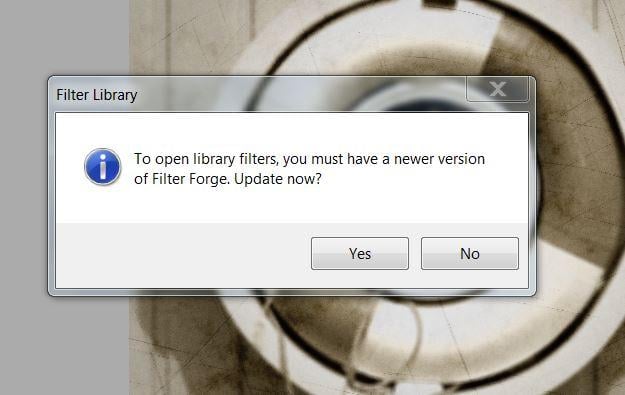
Last night I went to use my copy of Filter Forge and was confronted by this ominous sounding message which I never had seen before...
I’ve owned Filter Forge since version 2 and I currently hold a lifetime upgrade professional license, so even though the message seemed to imply I needed version 9 (I have 8 installed), it didn’t scare me, it seemed an obnoxious inconvenience, since I usually wait a few months to upgrade.
I have my copies of Filter Forge set to automatically check for updates... unless I’m mistaken, I usually get this screen when it finds an update...
This was the first time I saw “To open library filters you must have a newer version of Filter Forge”...
I figured it was some bug or something, so I opened an older version of FF (which opened with no problems) and did my work, after posting about it on FF’s forums...
The reason I’m posting about this here, is several times in the past I’ve come across DAZ forum members complaining about this exact same message... they’ve been pretty pissed off that they must upgrade to a newer version of Filter Forge...
Generally every time I’ve seen someone mad about this, they claimed the issue went unresolved, and there was no way they were giving any more money for a newer version because the license for the version they own doesn’t expire and they felt cheated.
The license DID NOT expire.
It’s asking you to UPDATE, not UPGRADE...
So if you own version 8.005, it's asking you to update to version 8.006... Not upgrade to version 9 and pay more money.
For whatever reason, your copy of Filter Forge didn’t automatically check for updates or if you had it set to ask you before checking, it just got confused and showed you a different message other than the one you regularly see... I'm pretty sure it's this one:
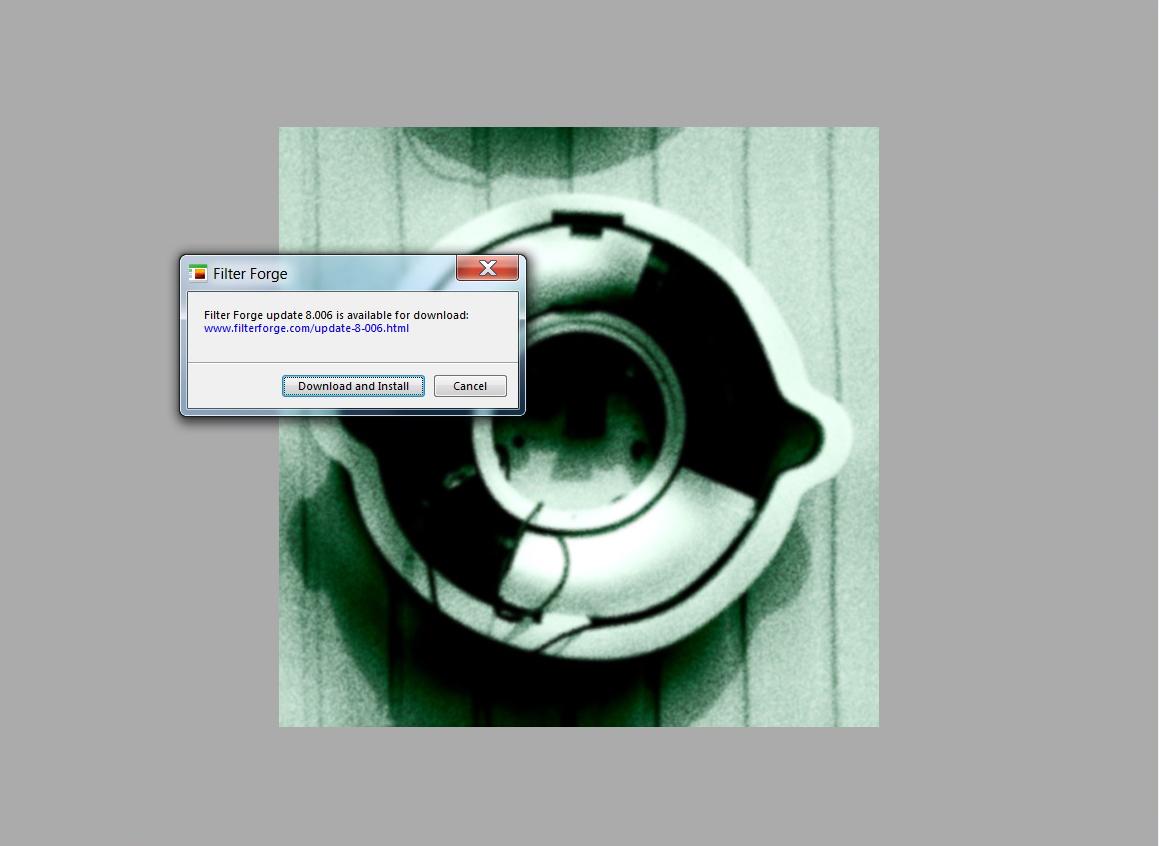
If you get that oddly worded "To open library filters you must have a newer version of Filter Forge" message, you can just click “yes” to update or go to the menu bar at the top of Filter Forge’s screen and click “Tools > Updates...”
This should force Filter Forge to find the update you need and show you the correct dialogue window.
Either way, it downloads the latest version of YOUR copy of Filter Forge and you must now install it as usual for it to be updated.
That's all.
To be clear... if you own a copy of whatever version (let’s say version 8), that license does not expire... it will work with all filters 8 and below... unfortunately you won’t be able to use filters made for version 9 and above without UPGRADING to a higher Version number... so if you own 8 and Filter Forge has moved on to version 11, you’ll need to buy 11 to use anything made for 9 and above... but 8 and below will still work and all those filters will be accessible to you.
That’s it... I felt that since I’ve seen a bunch of people who were mad about this message and thought they got cheated, and as far as I saw, nobody corrected them successfully, I should post this, since apparently this is just a matter of confusion based on the wording of the message... that message should probably say:
“To open library filters, you must install the latest update for your copy of Filter Forge. Update now?”
I actually suggested that at the Filter Forge forums, whether or not they do that remains to be seen, but regardless, I thought I’d put this out there for when someone Googles this.
At the Filter Forge forums one of the filter authors CMandF posted this link to a YouTube video he made to illustrate how to go about downloading the update, in case you are unfamiliar with the process...
Good luck and I hope this avoids confusion in the future... however dystopian it may be.

Daz 3D is part of 
Connect
DAZ Productions, Inc.
7533 S Center View Ct #4664
West Jordan, UT 84084
Licensing Agreement | Terms of Service | Privacy Policy | EULA
© 2026 Daz Productions Inc. All Rights Reserved.