Daz Physics?
 Faux2D
Posts: 462
Faux2D
Posts: 462
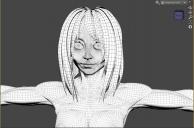
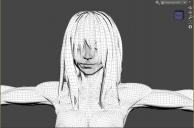
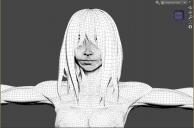
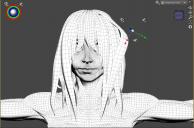
I wanted to share a trick to simulate physics on a rigged figure using dForce. In essence I'm using dForce to pose the figure in a realistic fashion instead of going through bone by bone and using it by hand. For me this is useful when posing hair because as you can see the hair figure I created has a lot of bones. I am not talking about deforming, but posing. Please check out the accompanying images.
Step1: Duplicate the figure. The new figure will be the one that will be simulated through dForce. I am using the character's hair in my case.
Step2: dForce simulate the copied figure.
Step3-4-5: Enter the rigging tool. Hit adjust rigging to shape (do not check the adjust orientation option). Then hit Memorize Figure Rigging.
Step6: Hide the simulated figure. Fit the original figure to the simulated figure, and you're done. Notice the difference in appearence between the simulated mesh and the fitted mesh.
Step7: An added bonus is that have an extra posing option by just posing the fitted figure by itself which creates this sliding effect.
This trick can be used with anything. For instance let's say I want to simulate a skirt with lots of static unattached geometry. Using dForce by itself will cause the unattached geometry to fall away. Using this method it won't matter if the geometry falls away because in the end it will be hidden. Duplicating the figure is not a necessary step because you can use an identically rigged figure instead. So this placeholder figure can have less geometry which will make Frce run faster and adjusting the rigging will also be easier.




Daz 3D is part of 
Connect
DAZ Productions, Inc.
7533 S Center View Ct #4664
West Jordan, UT 84084
Licensing Agreement | Terms of Service | Privacy Policy | EULA
© 2026 Daz Productions Inc. All Rights Reserved.