
Daz 3D is part of 
Connect
DAZ Productions, Inc.
7533 S Center View Ct #4664
West Jordan, UT 84084
Licensing Agreement | Terms of Service | Privacy Policy | EULA
© 2026 Daz Productions Inc. All Rights Reserved.
Comments
AHA! Thank you :)
Now that I have seen what going on, I can see its the pose being the issue. I just went and purchased the pose set, so ask Danie for commission ;)
When you pose the hair, apply the morph "Bring In Shape" to 100%.
Apply the hair setting, Sim Most
When Simulating, you will need to do the animated version, not gravity to get it to work properly. So turn "Start Bones from Memorized Pose" to ON.
That worked, I am satisfied with the results. I thought that you only have to animate when there are collision issues with other items (limbs, clothes) in the final pose. If simple draping is all that is needed, then a non-animated gravity sim should work. I guess I was wrong - Or maybe I should do more experimentation.
I have removed the .duf file from my One Drive, to protect certain copyrighted items.
Thanks for all your assistance, CB25. Working through this has taught me a lot. I love your dynamic hairs!!
Excellent :) You are very welcome. Glad we got this sorted!
"That worked, I am satisfied with the results. I thought that you only have to animate when there are collision issues with other items (limbs, clothes) in the final pose. If simple draping is all that is needed, then a non-animated gravity sim should work. I guess I was wrong - Or maybe I should do more experimentation."
Animating can give some spectacular results, particularly with the longer hairs. If you have the time to let the computer sit there and think for awhile, its welll worth it.
I bought your new Voila Hair. Oh, yes, I also used Natural Eyes.
Ooohh nice Barbult!!!! I didnt even realize this was released today!
HUGE UPDATE
If you have updated to the 4.20 + publishing build :
You can select the cap, expand the scene, select the hair(base) and under parameters tab change the render lines tesselation to 1. This will lower the weight dramatically!!!!! To about 1/3 of the normal weight of the hair while still retaining its luscious thick locks at render!!!! YAY for DAZ changing how this works! Enjoy guys!!!!!
Do you recognize your Speakeasy hair? I tried to cartoonize it a bit for Bette.
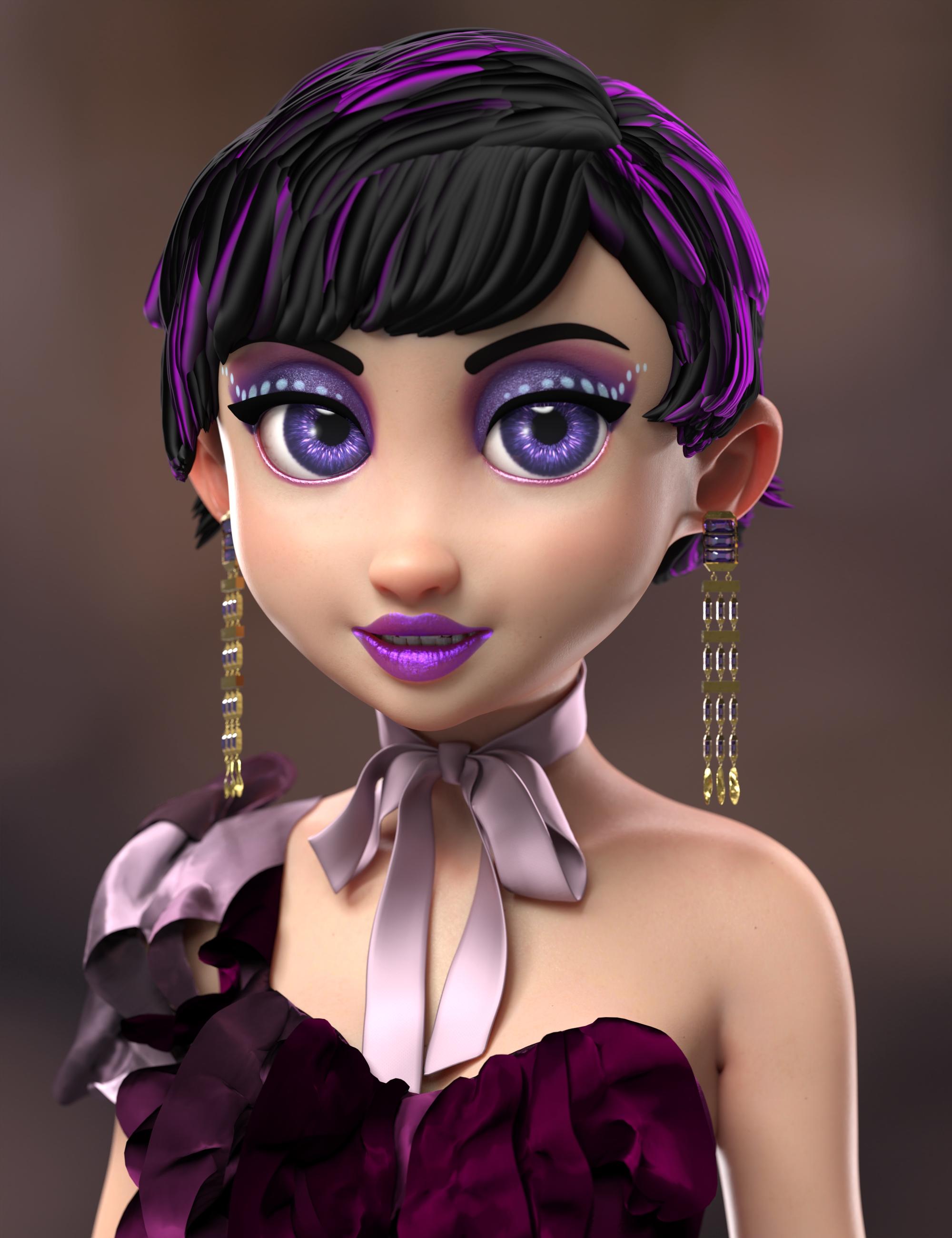
OO I love it Barbult! Please share how you toonified the hair :) Im sure others would love to know!
I am using DS 4.20.1.43 Public Beta. I set Line Tessellation to 0 (not 1 as you mentioned above). I increased the Line Start Width.
Here's a similar treatment of Neroli Hair.
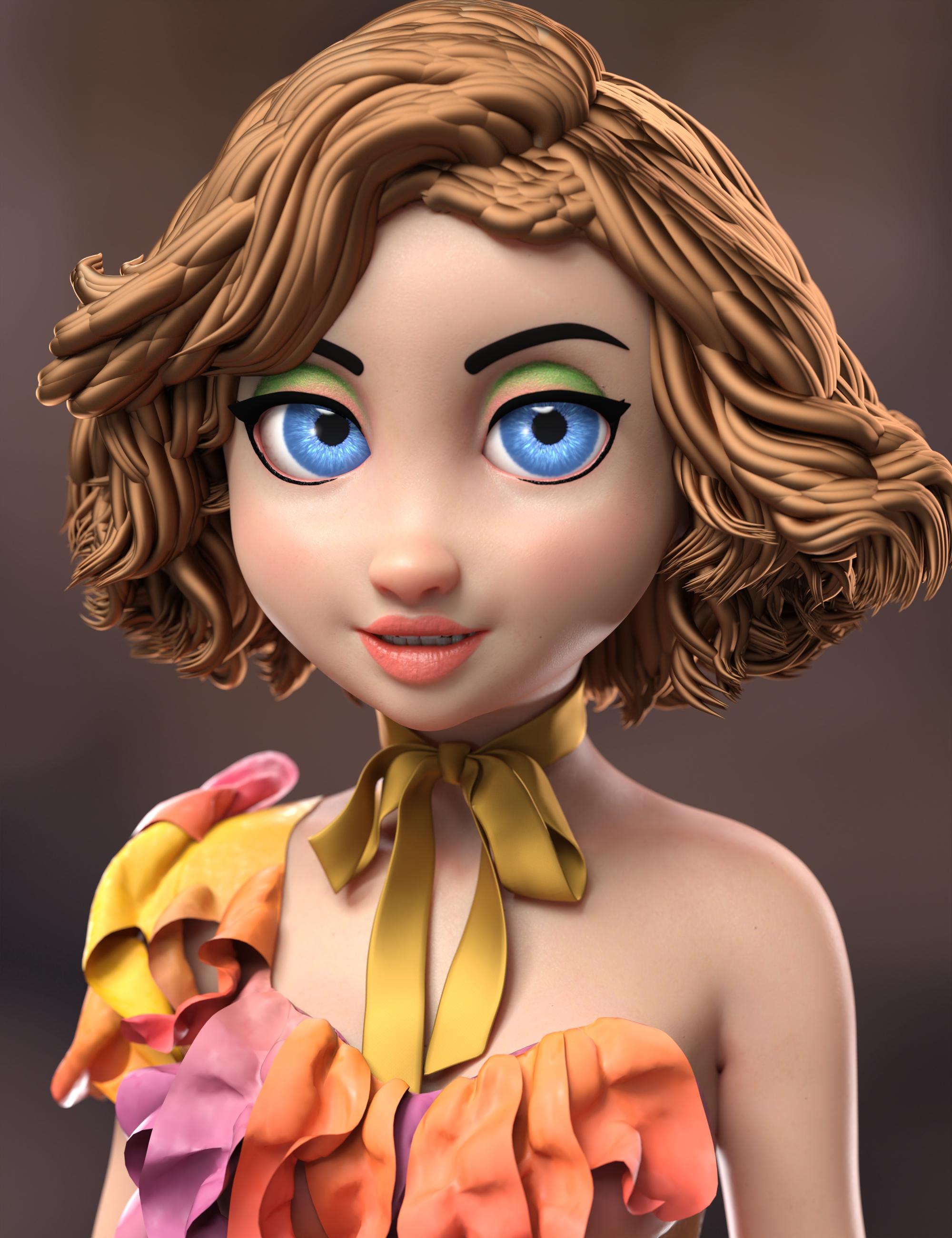
That turns out great! I'm always on the look out for more "toon" stuff and this helps to turn dForce hair into toon hair very easily, so that's a big help to me! Thank you for sharing! :)
You may need the latest Public Beta (or maybe Publishing Build) to do it. I'm not sure when Daz added the Iray curves capability for tessellation 0.
Ok, I'll look into it. :) Thank you!
It also works with Strand-Based hair. This is a simple short hair I created myself. Low guide distribution works best with these wide starting line widths. So, while this is not a ChevyBabe25 hair, I post it here for continuity with my other imges.
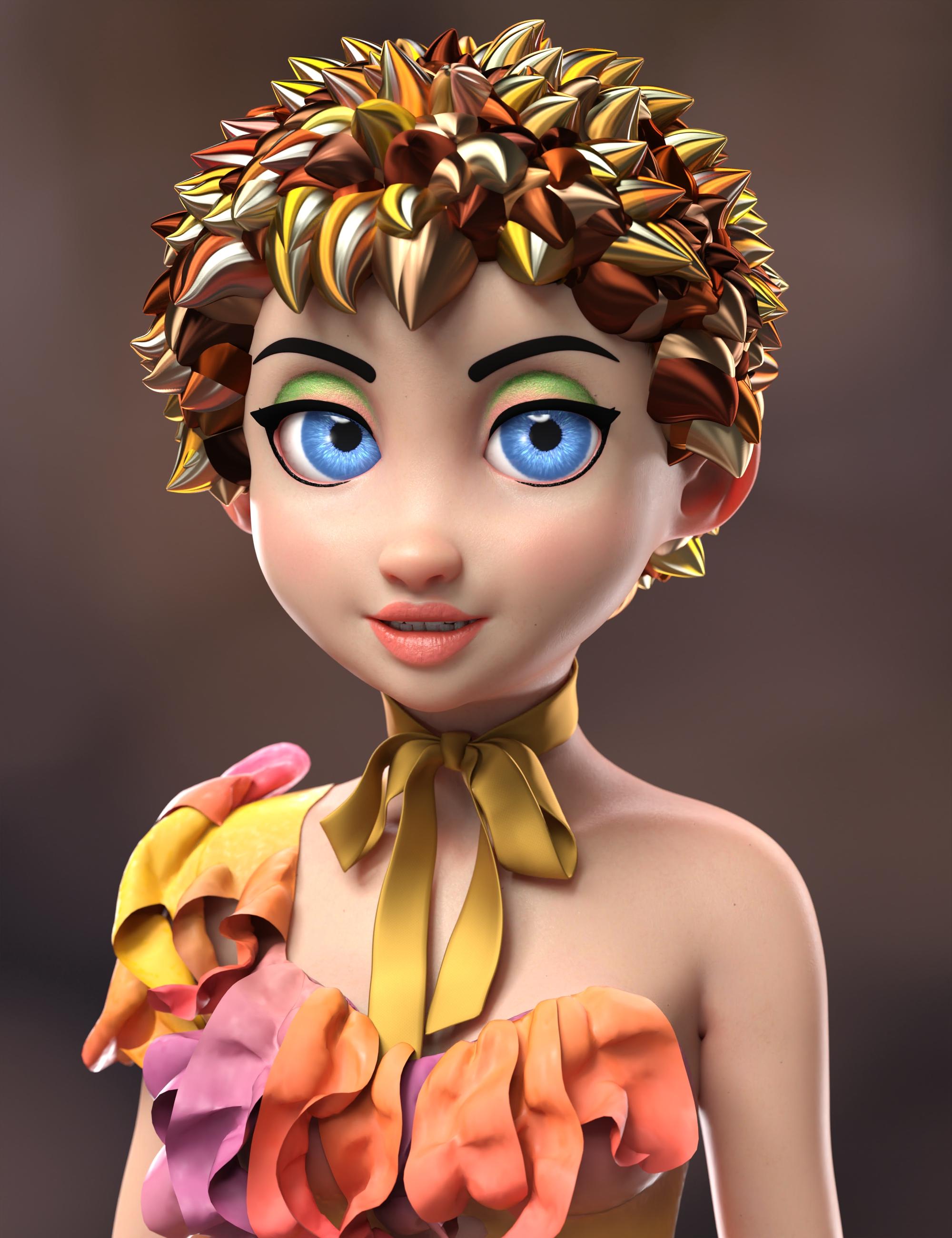
Oh I like that! :D
I just noticed that my strand-based hair is at Line Tessellation 1, not 0, so maybe the 0 is only for dForce hair. I don't know, but anyway, it looks good.
Those look great!!
Is it true that only PA have the tool to create custom morphs for Dforce SBH hairs?
I am very interested in your Fustiian hair https://www.daz3d.com/dforce-faustian-fringe-hair-for-genesis-9 and notice that there is a sim pose which I assume is hair flailng up all around. The thing is I want my elf to show off her pointy ears all the time and I am very happy to see there are Behind Ear morphs. However, if the hair simulates the way I imagine then the Behind Ear morphs will likely be superseded by the sim pose and my elf ears will be covered again. If I don't use the sim pose then I imagine for any pose where the character's head is bending backward with body twisted the hair will simulate into the body or ridgidly break outward. The solution are morphs where only lower parts of the hair is flailing to help with proper spread, like the wind blow morphs commonly see in old hairs. The hair is not on sale at the moment but I really would like to pick it up when there is a sale if such morphs do exist for Faustrian hair.
Also:
Are the Behind Ear morphs high enough to reveal longer elf ears?
The description doesn't say but is the Faustian hair Omnihair?
Thanks
"Is it true that only PA have the tool to create custom morphs for Dforce SBH hairs?"
Yes. However, the premiere version of daz studio has the newest version of meshgrabber which is helpful in manipulating the strand hair exactly how you would like!
"if the hair simulates the way I imagine then the Behind Ear morphs will likely be superseded by the sim pose and my elf ears will be covered again."
Most likely, but you shouldnt really need to use that morph just for that. The hair is meant to sim, and with some clever basic geometry, you can prevent it from doing things you dont want it to do. I have included ear caps and a face shield to get you started. You may need to turn them on in the scene to be able to see what they look like while they work. The Face shield, as an example.. will keep the hair from simming directly into the face, and the ear caps will keep the hair from penetrating the ear, should you use the behind the ear morphs.
The hair has a lot of movement morphs to help guide you into teh direction you need to use the hair. The special "sim morph" was for those that wanted hair to do fancy things like fan out on a floor.
"Are the Behind Ear morphs high enough to reveal longer elf ears? "
The behind the ear morphs tuck the hair behind the ear, so as long as the elf ear morphs you use come out away from the body a bit, Id imagine they would work to some extent. I really think it will be a buy and try for you. Daz has an excellent return policy, so if it doesnt do exactly what you need it to do, you can always return it.
"The description doesn't say but is the Faustian hair Omnihair?"
Yes. All of the hairs in my store from the Nordic Knots Forward are OmniShader.
Bodacious Bob and Feisty Feather Bun are Feisty Feather Bun are a low-weight dual lobe shader.. and everything before those are heavier dual lobe shaders.
Hope that answers everything :)
No, it is not true that only PAs can create custom morphs for dForce SBH hairs.
Only PAs can turn SBH hairs into dForce hairs, but anyone can create their own morph for dForce SBH hair products. I have created several morphs for Neroli hair in the past. Someplace on the forum I posted instructions for how I did it. Crosswind later posted some optimization tips for steps I did that were not needed. One key step is to activate the Geometry Editor when exporting and importing the hair to create the morph.
Here are my instructions. I'm not sure where Crosswind posted the optimization tips.
Thank you Barbult :)
It's been a very long time since I had tried to import and export those hairs. Blender was at that time, the only one that could see those lines well. Is that still true?
I don't know. I don't have any other modeler. I used Blender.
Hey Chevy, big fan of your products (especially eyes). Been trying out your recent G9 hair stuff. But Hot Mess keeps crashing (freezing DAZ) during Iray previews and full renders. I think I found a solution some time ago (had to change something in Parameters I think). In any case, the default out-of-the-box hair keeps freezing Iray (like it's working on something heavy).
Do you have a latest troubleshoot? Thanks!