Translucency vs Diffuse to Make Skin Texture Lighter
 NylonGirl
Posts: 2,414
NylonGirl
Posts: 2,414
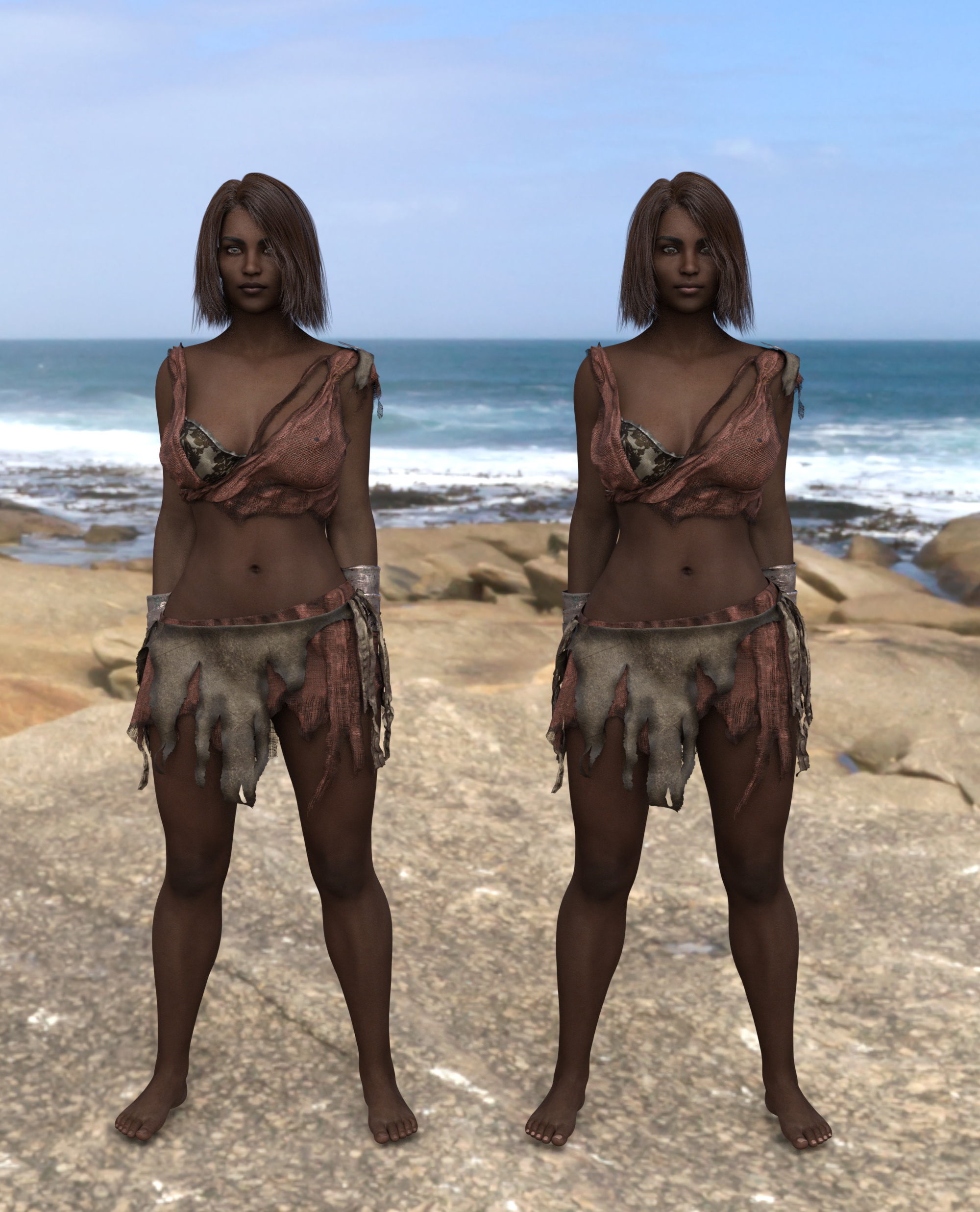
So I had a character whose texture was so dark the facial features weren’t showing up very well with my preferred render settings. I set out to make the character’s texture lighter. To do this, I used “Ultimate Iray Skin Manager”. I selected the skin without the lips and nails. In the attached image, the girl on the left is one in which I increased the Translucency to the maximum and nothing else. The girl on the right has the Diffuse level decreased and nothing else. Both results look acceptable to me. The problem is they both look the same to me. The Diffuse one looks better in the preview window but they look the same to me when rendered.
Is there some technical difference between Translucency and Diffuse that makes one adjustment preferable over the other? Is there something else I should be doing instead of what I did? Does any of this matter?

Daz 3D is part of 
Connect
DAZ Productions, Inc.
7533 S Center View Ct #4664
West Jordan, UT 84084
Licensing Agreement | Terms of Service | Privacy Policy | EULA
© 2026 Daz Productions Inc. All Rights Reserved.
Comments
You shouldn't have to touch the diffuse map. You make the skin lighter by LOWERING translucency.
That's what I was thinking, but I do recall working with one or two characters where the Translucency layer is actually used to lighten the overall appearance of a darker skin base by using a much lighter-colored texture.
So maybe I got it backwards. And I understand that I should keep the one with the translucency setting changed and drop the one with the Diffuse setting changed. The first screen capture shows the original settings. The next two show the settings of whatever character is highlighted in the preview window, with one having the Translucency changed and the other having Diffuse changed, and nothing else changed except maybe the eye color. It seems like turning one setting down had the same effect as turning the other setting up, at least in the IRAY render.
Diffuse is scattering of light by it striking a surface and bouncing off at many angles. Translucency is how clear an object is to light. They seem and are related because translucency material properties are affecting light's diffusion into the area surrounds. There is also spectral light which is what causes reflections. It's when light hits a material surface and bounces off all at the same angle whereas diffuse bounces off at many angles and mixes with other diffuse lights. It's why pale people have pink diffuse lit skin rather than red, blue, white and yellow skin you'd get if skin was transparent or shiny reflective metalic skin if skin was 100% spectral shiny.
https://en.wikipedia.org/wiki/Diffuse_reflection
https://en.wikipedia.org/wiki/Transparency_and_translucency
100% perfect translucency would be the absense and invisibitiy of a surface because light passes straight through without any refractions or reflections at any angle.
You can also raise spectral levels / glossiness on dark skins to show their features better without loosing the dark color by altering the translucency. It doesn't work as well to do that on pale skins that are washed out by light though.
another thing--take a look at the actual maps involved.
some PAs plug the same image into both the diffuse and the translucency channel. others use a very different image for translucency, using it to suggest more 'under the skin' effects. you'll also see artists use a wide (often wildly different!) range of base colors in the translucency channel, while the base color of most diffuse channels is a pure white.
if you had the same image plugged into both the diffuse and the transparency channels, that might explain why altering the values of both channels produced more or less the same effect.
j