What maps go where in surfaces tab?
 Daeza
Posts: 5
Daeza
Posts: 5
I have been playing around with a free software for creating textures and height maps etc called materialize. I love it! But when I am importing the maps onto say a cube primitive or object, which maps go where? The diffuse goes on the base section in surfaces tab, metallicity would go there, normal map would be the normal map, height map would go no bump map, etc? The map options you can make are
Height map
Diffuse map
Normal map
metallic map
smoothness map
Edge map
Ambient Occlusion map
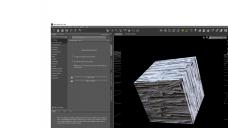
So what sections in the surfaces tab do I insert these maps? Like I mentioned above, normal goes to normal etc but I am not sure and not sure on the others like edge map etc. I read that the smoothness map in materialize is the same as roughness? And that Iray doesn't need AO maps. If someone could help me it would be much appreciated! Also is there a way to save these in daz as like shaders ( I know they arent actual shaders) or textures I can just select in the shaders tab etc? Or do I need to always individually put in the maps? I included a pic of what the material i made looks like on a cube in materialize and what it looks like in daz. Different lighting doesn't seem to change the appearance in daz.


Daz 3D is part of 
Connect
DAZ Productions, Inc.
7533 S Center View Ct #4664
West Jordan, UT 84084
Licensing Agreement | Terms of Service | Privacy Policy | EULA
© 2026 Daz Productions Inc. All Rights Reserved.
Comments
Height could go to Bump or Displacement, though for Iray remember that it needs vertices to displace (from the base model or from SubD) so very fine detal can be very problematic.
Ambient Occlusion isn't needed, though it could be used as a mask to control other effects (for example, to cotnrol how polished a surfae was since the dark areas would be in sheltered nooks and crannies while the light areas would be exposed; you could also invert the map and use that to control dirt via something like Diffuse Overlay). I think much the same would be true of an edge map - it doesn't have a clear place, but could be used as a controller for other effects.