Realistic eyes and eye shaders
 Asari
Posts: 703
Asari
Posts: 703
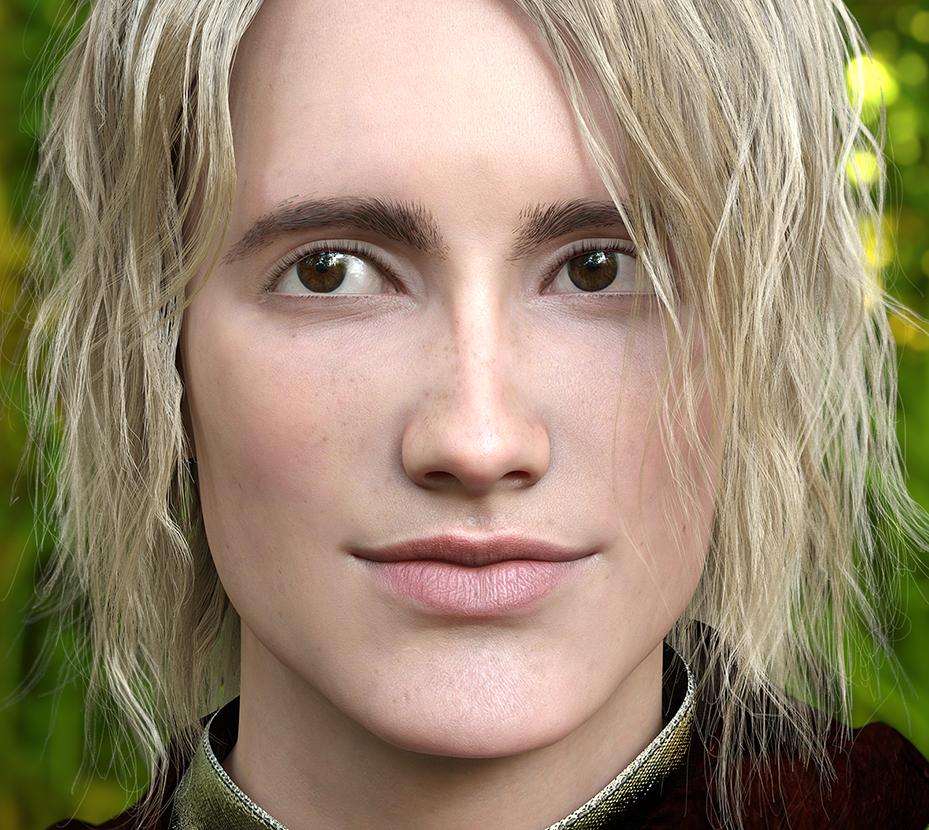
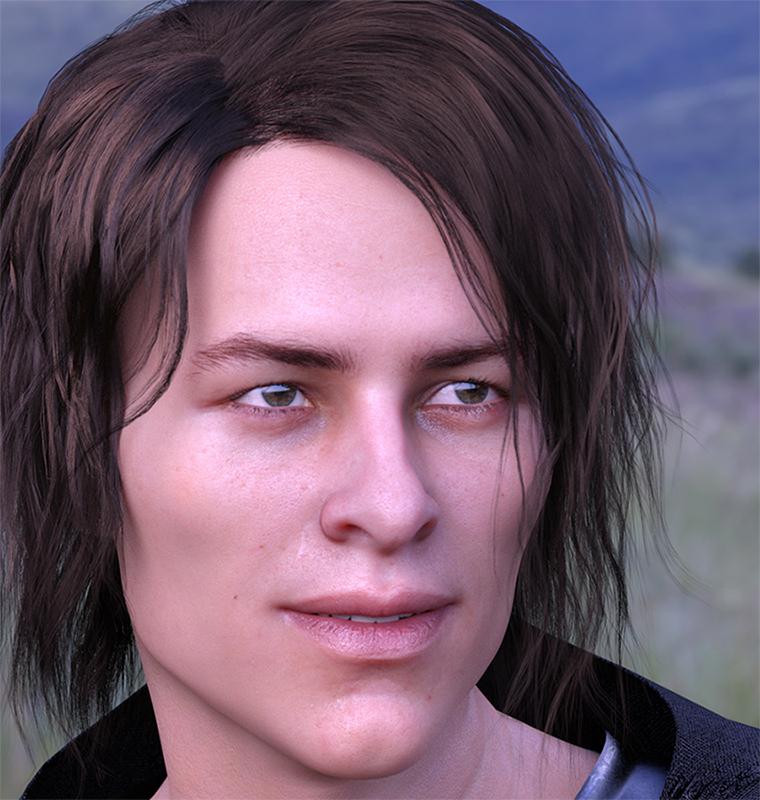
We have 2 fantastic eyes products for Genesis 8 in the store, once Natural Eyes and once Project Eyeray and in the Natural Eyes Product thread there is a lovely comparison for both products. Now I won't tell you which is better - they are both incredible products. I love both and I've been experimenting with both and here is what I found that you might find interesting as well for creating eyes.
I've found that both products have their strengths. Natural Eyes has more details on the iris and sclera texture. On top of that you get 2 wonderful normal maps and 2 great HD morphs. One issue I have with Natural Eyes (it's not really an issue, it's just because I am lazy and crazy) is that in order to achieve the full effect, you have to use it with thin walled off. With thin walled on the eyes still look very good but lack that extra bit realism. This is not criticism or an issue of the product or a mistake by design, this is the intended design of the design and no fault. I found that I'm generally too lazy to wait so long - with many light settings I can't even get a clear render of the eyes after 4000 iterations with thin walled off and with thin walled on, I get a clear render without noise after 2200 iterations so this is a thing that bothered me personally.
I noticed that Eyeray didn't have that issue; the shader is configured to include SSS even with thin walled on. The shading on the iris and the reflections generally look more realistic to me than Natural Eyes with thin walled on. So what I did was the following: I combined both to utilize both their strengths. I applied Eyeray first. Then I went to the surface tab, selected the Sclera and applied the Natural Eyes shaders for the sclera. Then I selected the Iris, and instead of applying the entire shader settings, I switched out the textures only and left the shader settings but switched the texture maps. I also ditched the Eyeray Bump map and loaded one of the normal map that Natural Eyes applies for the Iris, and I left the rest as they were. Since Eyeray uses their own UV, I had to switch back the UV to Base, only for these 2 surfaces so the textures can be applied correctly.
This gives a combination look of both, and no significant longer render times compared to other eye shaders or to Natural Eyes settings with thin walled on.
Is this complicated procedure necessary? By no means, no. Both products give very good results on their own, without combining them. And I appreciate both artists for their fantastic and incredible work with both products. If you don't mind render the eyes long enough with thin walled off, or if you don't render closeups in large resolutions, you should be fine. If you are lazy and impatient like me and want to try some extra this might be interesting for you :)



Daz 3D is part of 
Connect
DAZ Productions, Inc.
7533 S Center View Ct #4664
West Jordan, UT 84084
Licensing Agreement | Terms of Service | Privacy Policy | EULA
© 2026 Daz Productions Inc. All Rights Reserved.
Comments
That is a really interested approach. Thanks for sharing your knowledge.
That's a nice way to combine the strengths of each package. I suppose if someone wanted to take the time, they could do this for each eye color and save their own material presets.
For someone without either product, I've also gotten good results with DAZ_cjones suggestions from the Show Us Your Iray Renders, pt III thread.
I have also experimented with converting the Natural Eyes textures with the Eyeray UV to see whether this yields better results. Since the iris texture of Natural Eyes is bigger than the iris texture of Eyeray and I wanted to preserve the details I created 8k textures on the base of Eyeray UVs and also Scelera textures. Well ... the results were not bad but not any better than my method described above.Mixing these 2 products has a difficulty because Eyeray uses their custom UVs so you can't interchange everything freely or supply settings with the saved presets. But with some creativity there are many possibilities and this is only one way to do it and I found it the easiest.