[Blender question] How to god rays in back logo ?
 jorge dorlando
Posts: 1,159
jorge dorlando
Posts: 1,159
in The Commons
Hi, I saw an old youtube video of light rays behind the object, and I wanted to recreate it, but I'm not getting the technique.
here is the video: 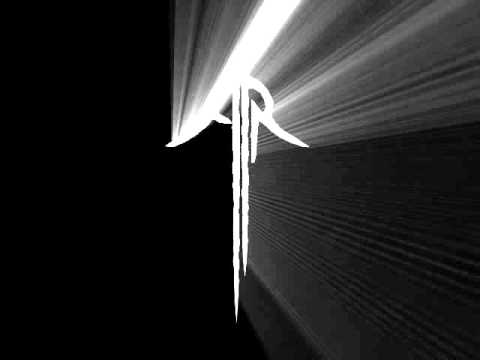
Can anyone tell how this was done, please?

Daz 3D is part of 
Connect
DAZ Productions, Inc.
7533 S Center View Ct #4664
West Jordan, UT 84084
Licensing Agreement | Terms of Service | Privacy Policy | EULA
© 2026 Daz Productions Inc. All Rights Reserved.
Comments
You can probably tell that it looks like an animated light source moving around behind a plane with a cutout in it, along with volumetric lighting effects. Possibly an emissive shader with an animated texture. The volumetrics will render much more quickly in Eevee.
So there are several parts to this. Are you having problems with a particular part?
There's a fairly recent video tutorial on volumetric light in Eevee here, and I'm sure there are others.
https://youtu.be/WtRuxpgLwDgI