How to reset Genesis 3 surface settings to default
 ittonn
Posts: 21
ittonn
Posts: 21
hi.
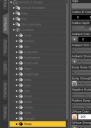
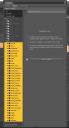
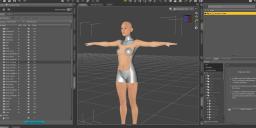
The setting of the Genesis 3 surface name has changed "NSuit_" without my knowledge. As a result, some of the material copy scripts have failed to find the source and work well.
I am not the author of the script, so I can not edit the script.
I changed the name manually in the Geometry editor and saved the settings, but this time the material gets weird when I load a new G3.
According to my research, I think that "Torso" has been changed to "NSuit_Torso".Re-installing G3 did not return the surface settings.
Are there any other ways to restore G3's surface settings to their defaults?

Daz 3D is part of 
Connect
DAZ Productions, Inc.
7533 S Center View Ct #4664
West Jordan, UT 84084
Licensing Agreement | Terms of Service | Privacy Policy | EULA
© 2026 Daz Productions Inc. All Rights Reserved.
Comments
Those are from RawArt's No Suit for Genesis 3 Female, I think - as far as I know they should be a custom figure. Is it possible that you saved modified assets, or resaved the base asset? I would expect reinstalling Genesis 3 Female and loading from the default preset would work normally.
Thank you for your reply.
I uninstalled G3 with the installation manager and then reinstalled it, but I'm having trouble getting back the surface settings.
I understand the cause.
It seems that G3 data was referenced from the folder "\ Documents \ DAZ 3D \ Studio \ My Daz Connect Library \ data \ cloud \ 1_21630".
When the folder was moved to another location, the correct file path was read, and the surface settings were restored.
Thank you very much.
That's a Connect install, which should be used in preference to any DIM install or manual save - not sure why moving the files would have helped, unless it's a symptom of a more profound issue with the Content Management System.
If Install Manager and Connect install are duplicated, Connect install will be referred to in preference. If I move the folder of Connect install to another location, it seems that the downloaded folder will be referenced by Install Manager. . After reinstalling with Connect install, this is also normal.
@Richard Haseltine "That's a Connect install, which should be used in preference to any DIM install"
Seems like an awfully bold statement Richard. .
Which bit? The path identifies it as a Connect install, and if there is a Connect install Ds will use its files and not those from a manual/DIM install.
You haven't chnaged your Connect data location? If the old one was still in place it might have been found before the new one, and so the old files loaded - but I'm not at all sure about that.