Product in my Product Library but DIM won't see or install it
 duane_moody
Posts: 132
duane_moody
Posts: 132
https://www.daz3d.com/catalog/product/view/id/12853
Reinstalled DS the other day and started looking through my PL to see what DS only content I had gathering dust there. To my surprise, there was about 33GB of content and I managed to install all of it – except the above item. When I clicked "Download & Install" for DIM, it goes to the DIM application but there's no product listed for sku::12853. The searchbox yields nothing when I type in the title, either. What's going on here?

Daz 3D is part of 
Connect
DAZ Productions, Inc.
7533 S Center View Ct #4664
West Jordan, UT 84084
Licensing Agreement | Terms of Service | Privacy Policy | EULA
© 2026 Daz Productions Inc. All Rights Reserved.
Comments
Works fine here with that product.
I've found that some products are not named as the product blurb shows. I've installed things where it might say something like "Castle Dire Hallway" by Barborus Thane (made this up to avoid offending folks). . A surprisingly difficult task to find things.. Could be named with artist's initials like "BT-DH" and installed into Props rather than Environment. And, double whammy, it could be in the "Lost and Found" category. Can't find the product in Smart, or in Content because we don't know the actual file name it is under. I have had several encounters with this problem installing to an updated computer.
I use the Install Manager where I can see by date what I've installed, and check on more info box, to see where it was installed. I have not had success with the download button on the product pages. The problem I have found is we don't know the "secret code" the product files were installed under. So I sort by "Most recent installed" in the Install Manager panel, and then crusise through those dates-make sure it's the install date and not the date when the product was last updated.
This may not be the problem, but it might explain products that seemingly disappear.
For names with multiple words I always just search on the most significant or unique word in the name (or just part of it), if no match, I try another. Always works for me (I doubt there are cases where not at least one word works - except for misspellings, one of the "millennium" items is missing an l or an n in its name and therefore does not show up with all the others when you search on "millennium".
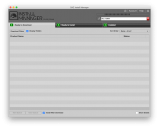
I have that product. And it's not showing up in DIM for me either. The solution is this:
(You may want to enable all of the DAZ Studio versions and see what else you've been missing! I know I'm going to…)
ETA: Make sure you don't install older versions of products you have installed. For example there are a lot of older products that have DS "Legacy" versions, as well as DS versions you may already have installed. I just filtered by legacy, selected all those files, and then hid them.
You can get the sku FROM THE PRODUCT PAGE THEN USE
sku::12345
in the filter box - that will show all the zips that are covered by the active Download Filters (in Ready to Download), and all the downloaded/installed packages.
I'm pretty sure the problem is/was the Download Filter needed for The Forgotten Refuge wasn't active. That was the case for me.
Bingo, that was it. Thanks!
@duane_moody, You're welcome. (Make sure you have the Connect Available option enabled, too. There are some products that won't show up in DIM if that option isn't active.)