Product Installs
 dash2128
Posts: 736
dash2128
Posts: 736
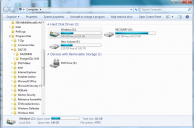
My computer has a C: drive - a small, solid-state drive. And an F: drive- much-larger 2 Tb drive.
I placed DS 4.10 on the F: drive, with my saved duff files.
Question: How do make sure that when I install product/Content- from Content Library, for example- that it issaved on the F: drive, rather thsn the smaller C: drive? (first screenshot)
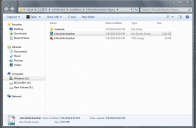
Note: I just noticed the Daz file in my C: drive (second screenshot). It looks like a DAZ folder wasw placed in the C: drive. But my C: drive is small, How can I make sure that when I install new product/content, that it installs in my larger F: drive?
(Actually, this is a new computer, and I will have to install all my product/content, if I wish to use it. That is why I want it on the larger F: drive.)

Daz 3D is part of 
Connect
DAZ Productions, Inc.
7533 S Center View Ct #4664
West Jordan, UT 84084
Licensing Agreement | Terms of Service | Privacy Policy | EULA
© 2026 Daz Productions Inc. All Rights Reserved.
Comments
In DS go to Edit>Preferences>Content tab, click the Content Directory Manager button, and go through the current set highlighting the paths and using the Edit button to change them. Then, if you install via Install Manager for some things, go to http://docs.daz3d.com/doku.php/public/software/dazstudio/4/referenceguide/scripting/api_reference/samples/file_io/install_manager_config/start , download the script (using the link above the code), and drag it into the DS viewport to make DIM match - next time you start DIM click the Details check box, if it isn't, and make sure the correct path is being used.