Flink objects are entirely too bright (Poser)
 Upirium
Posts: 730
Upirium
Posts: 730
I don't know how many people have used Flink objects but they seem entirely too birght. It's a shame because I really want to use them. It mostly seems to be with like..objects. Sometimes water gives me trouble too, but I can't figure out why it's like this.
Is there a way to fix this brightness?
I'll try to post an example...
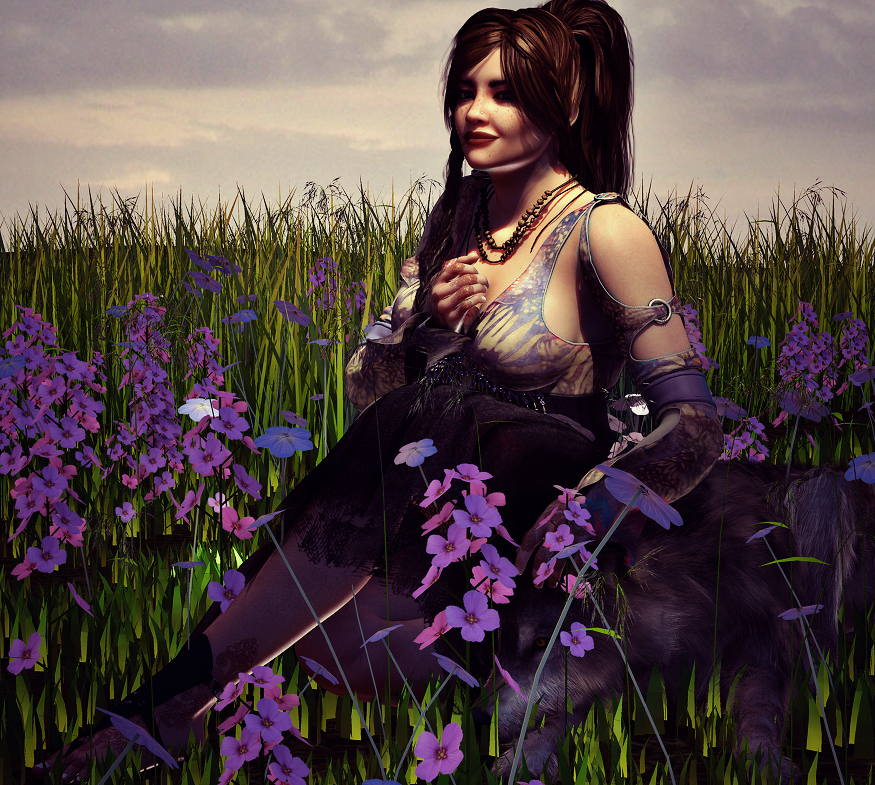
This is a picture I used with Flink's Instant Meadow I think, or flowers, I cannot remember which. The flowers are ridiculous, as is the grass.
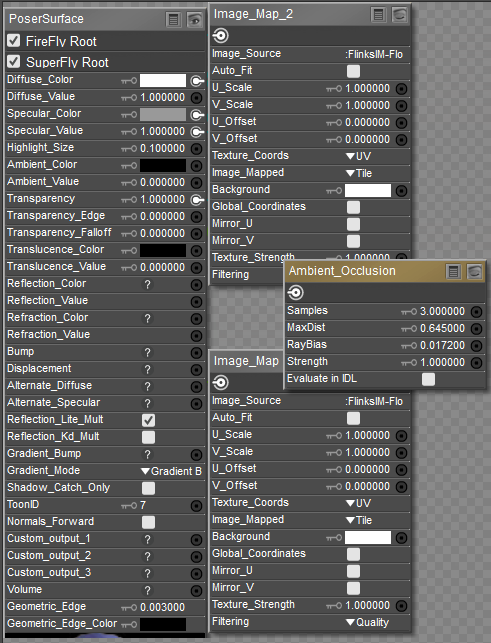
i loaded what i (think) are the same flowers just now, in material room but I can't make heads or tails of what it means to fix it.
 '
'
the only things 'connected' are diffuse color, diffuse value, specular value, specular color, and transparency
i don't understand why the AO thing is there because it's connected to nothing and the map is just...white.
i thought it was bright ecause of ambient but ambient isn't even connected so what do I do about this?
i know it's not 'meant' for closeups but it's still entirely too bright

Daz 3D is part of 
Connect
DAZ Productions, Inc.
7533 S Center View Ct #4664
West Jordan, UT 84084
Licensing Agreement | Terms of Service | Privacy Policy | EULA
© 2026 Daz Productions Inc. All Rights Reserved.
Comments
I use Flinks all the time... are you using 3Delight mats or Poser mats with iRay? I can't help with that - I don't use iRay, but I never have a problem with the base textures. I do tend to tweak the surface settings, though.
i use poser, so i'm not using 3dlight or iRay..I'm using Firefly
Add grey to the diffuse?
doesn’t look too bright to me though, looks like what I see in the garden
What kind of lighting are you using? The light looks really bright on the character too...
When I used Poser, I used to keep the diffuse value setting at .8 most of the time. Also, try unchecking Reflection_Lite_Multi. I think that might be your culprit right there.
Laurie