Show Us Your Iray Renders. Part VII

18889919394100

Comments

  • TraceSLTraceSL Posts: 544

    Happy Halloween - the great pumpkin 

    The_Great_Pumklin.jpg
    3000 x 3400 - 921K
  • Awesome job, BandoriFan!

  • "A peacefull scenery" - since halloween is over now, i needed a little peace in my renders ;-)

  • nDelphinDelphi Posts: 1,946
    edited November 2020

    Grand Staircase Portrait: The Lady Jessica.

    Grand Staircase 2020 - The Lady Jessica - 01.jpg
    1000 x 1000 - 295K
    Post edited by Chohole on
  • alexhcowleyalexhcowley Posts: 2,407
    nDelphi said:

    Grand Staircase Portrait: The Lady Jessica.

    A very slinky lady,  beautifully posed and lit.  I look forward to further renders of Lady Jessica. 

    Cheers,

    Alex.

  • TraceSLTraceSL Posts: 544

    november 01 

    20201101.jpg
    2500 x 3000 - 980K
  • TraceSL said:

    november 01 

    Nice Looks like a good cover for a book

  • TraceSLTraceSL Posts: 544
    TraceSL said:

    november 01 

    Nice Looks like a good cover for a book

    thank you 

    november 02

    29201102.jpg
    3000 x 3400 - 1M
  • MelissaGTMelissaGT Posts: 2,611
    edited November 2020

    "Someone You Loved"

    Post edited by Chohole on
  • Robert FreiseRobert Freise Posts: 4,636
    edited November 2020

    "Someone You Loved"

    Excellent

    Post edited by Chohole on
  • GoggerGogger Posts: 2,519
    edited November 2020

    I didn't intend to spend my whole day messing about and rendering this scene, but I did. 25 subtle changes later, here is where I stopped with it for the day.  Or maybe it is done?  <shrug>
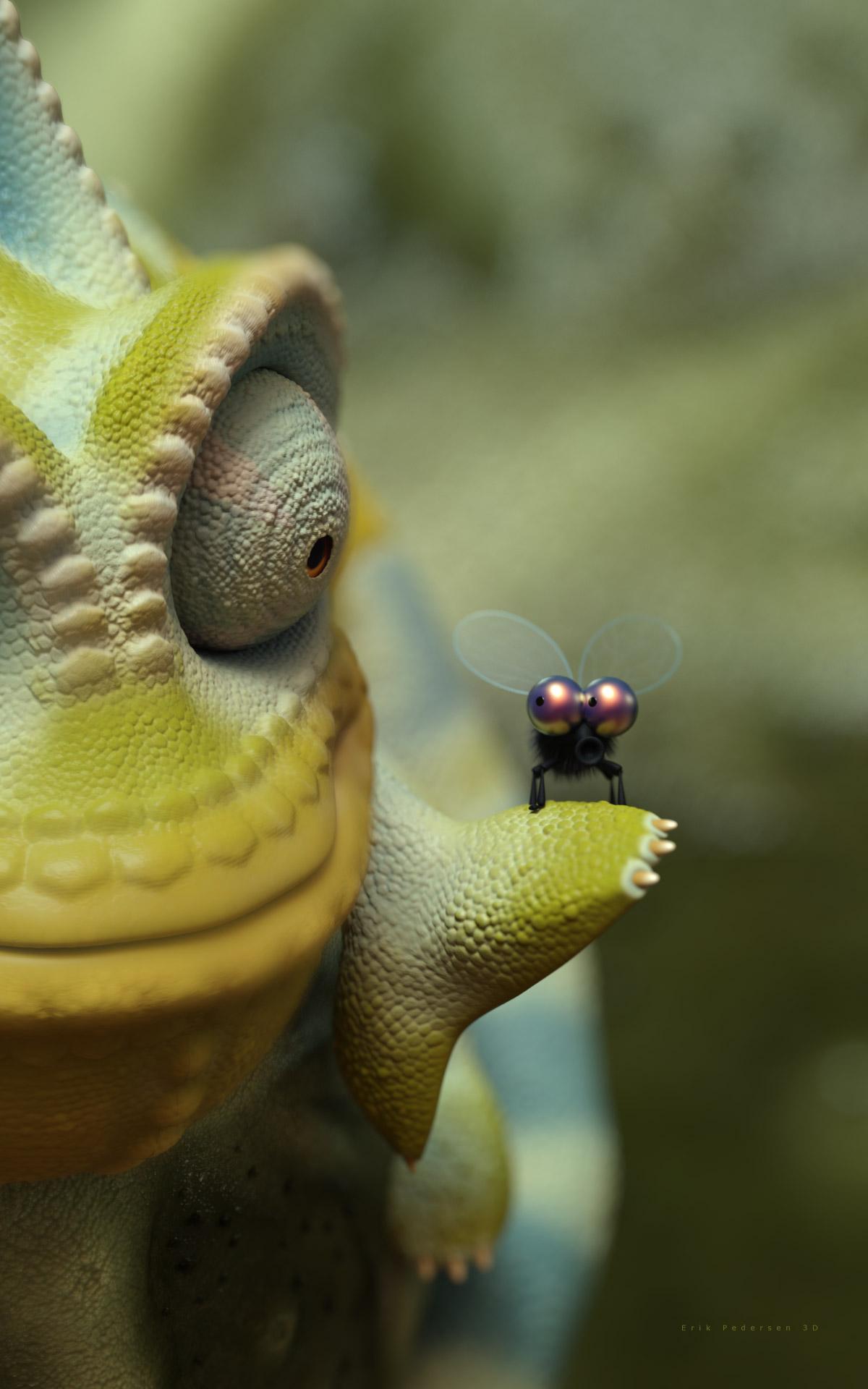
    Chameleon and his Little Fly Buddy by Gogger

    VT_Chameleon_and_Fly_Buddy_3D_Erik_Pedersen.jpg
    1200 x 1920 - 231K
    Post edited by Gogger on
  • TraceSLTraceSL Posts: 544
    Gogger said:

    I didn't intend to spend my whole day messing about and rendering this scene, but I did. 25 subtle changes later, here is where I stopped with it for the day.  Or maybe it is done?  <shrug>

    Chameleon and his Little Fly Buddy by Gogger

    excellent 

  • TraceSLTraceSL Posts: 544

    "Someone You Loved"

    excellent 

  • MelissaGTMelissaGT Posts: 2,611

    "Someone You Loved"

    Excellent


    TraceSL said:

    "Someone You Loved"

    excellent 

    Thank you!

  • Messing around with my skin shader.

    "Rags"

  • Since the galleries are still down...

    A Girl And Her Dog.jpg
    3840 x 2160 - 4M
  • TraceSLTraceSL Posts: 544

    november 03

    20201103.jpg
    2500 x 3000 - 1M
  • renderfem & TraceSL Nice work

  • TirickTirick Posts: 235
    edited November 2020

    This has an alternate title; which leads into a bit of story element. Once the galleries are back I'll flesh that out a little. My foray into Daz was initially to help me create art for a visual story and most of my renders are setup or practice shots for that. The scene came together quite easily, and shows that practice has certainly made posing and composing a shot easier. With some careful texture culling I was able to render the whole scene in one render inside ~3.5 GB of memory. 

    I can't quite decide if that expression is petulant or angry but I quite like how it looks, at least from the camera angle. I'd be happy for feedback; I feel like I still have a mountain of things to learn. 


    I am going with you.png
    2560 x 1440 - 6M
    Post edited by Tirick on
  • She's got that Tell Me No I dare you look

  • BandoriFanBandoriFan Posts: 364
    edited November 2020
    XpiderMan said:

    Awesome job, BandoriFan!

    Thanks 


    Tirick said:

    This has an alternate title; which leads into a bit of story element. Once the galleries are back I'll flesh that out a little. My foray into Daz was initially to help me create art for a visual story and most of my renders are setup or practice shots for that. The scene came together quite easily, and shows that practice has certainly made posing and composing a shot easier. With some careful texture culling I was able to render the whole scene in one render inside ~3.5 GB of memory. 

    I can't quite decide if that expression is petulant or angry but I quite like how it looks, at least from the camera angle. I'd be happy for feedback; I feel like I still have a mountain of things to learn. 


    Oh my gosh I love how you coordinated her outfit! 


    Here's an amazing dress I got for free! I converted it to G8 with a utility and added a dForce modifier that I played around with. I had to move her left arm since the dress morphed weird. I feel like it might have a decent illusion of tulle and avoid structureless draping. I used Lyra as the model and the couch is from a dance studio set 

    Lyra 1 Resized.png
    1800 x 2340 - 7M
    Post edited by BandoriFan on
  • TirickTirick Posts: 235
    edited November 2020

    Here's an amazing dress I got for free! I converted it to G8 with a utility and added a dForce modifier that I played around with. I had to move her left arm since the dress morphed weird. I feel like it might have a decent illusion of tulle and avoid structureless draping. I used Lyra as the model and the couch is from a dance studio set 

    That is a lovely dress; it does look as though the fabric has some natural stiffness too it, which is what I think you mean by that.

    About 80% of the time I really like how dForce works. The other 20% makes me so... frustrated. 

    Oh my gosh I love how you coordinated her outfit! 

    The dress is the stock Universal Dress with one of its expansion textures, although I completely removed all dforce simulation settings from anything other than the skirt. The shoes are from the ghost bride dress with its stock black matte material. I converted them to props and parented to her hand which worked better than I hoped. The Commander's cape gave me the most trouble. I could not find a way to remove the silver surface texture. Every material I tried had no effect (other than changing it in OGL mode); Iray stubbornly kept showing the silver.

    Post edited by Tirick on
  • CricketCricket Posts: 490
    Tirick said:

    Here's an amazing dress I got for free! I converted it to G8 with a utility and added a dForce modifier that I played around with. I had to move her left arm since the dress morphed weird. I feel like it might have a decent illusion of tulle and avoid structureless draping. I used Lyra as the model and the couch is from a dance studio set 

    That is a lovely dress; it does look as though the fabric has some natural stiffness too it, which is what I think you mean by that.

    About 80% of the time I really like how dForce works. The other 20% makes me so... frustrated. 

    Oh my gosh I love how you coordinated her outfit! 

    The dress is the stock Universal Dress with one of its expansion textures, although I completely removed all dforce simulation settings from anything other than the skirt. The shoes are from the ghost bride dress with its stock black matte material. I converted them to props and parented to her hand which worked better than I hoped. The Commander's cape gave me the most trouble. I could not find a way to remove the silver surface texture. Every material I tried had no effect (other than changing it in OGL mode); Iray stubbornly kept showing the silver.

    Did you make sure the cape was selected in the "surfaces" tab before applying your texture?

  • TirickTirick Posts: 235
    Criket said:

    Did you make sure the cape was selected in the "surfaces" tab before applying your texture?

    I did. There is only one surface for that cape that I can see and I am straight up replacing the material. See the preview attached for what I mean:


    FabricOddity.PNG
    1919 x 1040 - 817K
  • tkdroberttkdrobert Posts: 3,618

    Happy N7 Day!

    N7 Day 2020

  • CricketCricket Posts: 490
    edited November 2020
    Tirick said:
    Criket said:

    Did you make sure the cape was selected in the "surfaces" tab before applying your texture?

    I did. There is only one surface for that cape that I can see and I am straight up replacing the material. See the preview attached for what I mean:


    Never mind. Didn't look at the whole image you posted. Did you try selecting "Cape_Fleetcommander", and applying the shader then? 

    Post edited by Cricket on
  • TraceSLTraceSL Posts: 544

    in the rain 

    20201105.jpg
    2500 x 3000 - 747K
  • TirickTirick Posts: 235
    edited November 2020
    Criket said:

    Never mind. Didn't look at the whole image you posted. Did you try selecting "Cape_Fleetcommander", and applying the shader then? 

    I did make sure it was selected. No change outside of 3DL. I did find a buried child node with material assignments (and a 'front' and 'reverse' cape surface, which is not selectable), which does effect the Iray render, although it leaves odd honeycomb patterns on the surface. I'll keep poking at it. 

    Speaking of the cape, I finished a companion render to my last one: "A dance deferred."

    I made a few versions of this, with various changes to the fountain splashes and vines. I finally settled on this one. The city in the background is not really exacting as I expected it to be too out of focus to matter; I eventually plan to built a proper backdrop and layout for similar shots, as this will be a recurring location in the story I am constructing. 

    This is only lit from the HDRI (the city emissives are too far away to effect anything in the foreground). I am starting to really appreciate how natural the light from one can look. 

    The shoes, which worked so well as a prop, were a nightmare to try and fit nicely to the G8 figure, even following Sickleyield's excellent instructions. Its really too bad that G3 shoes (and some dresses) do not translate well to the G8 figure.


    ADanceDeferredv3.png
    2560 x 1440 - 3M
    Post edited by Tirick on
  • RafmerRafmer Posts: 564
    edited November 2020

    Really nice renders lately by everyone! Here there are a couple of mine:

    drake.jpg
    1080 x 1080 - 354K
    coldhyuna.jpg
    834 x 1080 - 328K
    Post edited by Rafmer on
  • Nice work

This discussion has been closed.

