bad looking shadows
 kalina.pepa_29135cfc8e
Posts: 49
kalina.pepa_29135cfc8e
Posts: 49
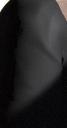
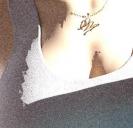
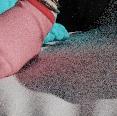
Hello all, im using Iray and Environments lightning for Sun coming into a room.. its HDR and all this, but shadows one some places and characters look ugly and weird and some materials are shining, evne if they shouldnt like in attachment... , i have no idea how to fix that.. thanks for possible help
stin2.jpg
229 x 437 - 43K
stin.jpg
351 x 339 - 58K
stin2.jpg
117 x 116 - 9K
Post edited by kalina.pepa_29135cfc8e on

Daz 3D is part of 
Connect
DAZ Productions, Inc.
7533 S Center View Ct #4664
West Jordan, UT 84084
Licensing Agreement | Terms of Service | Privacy Policy | EULA
© 2026 Daz Productions Inc. All Rights Reserved.
Comments
Has the item showing the jagged shadow been converted to SubD (does it have options in the parameters pane under Mesh Resolution)? If not select it and go to Edit>Figure>Geometry>Convert to SubD, if it is already SubD try increasing the Render Subdivision level one step.
Are the materials you are using made for the render engine you are using - Iray (MDL) or 3Delight (RSL)?
all materials except some, that are not in the scene are RSL, otherwise only MDL , im going to check those settings
Surface tab says its DAZ Default..but if i apply shader for cotton it wont change anything...and i "fixed" bad shadows zooming camera a little bit and increasing Environment intensity,
Daz Default Shader is the basic 3Delight shader. Shader presets (as opposed to Materials presets) require that you select both the object and the surfaces on the object that you wish to change - this is usually easiest with the Surface Selection tool, or you can use the list in the Editor tab of the Surfaces pane once you have the object itself selected.
ok thanks for help :)