OBJ imported displays gloss over diffuse texture in Iray view
 RA
Posts: 78
RA
Posts: 78
Hello,
I successfully imported a landscape in .Obj format. I add the Diffuse texture in Texture view and it displays properly. When I switch to Iray view, a heavy white or black haze overlays the diffuse texture. (Depending on the color I set for Diffuse. This occurs before and after I apply the Uber shader. I played with the settings, but cannot make the haze disappear.
Any suggestions appreciated.
Thanks
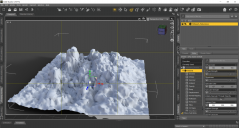
Desert obj import.PNG
1920 x 1028 - 1M
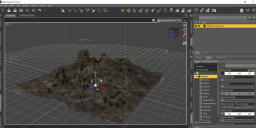
difuse texture view.PNG
1919 x 950 - 1M
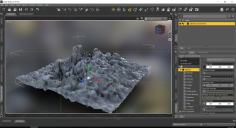
Diffuse Iray view.PNG
1920 x 1042 - 2M

Daz 3D is part of 
Connect
DAZ Productions, Inc.
7533 S Center View Ct #4664
West Jordan, UT 84084
Licensing Agreement | Terms of Service | Privacy Policy | EULA
© 2026 Daz Productions Inc. All Rights Reserved.
Comments
In your screenshots you have applied the 3DL default shader. Ambience is at 100% with a pure white color. Since I don't use IRay I don't know how Iray uses the ambient channel when converting, you should convert it manually to get the desired result.
Thanks for responding. I switched Ambience to black. Same result. I applied the Uber shader. Same result
Maybe a stupid question, but did you load the hi rez diffuse map or did you mistakenly load the thumbnail?
Diffuse Image is 1024 x 1024 1.75 MB
Ok, just a shot in the dark;) But 1024x1024 is pretty low resolution for a groundplane/landscape. Don't know if that's the issue, maybe someone knowing about IRay shader settings should pop in to give some advice on this?
Okay. I will try a higher resolution
I'm not sure, but I think that may be caused by your specular strength/color - try setting specular strength to zero?
I think I see what's wrong in the fourth Iray screenshot, you've added the Base Color texture to the Diffuse Strength parameter as well. Take that out, and you'll see the texture showing properly. As it is, the texture is very dark and almost colourless.
One other gotcha; I've learned never to entirely trust the materials parameters of an imported .obj even when the import has properly picked up the .mtl file settings (it sometimes doesn't). The most likely suspects are the Ambient and Specular values, I always check these before converting the material to Iray.