dForce Not Working with Granny Nightgown on Mabel
 luci45
Posts: 2,955
luci45
Posts: 2,955
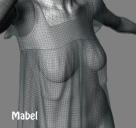
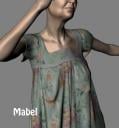
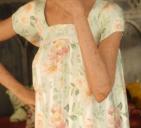
There is a strange problem with the dForce Granny Nightgown. It doesn't drape right on Mabel, making weird puckers under the breasts. It works fine on other Gen 8 females. I haven't used dForce much but this is the only time I have seen this happen. It isn't just me - the promos have the same issue even though it appears an attempt has been made to hide it with the flat lighting. Mabel is not a "Supported Shape" even though this came with her bundle but I don't think that matters with dForce, or does it?


Daz 3D is part of 
Connect
DAZ Productions, Inc.
7533 S Center View Ct #4664
West Jordan, UT 84084
Licensing Agreement | Terms of Service | Privacy Policy | EULA
© 2026 Daz Productions Inc. All Rights Reserved.
Comments
I tried it and it seems to work okay for me without the weird underbreast deformation. I'm using Mabel HD.
Which options are you using for the draping?
I didn't change any settings. Should I?
Thanks. Maybe just a glitch. Will try it again.
Defaults would start from the memorised pose - was that still the zero pose, or did it start from another pose (possibly the final pose)?
I just hit the Simulate button. The model was already posed but returned to the zero pose at the start of simulation. Like the intro video shows.
OK, that eliminates several thoughts I'd had about the cause of the problem.
It is really strange also that before I even hit Simulate the gown is very distorted in the breast area on Mabel only.
I deleted the gown and Mabel and am downloading and will re-install.
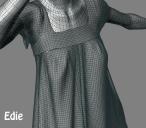
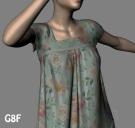
(Mabel on left. Edie on right.)
I submitted a support ticket, but it's often a really long time before I hear anything with tech assistance.