Styling DForce hair?
 Herald of Fire
Posts: 3,505
Herald of Fire
Posts: 3,505
in The Commons
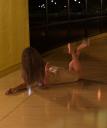
So, the lovely lady below is having a bit of a bad hair day using the awesome DForce 'Classic long hair'. I tried a few methods to get it to style, but somehow those errant locks still fall into her face eventually. Does anyone have any tips they'd like to share so I can see her pretty face under all that fuzz?
Dynamic Hair.jpg
800 x 960 - 405K

Daz 3D is part of 
Connect
DAZ Productions, Inc.
7533 S Center View Ct #4664
West Jordan, UT 84084
Licensing Agreement | Terms of Service | Privacy Policy | EULA
© 2026 Daz Productions Inc. All Rights Reserved.
Comments
Use invisible props like two planes to push back the hair, you have to animate them for the full effect.
Well, either that or she's having an exorcist moment. Hair looks good btw.
Something I have done, but not with this item; I use VWD for pretty much all my hair (I have bought this just not tried it yet); you could try using a primitive, such as a sphere, position it where you want and have the hair collide with it; invis it for renders, or just set it to be invisible in the render whilst leaving it visible. That would save animating the hair and pose and likely cut down on time. It can take a bit of practice to get an idea of the size and position of the sphere, or even if a spere is going to be the best fit for the pose.
I really like the look of this hair, only bought it earlier today. You image is part of the reason I bought it... I like bad-hair-days. :)
I tend to treat dforce items just like dynamic ones, so a little simple keyframe animation can go a long way, especially if they are lacking in movement morphs, unlike the Kinley dforce hair.
This scene was a 50 frame animation with the final figure posed at 15 frames in and the rest was for the hair to drape and I was pretty happy with the results, Freakin love this hair!
Now I can finally get some use out of SY's Knocked Out addon, LOL
yeh lovin it so far; we need more imo. Nice image too. :)