How to restore the default panels postions?
 handel_035c4ce6
Posts: 487
handel_035c4ce6
Posts: 487
in The Commons
Basicly I work with Blender. Decided to take a look at Daz3D allthough not sure I will advance much into it;
Anyway - I made some chaotic movement and suceeded to change the layout of my Content Library panel in a way I do not like to. Explain me pls how to reset it to the default view (besides reinstaling everithing)?
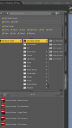
panels.png
555 x 992 - 52K

Daz 3D is part of 
Connect
DAZ Productions, Inc.
7533 S Center View Ct #4664
West Jordan, UT 84084
Licensing Agreement | Terms of Service | Privacy Policy | EULA
© 2026 Daz Productions Inc. All Rights Reserved.
Comments
Click on these: