Why is Kyle So Blue?
 IndigoTea
Posts: 74
IndigoTea
Posts: 74
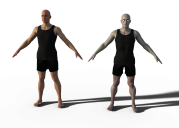
I was quite charmed by Kyle for Genesis 8 Male by @DarwinsMishap - have an inspiration cooking already, so purchased, downloaded, and setting up. However, my trial renders of the base texture look a bit...blue. Was there a glitch in the packaging, as this doesn't look anything like what I'd anticipated... (Attached is rendered next to default Michael 8 for comparison - both are "right out of the box", no adjustments made to defaults, compared to one of the product photos.

Daz 3D is part of 
Connect
DAZ Productions, Inc.
7533 S Center View Ct #4664
West Jordan, UT 84084
Licensing Agreement | Terms of Service | Privacy Policy | EULA
© 2026 Daz Productions Inc. All Rights Reserved.
Comments
That is odd. May I ask what lighting you are using? I will assume that is not 3DL since his eyes have that disappearing issue with the chromatic shader system n Iray. If you don't want to use HDRI or the environment dome active in the render tab, you'll want to load the "Switch" shader in his eye folder to have his eyes show up correctly.
His skin is very reactive to lighting- blue based lights may have the skin tinted since he is so pale.
I will double check the installer, just in case though.
Not sure, but possibly, it looks like to me 'Kyle' has 3DL shaders applied and then was rendered in iRay. 3DL shaders will made a character look much paler when rendered in iRay even though they under go an automatic iRay conversion to iRay materials when iRay rendering starts in DAZ Studio.
I had an issue recently where I inadvertantly applied 3DL shaders to Paige & Pace from 3DU and when I tried to apply the iRay shaders to them to correct my mistake the iRay shaders would not apply although I got no error message. I finally had to use the DAZ 3D UberiRay converter preset to convert Paige & Pace back to iRay shaders, which is there default. Then I could apply the 3DU supplied iRay shader materials to Pace & Paige again.
I haven't had a chance to check yet but I will in the morning. If he is out of the box, there aren't 3DL shaders- I do not include them into the character packages. I just can't get the hang of those darned shaders to make them look the way I want enough to add those in.
OK, thanks for saying. I plan on buying the character too (although I plan on using iRay so absense of 3DL materials in not a factor).
Okay-so here is one render. Default render scene/render options except that I turned the environment done on. I did keep the camera headlamp on so they could be seen better. From front to back: Stryker, Michael 8, Kyle, and Christian. He is definitely pale (I went with a skin tone pretty close to my own here) but there are tonal qualities that vary within the skin.
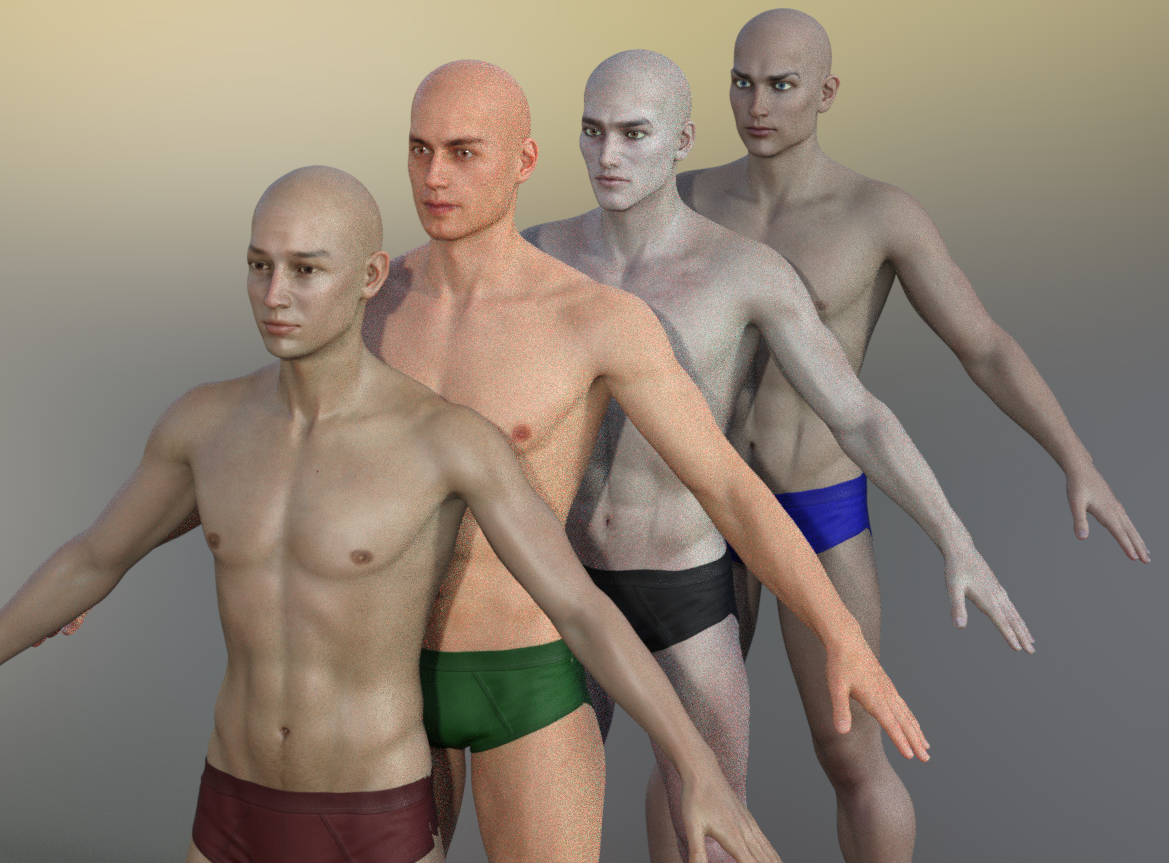
I stopped the render at 50%, so sorry about the grain.
I'll do another with the medium translucency as well and post that.
Same scene and set up- Kyle has the medium translucency. Again, I stopped it at about 45-50% (we're leaving soon, so I don't have time to let it go all the way)
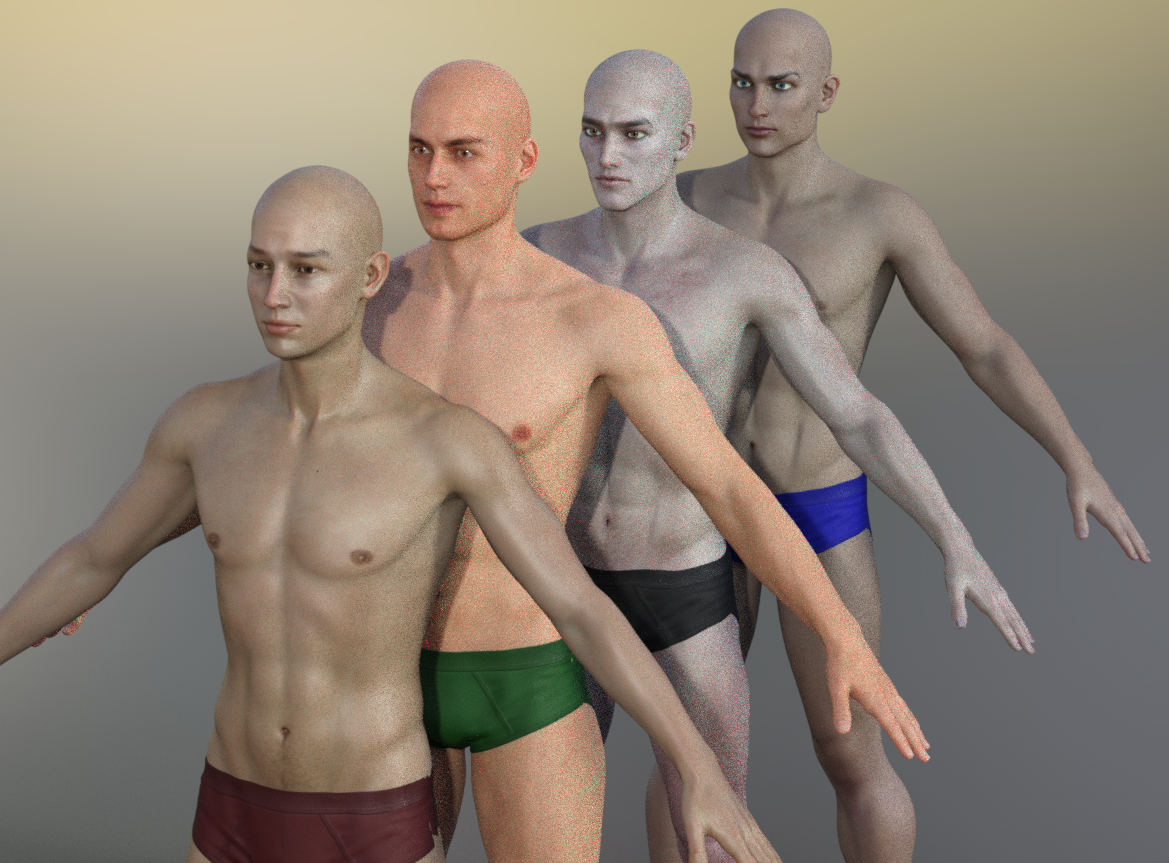
This has one of Dimension Theory's HDRI Studio maps in the environment map secton of the render tab, and the headlamp for the camera was turned off- everything else is default settings. I switched Kyle back to his base translucency for this one as well.
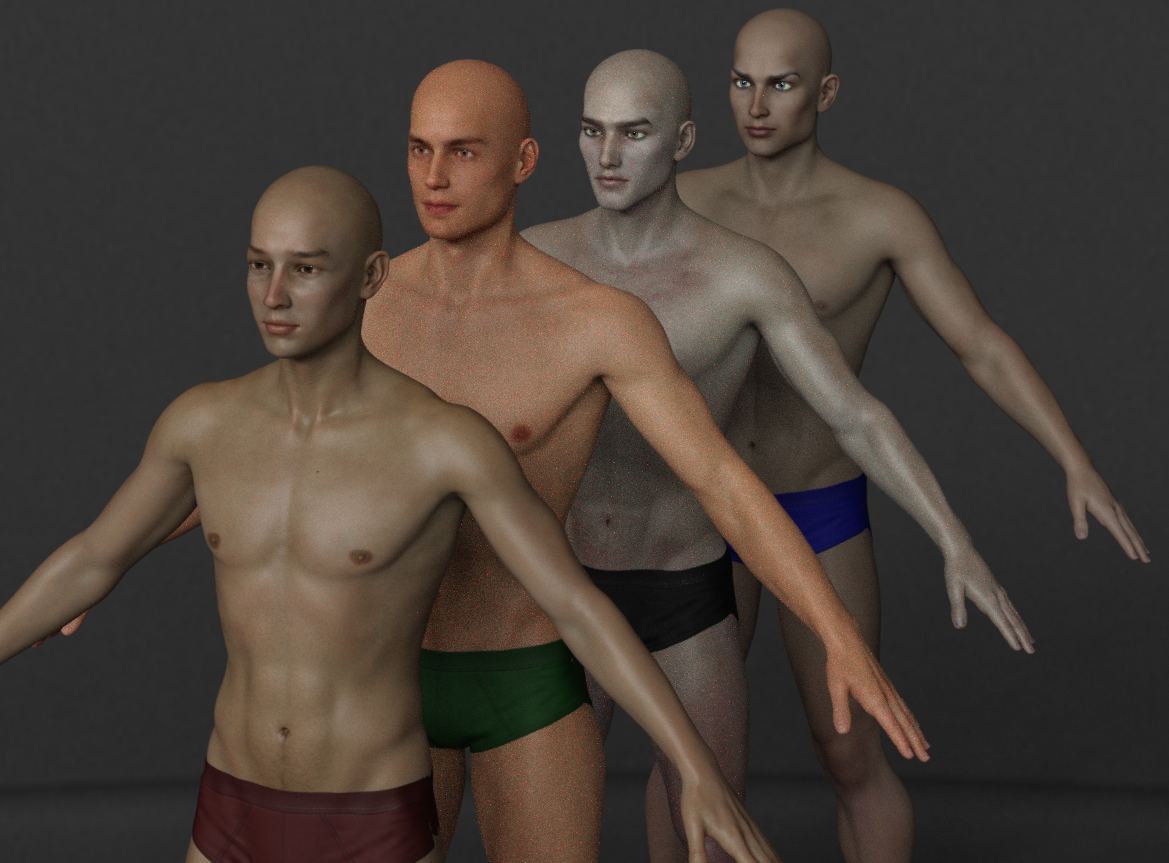
I will add one of Sveva's Dramatic Portait light rigs into this scene and change nothing else and let it render, but I have to get going. I'll post it when I can.
Last one- same scene as above, this time with the light rig.
First off, thanks to OP for bringing up Kyle. I almost missed this good looking character and went ahead and bought him as soon as I read OP's post.
Here is my render of Kyle. Nothing was done to his skin other than what came with the product and addition of Vascularity on his hands and chest and legs, but in terms of his coloring, nothing was done. The image here is right off render, so no postwork has been done to enhance it. I used lighting by Sveva. I am okay with how his skin looks and expect to have lots of fun using this character. Thanks DarwinsMishaps for a great character.
edtied to include use of Vascularity
Something is wrong somehow with the way your Kyle materials applied, they are not consistent like other people are getting, see how his legs are not blue?
Kyle's skin is very reactive to the lighting used. If you use an HDRi like the default one in Daz, that that has a lot of blue then you get cooler toned skin, if you use a warmer HDRi then you get warmer tones. Here I used the default Daz Hdri and a free one from s_ILB_Archive called paper mill ruins E. In the promo you posted I used a spotlight with a warmer light tone
He just headed up yo my wishlist as long as I saw him; he's definetely hot, and i like pale skinned guys, hope I'll be able to get him ASAP!
My comparison render was using the default lighting, which looks much like the results on the left of this. I did find that hitting him with a strong warm light seemed to offset the issue, but since I'm working with a night scene, that wasn't exactly the direction I wanted to go. I've done some tinkering, and got the skin tones to work more with what I had in mind, so it worked out. I love the character and the makeup/tattoo options (I have most of the tattoo sets, love @DarwinsMishap 's work!), and I'm pretty pale myself - just found the blue tone disconcerting, when compared to promo renders.
There's something else affecting the lighting — look at the shadows on the "ground". The default Environment light has the bright sun coming from the side, while the other light you used has it coming from almost straight on to the figure, so it's not really a valid comparison. Go into the Render Settings/Environment pane and adjust the Dome Rotation setting to get the sun direction you want. Positive numbers rotate the Environment clockwise, so a value of 100 or so (in degrees) will give the default light the same direction as the other one you used.
Yeah, the default HDR "RuinsB" does have a lot of blue and gray and not much warmth to the lighting. I also think that Kyle is meant to be pretty pale and goth-guy like. :) As your render shows, lighting can play a big difference in the way skin looks. I think he's gorgeous! Well done, DarwinsMishap!
Both Hdri's in my comparison are set to 0 dome rotation, (default) because the question was about skin color not light direction. A cool light is cool, and a warm light is warm the direction of the light doesn't matter, rotating the dome may make it brighter or darker, make the shadows fall in a different place, it will not make a predominantly blue/gray hdri warm and golden. If the dome was rotated it would still have very cool skin tones compared to the yellow toned hdri.
I love him and I really like the pale skin, I also like the way his skin changes with the light, he's like a chameleon. :)
I know, but the bright point in the two HDRI maps isn't in the same place. I've noticed — usually when I've forgotten to adjust it — that the effects of rotation are a lot more than just which way the shadows point. I can see a definite change in the colour cast, depending on the dominant colour on the part of the HDRI map "behind" the camera.
I actually thought it was more intentional to make him look more vampire-like. :) Maybe he is cold? ... or dead?
As long as he doesn't sparkle...
Looks to me that he's in a nighttime enviroment in the 'cool' lighting. Dead looks completely different.
OH GOD, NO! :)
Uh. No. If I ever made one of my "vamp" type figures, they would not sparkle. Sparkles are for fairies, mermaids, and unicorns. ;)
I’m all for a merman, sparkling or otherwise :)
Sparkles are for Hollywood show girls ...
And yes, Kyle would make a good Vampire.
I am an equal opportunity vampire liker.. Sparkles have their place. I’m a bit tired of the Buffy head-ridge Klingon vamp look though.
If the light from an outdoor environmental HDRI map is causing subjects to look blue because of the sky (or green because of grass, or anything else), then that map is not a realistically balanced HRDI. Even the palest looking person in real life out under the sun and sky does not look blue and neither should they in a render. The luminance of the sun is vastly greater than anything else in the real world, and "burns out" any other reflected colours, at least when they are at a distance, but unfortunately that dynamic contrast is not always reflected in HDRI maps. I've increased the sun's luminance (in Photoshop) in a number of maps that I have in order to correct this with improved results all around. I've tested this character in the best maps that I have and he does not look blue in those. It's not a fault in the character skin and shaders but rather the lighting.
I have an example from my own work where this effect is clear. None of the textures at source are blue in the slightest in this render (those tights are white!), but look at the predominance of blue in the scene because of the blue sky IBL I used:
Wow- that's a fantastic render, Hiro. Thank you for posting it.