Merchant Resources for Skin Textures - More Than Diffuse Maps
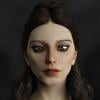
I see only one merchant with two MR sets that comes with bump maps, normal maps, etc. I have so many questions I don't even know where to begin, but I'm wondering if you start off working only working on the diffuse map in a 2d program, what's the best way to generate all those other maps, including specular (and have it be distributable/sellable, not just based on others' maps)? Or do you need to start off in 3d program, and if so, what are the top recommendations?

Thanks in advance!

Comments

  • InkuboInkubo Posts: 745
    edited March 2018

    If the Merchant Resource's bump, normal, etc fit your needs, I think you could work only on your new diffuse and specular maps, and just include the others. Seems unreasonable for an MR to require you to make changes to those additional maps. Hopefully DAZ will clarify this issue for us.

    As for which 3D program, people seem to prefer whatever they first start working in. For something that can do PBR painting on all maps at once, you might have to go with Substance Painter or 3D-Coat. I'm not sure which, if either, works well with DAZ characters.

    Post edited by Inkubo on
  • Thanks, Inkubo!

    If one is working on a MR set that only has diffuse maps, do you know of any programs that could help with "generating" the other maps? Or is that not a thing?

  • bluejauntebluejaunte Posts: 1,990

    Thanks, Inkubo!

    If one is working on a MR set that only has diffuse maps, do you know of any programs that could help with "generating" the other maps? Or is that not a thing?

    That would be a manual process you can do in any image editor like Photoshop or a 3d painting software. There's certainly not an automatic way because it depends on wich renderer you're going to use and your particular shader setup. It's mostly just experimentation until you like what you see.

  • SamanthieSamanthie Posts: 308

    Gimp is a free program and there are plugins either built in or free to download for it that can help you make your maps. Like bluejaunte said there are different ways to create the maps based on the program you are using. Gimp has much to offer for a free program. 

  • Thanks, Inkubo!

    If one is working on a MR set that only has diffuse maps, do you know of any programs that could help with "generating" the other maps? Or is that not a thing?

    That would be a manual process you can do in any image editor like Photoshop or a 3d painting software. There's certainly not an automatic way because it depends on wich renderer you're going to use and your particular shader setup. It's mostly just experimentation until you like what you see.

    Good to know; thanks!

  • Samanthie said:

    Gimp is a free program and there are plugins either built in or free to download for it that can help you make your maps. Like bluejaunte said there are different ways to create the maps based on the program you are using. Gimp has much to offer for a free program. 

    I am a Adobe Creative Cloud and Photoshop CC user, so I haven't been using Gimp, though I have that installed "just in case." Any recommendations for the "free to download" plugins for Gimp? 

    Thanks very much!

  • SamanthieSamanthie Posts: 308

    //www.gimp.org/ I do believe the plugins are already in the program. As far as the tutorials this is a good starting place. http://newart2000.wordpress.com/2013/07/28/how-to-create-textures-maps-in-gimp/ Having recently tried to find all the info I could on this very subject I can tell you there just aren't that many tutorials out there for this and they are needed! However this video for photoshop helped me the most and it is not that easy to follow simply because of the narration. If you pause and follow each of the steps (zoom in at times) you will have some knowledge how to do this and a good result as well. Makes more maps than you might need but very helpful imo. http://www.youtube.com/watch?v=8ivNpHLyibA Good luck! 

  • Samanthie said:

    //www.gimp.org/ I do believe the plugins are already in the program. As far as the tutorials this is a good starting place. http://newart2000.wordpress.com/2013/07/28/how-to-create-textures-maps-in-gimp/ Having recently tried to find all the info I could on this very subject I can tell you there just aren't that many tutorials out there for this and they are needed! However this video for photoshop helped me the most and it is not that easy to follow simply because of the narration. If you pause and follow each of the steps (zoom in at times) you will have some knowledge how to do this and a good result as well. Makes more maps than you might need but very helpful imo. http://www.youtube.com/watch?v=8ivNpHLyibA Good luck! 

    Woot, woot! Thanks, Samanthie; that is really helpful. Yes, I've definitely noticed that lack of tutorials on this subject, even though it seems like there are lots of people producing characters.

  • 3Diva3Diva Posts: 11,973

    The reason why most skin MRs don't come with bump and normal maps and all that is that you're supposed to modify the merchant resource maps a great deal until they're unique to your character. None of the texture merchant resources are meant to be used "out of the box" so you're meant to create bump and normal maps after you modify the textures (otherwise the bump and normals wouldn't match your character). 
     

    If you have Photoshop you can create normal maps and bump maps there. :)

  • SamanthieSamanthie Posts: 308
    Samanthie said:

    //www.gimp.org/ I do believe the plugins are already in the program. As far as the tutorials this is a good starting place. http://newart2000.wordpress.com/2013/07/28/how-to-create-textures-maps-in-gimp/ Having recently tried to find all the info I could on this very subject I can tell you there just aren't that many tutorials out there for this and they are needed! However this video for photoshop helped me the most and it is not that easy to follow simply because of the narration. If you pause and follow each of the steps (zoom in at times) you will have some knowledge how to do this and a good result as well. Makes more maps than you might need but very helpful imo. http://www.youtube.com/watch?v=8ivNpHLyibA Good luck! 

    Woot, woot! Thanks, Samanthie; that is really helpful. Yes, I've definitely noticed that lack of tutorials on this subject, even though it seems like there are lots of people producing characters.

    You are very welcome! :)

  • FSMCDesignsFSMCDesigns Posts: 12,843

    Divamakeup said:

    The reason why most skin MRs don't come with bump and normal maps and all that is that you're supposed to modify the merchant resource maps a great deal until they're unique to your character. None of the texture merchant resources are meant to be used "out of the box" so you're meant to create bump and normal maps after you modify the textures (otherwise the bump and normals wouldn't match your character). 
     

    If you have Photoshop you can create normal maps and bump maps there. :)

    This. I sometimes wish there were not any MRs so that we'd have more original and unique characters than we do now. I have 4 characters for G3 that all use the same MR and only one really did the work to make it more unique.

  • The reason why most skin MRs don't come with bump and normal maps and all that is that you're supposed to modify the merchant resource maps a great deal until they're unique to your character. None of the texture merchant resources are meant to be used "out of the box" so you're meant to create bump and normal maps after you modify the textures (otherwise the bump and normals wouldn't match your character). 
     

    If you have Photoshop you can create normal maps and bump maps there. :)

    I haven't found any great tutorials for creating different maps in PS that produce great results for me, are you aware of any that pertains to DAZ or character creation? Will try out gimp, too, to see if that is better. I certainly wasn't implying that MRs shouldn't be greatly customized. Just thought it would be nice to have a starting point for the other maps, too, and was hoping that there's software to help customize all maps at once.
  • nonesuch00nonesuch00 Posts: 18,723

    I don't even render that much but recognize the same chesthair pattern on many G8M products. laugh

  • SamanthieSamanthie Posts: 308

    I don't even render that much but recognize the same chesthair pattern on many G8M products. laugh

    lol

Sign In or Register to comment.
