Moving on up.... Unfold3D
 RAMWolff
Posts: 10,393
RAMWolff
Posts: 10,393
in The Commons
Over the years I have grown quite fond of Ultimate Unwrap 3D and recommended it all over the place but now I think it's time to take the next step. Unfold3D is like magic so many ways. Yea, a perpetual license will set me back almost $200.00 but good tools cost good money! They have a good forum and quite a few folks on YouTube are uploading helpful video's. Currently I'm taking advantage of the free one month evaluation with no restrictions.

Daz 3D is part of 
Connect
DAZ Productions, Inc.
7533 S Center View Ct #4664
West Jordan, UT 84084
Licensing Agreement | Terms of Service | Privacy Policy | EULA
© 2026 Daz Productions Inc. All Rights Reserved.
Comments
Which version? There appear to be several different ones. I'm sort of interested, but not sure which one to try.
I've got Unfold3D v9. Been using a version since the old "Magic Fairy" edition, dunno how I'd live without it. Hands down the best unwrapper I've ever used.
Not entirely sure, but I think Maya actually uses the Unfold3D library or algorithms, so if you have Maya already, you might not need to buy Unfold3d as well.
I'm thinking Virtual Spaces is probably the one ya'd want :)
Laurie
Yes, there are two versions ... VS or Virtural Space is the one you want. Also if your on YouTube and you see VS in the video's title it's for "virtual space" not for "versus" LOL
Thanks all. I'll check it out.
Make sure you get it from Unfold3D.com aswell. Remi is a solid dude and also the original dev. Version 9 is nothing compared to the newer v2017.0.27. The latest RC version is even better. Unfortunately for Version 9 owners, there is no upgrade path for you due to legal issues.
Yes, I was told to upgrade to the Dev version as it was considered stable enough as it's got ways to configure the keyboard shortcuts as I really like the Silo's way of Pan & Rotate!
I've downloaded a few of the tutes from Unfold's youtube channel and had a quick look. So far, it looks pretty interesting, but I need to see more. For a start, I'd like to see some basic mapping, like boxes and cylinders and whatnot. Also, I need to find out if all shortcuts are user-definable AND if the program keeps the UI exactly as I leave it on exiting. One of the thing that really irks me about UVM Pro is the dratted default settings that I have to change every time I open it. To me, usability is almost as important as the actual mapping.
Anyway, I may fire off a mail to these people and ask my questions directly. I won't be thinking about buying anything until May, so there's no hurry.
PS Why, oh why do programmers not realise that their defaults are never what the customers actually use? ALL UIs should re-open exactly they way they were left, with all the same settings!
Mac, I noticed that it lets you change the keyboard and mouse settings. But as ramwolff pointed out, its in the latest dev version. As for the UI, I have not changed it yet so I dont know if it will default or not.
I have not yet watched the tuts but from what little poking at it I have done, its ok. I am not sure yet if it will be a plus or negative to use it in place of Silo's UV mapping abilities.
I haven't had to change anything mostly in the UI and from what I can tell by right clicking on elements there doesn't seem to be a way to drag, say, the right info panel to the left side of the screen. Honesly it takes up allot of room but seems to expand out a bit further when certain tools are selected or made active. That will hopefully be looked in in a future edition.
They will have my money so far. I still need to figure out how to export UV maps from the program and if I can export them colored or not. I'm curious too Mac about if they have a way to create box or spherical or different types of UV maps. So far I can't find where that panel is. I'll have to try to remember to ask that when I get home, as I'm not logged on here at work and don't remember my password off hand! lol *old brain*
I think you use the save uv option but so far I have only saved out a new copy of the model and Silo could read the new UV layout that Unfold created
I have had some weird things happen with imported UV's (as they call it, it's actually the OBJ with the UV info already unwrapped from what ever program you did the initial unwrap from) but when I bring them in they are unwelded. I know that ZBrush exports with the objs welded and I'm pretty sure that Ultimate Unwrap exports with the mesh welded so not sure what's causing this strange behavior. I've asked on their forums and I think I've pretty much stumped the mods there that know the most and are busily helping others as much as possible.
The weld command in Unfold is Ctrl + w BUT if you have an unwrapped obj and you select the edges too you will have a mangled UV mess on your hands so I've found that by painstankingly selecting the interior of the obj and leaving the edges of the UV out and then hitting the Weld command it pretty much welds it all back but I've found a few stray polys that refuse to weld regardless of what I try.
Now this is what makes me want to fully invest in this program though. Picky me likes nice and neat UV's exp for texturing. This is a screen grab of some wrist bands for my Training Togs for G8M. Top is using the straightening tools for Horizontal edges and Vertical edges. It's a tiny bit time consuming but UV's, after all, are a type of art too in their way...
RAMWolff,
Maybe you can answer something I haven't seen yet. What's the story with exporting templates? I assume unfold does it, but what formats, up to what size, and are there options like only export visible, etc?
I think I'll go and hunt for a pdf manual, if one exists.
Edit - That technique in your image is one of the things that makes me want to try unfold.
Edit 2 - No pdf. I just checked. But maybe I can ask on their forums.
Looks interesting, and I see they have a Mac (not Maclean! ;) ) version in beta, which ticks my box. €150 is nothing in the scheme of things (compared to $1800 & up for the likes of Modo et al.). Plus the subscription model is hire purchase, which means you own it after a year anyhow.
And their Pack algo fills voids in mesh islands, something that Modo doesn't do . . .
I'm glad they can straighen out wobbly meshes (althogh Modo can do that too), it'll be interesting to see how they handle things like toruses, bendy pipes and suchlike - those can be very hit and miss (and I've seen more than one mapper produce a pile of spaghetti!)
Think it's worth a go at the trial at least.
Wings 3D's UV editor does this. You can straighten all the vertical and horizontal edges. Oddly enough, pre-uv'd items imported in to Wings are sometimes unwelded at the island seams. Wings UV editor will also normalize sizes by command that will scale all the uv islands in relation to each other so that the scale is the same across all the islands. It's one of the reasons why I still use it ;)
Laurie
Hey Mac. Still trying to get an answer from them. Honestly, I can not find a way to export a UV Map as of yet. There is only one Mod that's helping right now, name is Eric and he's quite familiar with the DAZ Forums so hoping he can shed some light on this important question. In the mean time I forgot I got UV Tailor a while back for DAZ Studio and used that to export a couple of UV Maps, I really miss assigning a color ID to the various surfaces though, UV Tailor doesn't seem to allow this. Hopefully the author will do an update and expand upon the options like sizes and color id's... I hope!
There are a couple of YouTube vids that shows a very bendy sort of obj and it straingtens them out to a flat, perfectly retangular surface area. Kinda cool knowing there is a program that can do that so quickly. I'm still learning so I'm kinda slow. This one dude on YouTube had his done in about a minute, takes me 5 or 10 right now with considerartion of the mesh size.
Here's a good one!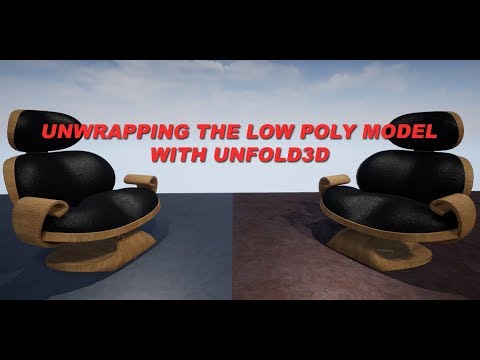
I had to let this one go and uninstall it. It was driving me up the wall that I could not match the mouse controls to Silo. As imperfect as Silo is, I will be content to stay with it once again as I do not have to flop back and forth between programs and have a million and one obj files kicking around plus all my silo save files.
Mattymanx,
I respect your opinion, and your assessment makes me think twice. I don't use Silo, but I'm beginning to wonder if Unfold is really for me. I'd maybe get it for some features if I could export the uvs and import them into UVM Pro, which does allow me to make colored templates, etc. (Not to mention regions, which is one of my most-used options. Maybe the same as islands? I'm not sure).
Anyway, I'll still go ahead and get the trial so I can for myself, but I want to collect all the info I can first.
One of the things I particularly like about UV mapping in Modo is that I can keep working on the model while I'm mapping. So if I spot an edge that needs filleting, I can just fillet it. Or if I need to map something before duplicating it (for example a vent I want to place multiple times on a wall), I can map it, duplicate it and arrange the duplicates (both on the model and on the map) all in one continuous operation. That's a powerful thing to give up for an external program!
And yes, different move controls drives me batty too - I end up screwing up in the new program, and screwing up again when I go back to the original!
Yeah, me too in Silo. Thats another reason why I have been hesitant to learn stand alone uvmapping software.
Oddly enough, yesterday I just discovered 4 options in Silo that is greatly saving me time and effort with UV mapping.
If you have UV thats warped when it unwraps, just use the "Recreate UVs > Using LSCM Unwrapping" and it evens out correctly.
In Silo's UVs/Materials menu, near the bottom there are 3 wonderful options:
- Arrange UVs In Bounds
- Scale UVs To Bounds
- Scale UVs Proportionally
If I can find some time I will see if I can make a small straightforward tutorial of my basic workflow with Unfold3D. Would that be helpful?
@RAMWolff, yes, Eric is myself over at Unfold3D forums. Glad that I have been of assistence to you!
Ah, thank you so much!
What I'd love to see as a tutorial is an ORGANIC item, either humaniod or a more complex piece of clothing unfolded from start to finish. I don't unfold allot of non organic things so most of which I was able to find on YouTube were guns and stuff like that that I never touch. To me understanding and seeing how to unfold organic items would drive allot of the info home for me allot more. Thanks Eric!