couple of eye and lighting questions - DS
 daveso
Posts: 8,247
daveso
Posts: 8,247
not sure if this post goes here or in DAZ Studio ... but check out these images .... The first whows my character in the working window .. note the yellow rings around the eyes ..what is this? Also note the direction of lighting is from left as looking at the image.
Then, in the second image, there are bright rings around the eyes..why?
AND - the light is now coming from RIGHT in the renderc... what is up with that?
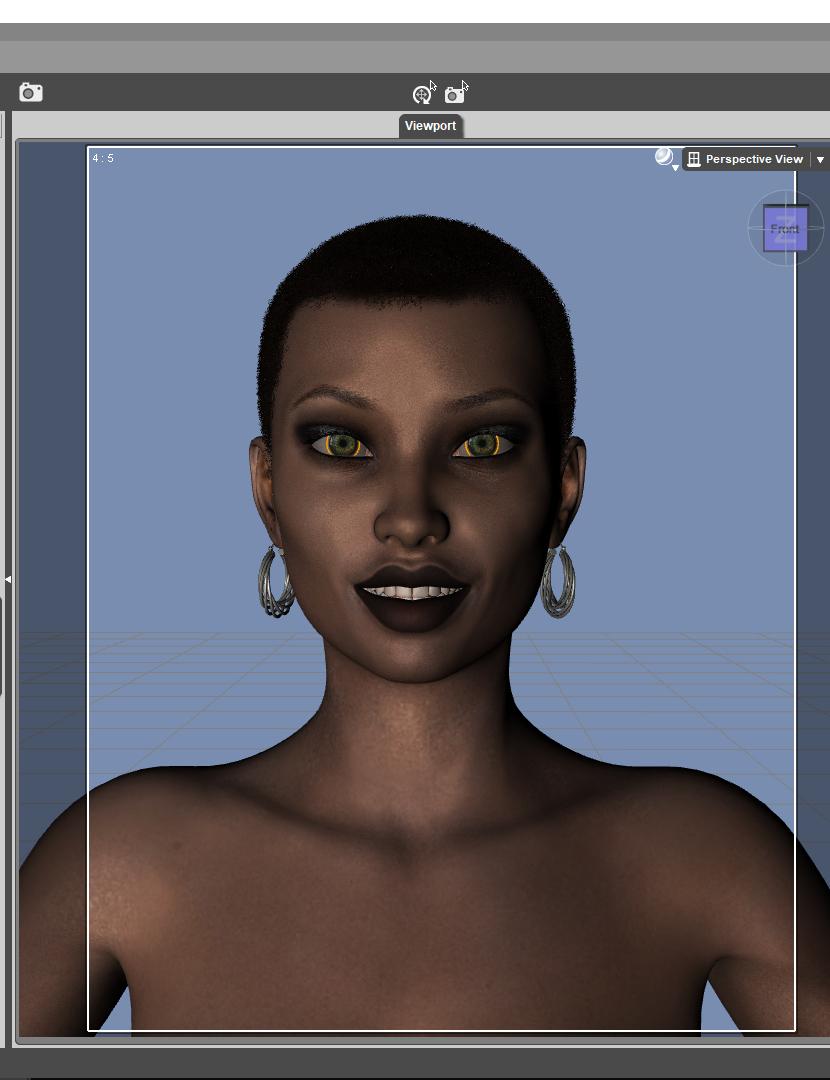
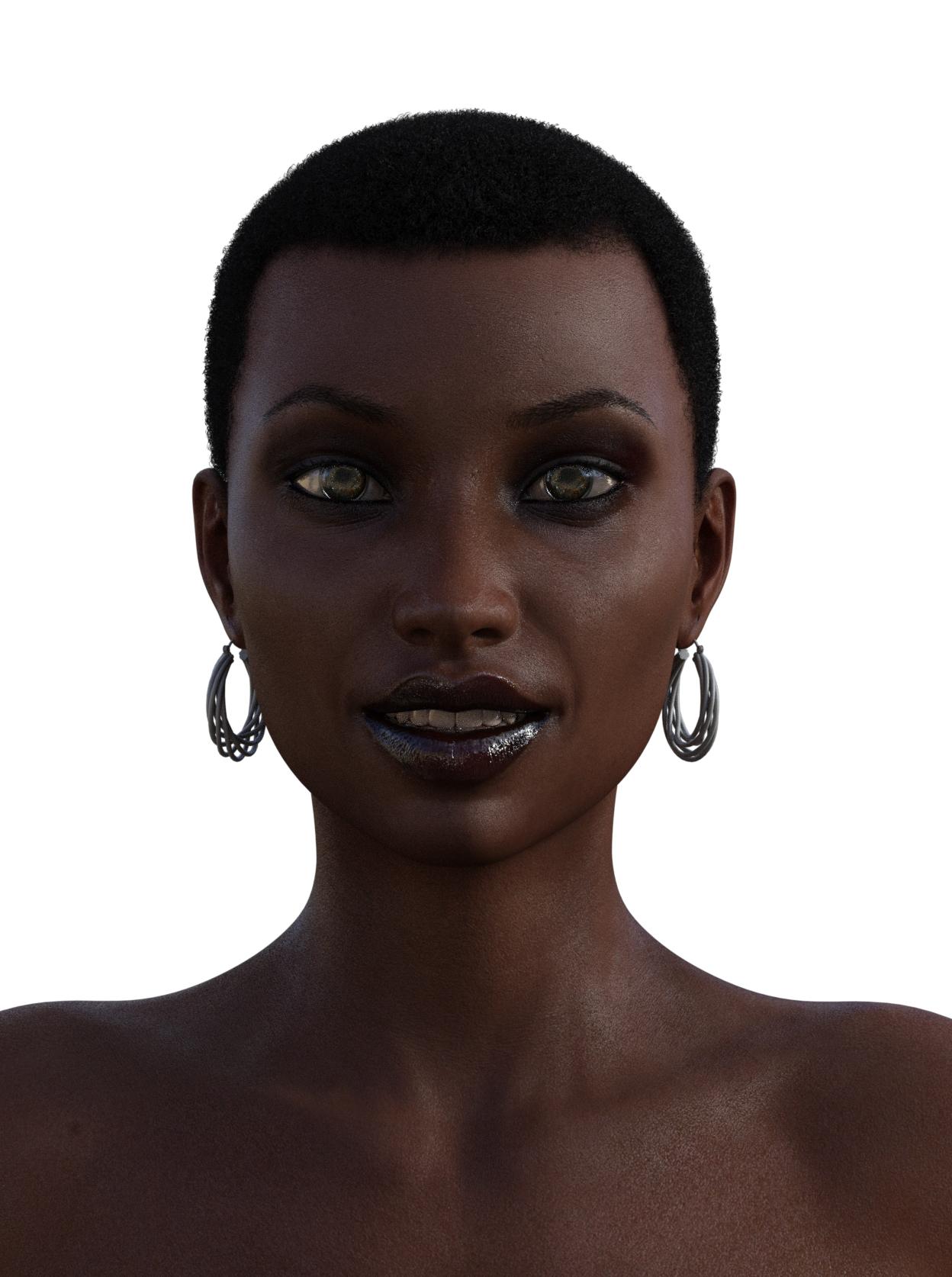
wonky eyes and light render.jpg
1248 x 1674 - 1M
eye yellow circle.jpg
830 x 1080 - 359K
Post edited by daveso on

Daz 3D is part of 
Connect
DAZ Productions, Inc.
7533 S Center View Ct #4664
West Jordan, UT 84084
Licensing Agreement | Terms of Service | Privacy Policy | EULA
© 2026 Daz Productions Inc. All Rights Reserved.
Comments
yes, that is what i was experimenting with, G3 on G8 .. wanted to see if it works at all, and it does .. a bit of line on the lips, and this eyeball thing, but otherwise fine. ... although the eye textures are from a G8 character. I also was having problems with specualr in eyes, so I turned up corneal bulge ... but had that yellow ring before that.
Also, the lights..i am rendering another know with an added camera, and its doing the same thing..lighting is reversed.
G3 and G8 have somewhat different eye geometries. In g3 the sclera is connected to the cornea. In g8 the sclera is connected to the iris. So many g3 characters have a transparency map for the sclera (either under cutout opacity or refraction weight) that when used on g8 will create a transparent ring around the iris.
You have 2 possible fixes the easiest is to simply remove the transparency map from the sclera. The only downside with this is that the transfer from the sclera to the iris will be rather sharp.
If you want to preserve the soft transitions copy the sclera material settings with the transparency the eye moisture material zone (and then remove the transparency from the sclera material zone as in the previous method) this will basically make an eye setup that more closely mimics g3. The downside with this method is the eye moisture material zone is often used to add extra shine to the eyes so if you're not careful it can make the eyes look a bit dry (although I personally find that since the iray uber shader already has a the glossy topcoat it's easy enough to keep it glossy.)
What morph are you using on the character?