"Duplicate formulas found" - SOLVED

Whenever I load a Genesis figure, I get this error. Doesn't happen with G2 or G3.
Any ideas?
Thanks
EDIT: found a great fix! Works a treat
https://www.daz3d.com/forums/discussion/22220/duplicate-formulas-error-solved-thank-you-bejaymac
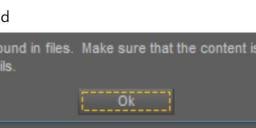
Capture.JPG
1264 x 249 - 35K
Post edited by Sertorial on

Daz 3D is part of 
Connect
DAZ Productions, Inc.
7533 S Center View Ct #4664
West Jordan, UT 84084
Licensing Agreement | Terms of Service | Privacy Policy | EULA
© 2026 Daz Productions Inc. All Rights Reserved.
Comments
Since this is a known issue, plaguing a lot of users, why doesn't DAZ simply fix it?
It's not reasonable to have every user dig through morphs and whatnot fixing a bug.
This isn't the first time DAZ puts out broken products and doesn't address the issues.
Honestly, given the amount of time it takes to load a G8 figure because of this, you'd think it would get their utmost attention.
This should be put back into the laps of the coders/engineers to fix PROPERLY.
The fix is for PAs to use unique names - it isn't a DS issue, it's an issue with conflciting content (usually) or an outright content bug (much more rarely).
I'm going to expand on what Richard means by "unique names".
We are not talking about the name of the file, nor do we mean the dial name you see in DS, but rather the asset ID that is inside the DSF file.
It's this asset ID that needs to be unique, and I'm not talking unique to the vendor, or to the store, but unique to the figure.
If a vendor makes a morph for G8F with the asset ID of "Big_Buns", then that means nobody else can use that ID for a morph for G8F nor G8.1F.
That simple name is the problem we have as most vendors wouldn't think twice about using it for their own morphs.
FHM_Bejaymac_Jenna_01
FBM_Bejaymac_Jenna_01
^^^^^ That is the sort of naming system I use for my own content, it's also the sort of naming system I use whenever one of my friends reports a Duplicate Formula error to me, and I turn up and fix it for them.
I'm not a PA but I am an experienced asset creator. Whenever I create a character who is diminutive I have to fight this struggle. It pops up whenever I make any adjustments to the Irises and the culprit is not the PA or me, but whoever did this:
Previous:
File: D:/- Products in development/Spanky 24/data/Daz 3D/Genesis 8/Female/Morphs/Causam3D/Spanky 24/Spanky 24 Apply All.dsf
Owner: Genesis8Female
Input URI: Genesis8Female:/data/Daz%203D/Genesis%208/Female/Morphs/Causam3D/Spanky%2024/Spanky%2024%20Apply%20All.dsf#Spanky%2024%20Apply%20All-0xa47d846?value
Input: Spanky 24 Apply All
Output URI: Genesis8Female:/data/Daz%203D/Genesis%208/Female/Morphs/DAZ%203D/Head/CTRLEyesIrisSize.dsf#CTRLEyesIrisSize?value
Output: CTRLEyesIrisSize
Duplicate:
File: D:/- Products in development/Spanky 24/data/Daz 3D/Genesis 8/Female/Morphs/Causam3D/Spanky 24/Spanky 24 Apply All.dsf
Owner: Genesis8Female
Input URI: Genesis8Female:/data/Daz%203D/Genesis%208/Female/Morphs/Causam3D/Spanky%2024/Spanky%2024%20Apply%20All.dsf#Spanky%2024%20Apply%20All-0xa47d846?value
Input: Spanky 24 Apply All
Output URI: Genesis8Female:/data/Daz%203D/Genesis%208/Female/Morphs/DAZ%203D/Head/CTRLEyesIrisSize.dsf#CTRLEyesIrisSize?value
Output: CTRLEyesIrisSize
When I use the Iris size control on a smaller character through a New Property slider, or simply ERC Freeze a morph with the Iris size controller dialed in, I get this kind of error. Now I'm not a coder, but it seems to me that two things need to happen:
1) Daz needs to stop including eyes in body morphs imported from Blender or anywhere else.
2) Creating a new property slider that utilizes a Daz native morph should not be throwing these errors.
If I'm wrong, let me know, but if you're just a toady then don't bother. This is a legitimate concern.
What is this slider doing? Why are you naming it "Apply All" rather than giving it a unique name for the character? Is it in fact a newly created morph or are you editing an existing .dsf in a text editor to create a driver property, which would certainly short-circuit any automated postfixes intended toa void duplicates?
Are there any plans to fix this from a design perspective? Years later this is still an issue.
Not that my opinion matters, but I disagree with this not being a DAZ Studio issue. Any software that can be "broken" by user decisions is a design problem, and it sounds more like an unwillingness to mess with DAZ's database schema. Passing it off to the users is not a "fix," and this isn't even something in the end user's control--only the PAs, which effectively means "yah, no."
If it's currently set up to require names to be the same, then solutions could be automatically assigning it a unique name by combining the PA's name and the asset. That might not be bullet-proof, but even that would be preferable to the current situation. A better idea might be, when a new asset is detected (not just from the Install Manager, since there are 3rd-party sites which don't get installed that way), assign it a GUID.
In any case, this is one of loads of rather elementary problems that are on track to become older than some of the users. I think it would benefit DAZ to focus on these things instead of AI.
Duplicate formula errors come from two typical cases: 1) duplicate url IDs from different DSF files; 2) duplicate formulae (coding blocks of the very same formulae) come from a single DSF file.
Daz has given a once and for all solution for the case 1) starting from a certain version of DS 4.20, i.e. by adding unique suffix to url ID when creating Modifier asset. As long as folks create Modifier assets with DS 4.2x, there won't be any case of 1).
As for the case 2), to prevent it from happening: 1) always ERC Bake before ERC Freeze, or use Rigger Plus; 2) always carefully modify and check the codes if one wants to create formulae by modifiying DSF file(s) by using any text editors ~~
Hmm, interesting, but I've had this happen on the latest DAZ Studio (4.24.0.3 at present), including scenes created entirely in that version. I don't know all the machinations of how the .dsf files work (and nor should I have to LOL), but in my case, it seemed to center around Breastacular being referenced by more than 1 character whose morphs I had applied.
This also seemed to corrupt the scene file itself, as I would typically pull it over to Blender with Diffeomorphic, and the materials would be borked (basically, as if the material copy script had not run) when it got into Blender. I tried deleting the figure entirely, recreating it by applying my character as a single morph, etc... and the problem remained. I figured probably a Diffeomorphic issue, but it was resolved after I created a completely new DAZ scene and recreated it there.
TLDR, it's still pretty gremlin-ridden.
EDIT: Actually that ERC Freeze gave me some insight--it looks like that is what caused my duplicate formulas. This is just a morph changing the height, selecting Adjust Rigging to Shape in the Joint Editor, then applying ERC Freeze--that appears to trigger the problem. However, I tried fresh again, and applied ERC Bake beforehand, and unfortunately it had no effect.
Well, if, for some reason, ERC Bake beforehand doesn't work for you, you still can check DS log, the duplicate formulae (if there's any...) should be listed in the log. Then open the indicated DSF files with Notepad++, locate the formulae, and delete the duplicate coding block(s), save DSF file.
Then reload the figure, the errors will be gone.
The change affects creating new content, not loading pre-existing content which may pre-date the chnage (or the PA may have removed the uniqueness protection in manually editing the files).
So, I had this problem recently and there seems to be a conflict with this (reasly-on-sale) character:
MB Cerra HD for Genesis 9 Feminine
Specifically, when I uninstalled this character, the problem went away.
Conflict with what? The log file will tel you, as long as you are reasonably current in your DS version.