Smart content pane stopped working
 Wonderland
Posts: 7,137
Wonderland
Posts: 7,137
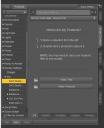
My smart content pane stopped working. When I go to the regular content pane, find what I need and click show in smart content, it comes up. But the smart content pane no longer works. I refresh metadata, make sure there is no search item there, exit and restart DS... When I click on All Products" they show up, but all the individual sections are gone! I tried updating metadata several times, nothing... Also when I try to update certain products through connect, it says "update failed." I tried "refresh" in every category, nothing.
Discovered I have to restart my whole computer, not just restart Daz, to get it working again. And then after a while, it fails again... Any advice?


Daz 3D is part of 
Connect
DAZ Productions, Inc.
7533 S Center View Ct #4664
West Jordan, UT 84084
Licensing Agreement | Terms of Service | Privacy Policy | EULA
© 2026 Daz Productions Inc. All Rights Reserved.
Comments
did you try to reset the database, before re-importing all the metadata?
Please don't reset the database if you install with Daz Connect. There is a known bug. Reinstalling metadata will not restore the "installed" state of a product. Every product you installed with Daz Connect will show up as "available" instad of "installed". As of a few days ago, customer service told me this wasn't fixed yet.
When I restart my computer everything comes back, but it happens repeatedly and is a big pain when you're in the middle of a project...
Check firewall/anti-virus/anti-malware settimgs, external drive going to sleep or being disconnected.
Nope, don't have anti-virus software, I only use that computer for Daz, don't even have email set up on it, and although I have some stuff on an external hard drive, most is on Connect and my external hard drive is a portable one and never sleeps...
My smart content stopped working yesterday whilst my PC was under rather a heavy workload. It turned out that CMS had crashed, and there was a button in the Smart Content pane to restart CMS, which I pushed and all was fine again. Maybe you could check in windows services to ensure CMS is running, or if it is, you could try and restart it.
Interesting, thanks. Where exactly is this button to restart CMS? I'm in the middle of a render and can't check. Also, I'm a Mac person using Windows and have no idea where Windows Services is to check for CMS (or what CMS is for that matter!) I've always been a Mac Poser person, but now on Windows with Daz. My brain must be developing all kinds of new synapses LOL.