Iray Cutout Opacity property sometimes fails? (SOLVED - for me anyway...)
 john_antkowiak
Posts: 338
john_antkowiak
Posts: 338
Hi. I've noticed this on occasion but in my current project it's a big problem. I'm not sure if this is always the case, but this time I'm using a set designed for 3Delight, with all surfaces converted for Iray using the DAZ Uber Shader Preset. I render in Iray. The set is House of Barlow by The Management. There are a variety of wall textures in this set, but only one without doors or windows. But this wall also has a material zone for "details" which covers the wall in picture frames and light fixtures. Normally I just set the Coutout Opacity of this material zone to 0. The unwanted details disappear and it's good to go.
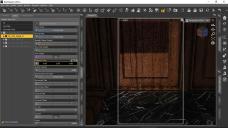
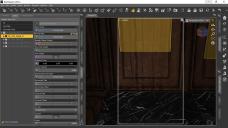
But sometimes I get this strange ghost effect and I can't figure out how to get rid of it. The first image shows a spot render revealing the "shadow" of the hidden details; the second is the viewport view with the problem surface highlighted. I tried removing all maps from the channels (bump, normal, etc.) but that had no effect. Any ideas?

Daz 3D is part of 
Connect
DAZ Productions, Inc.
7533 S Center View Ct #4664
West Jordan, UT 84084
Licensing Agreement | Terms of Service | Privacy Policy | EULA
© 2026 Daz Productions Inc. All Rights Reserved.
Comments
At one point I had a similar problem, and I added a full black .jpg to the Cutout channel, which cured the issue. However, that was in an older version of DS, and I haven't seen it since. I don't know whether something has changed in the program or I've been lucky, but a black jpg might be worth trying.
It might better to use the Geometry Editor to hide those polygons, then remove the hidden polygons, export as OBJ, reimport, reapply materials, and save as a new asset - that way you can make a ready-to-load plain wall.
First, with apologies to MacLean, for some reason when I checked the replies I only saw Richard's and thus didn't even try the black .jpg technique. I'll keep it in mind to try next time it happens. Very oddly, I found that the issue seems to come and go with different lighting. When I hid the roof and exposed the wall to the HDRI lighting, the shdows disappeared. I tried a bunch of other lighting combinations, and it varied. The roof is a sort of dome-shaped affair - maybe not spherical; I don't know - split in halves. So I made one half emissive to light the interior, along with some other emissives... and no shadows. I tried placing an emissive table lamp directly under it (you can see th table in the original image), but the shadows remained. So I don't know. But it's a non-issue at this point. Thank you for your thoughts, gentlemen --
Incidentally, the scene is meant to be used as a family portrait in another scene set in the same place...
Anybody ever figure this out? Sorry to bring back the thread, but I am getting a similar problem. I have a plane that is casting shadows even at zero opacity in iray, and I am about to pull my hair out. I also have a cutout opacity map, but to no avail. :(
well you could check stuff like highlight, specular, reflection etc, I'd apply DZ default to that surface myself and have as few parameters as possible
Hi, 3WC. Did you ever get this worked out? Richard's suggestion is the one I normally use now. It should work for you too, assuming that the plane you refer to is one you don't want visible in your scene. In my OP I had some that were present but hiden because they were undesired. The simplest way to take care of that was to use the Geometry Editor, but I find I don't have to use all the steps Richard suggested. There are various ways to select the surface you want to hide. Once I have them selected and hidden, I delete them from the scene and save the scene. (That's Save, not Export.) Polygons hat aren't there, don't cast shadows.
Does that help?
Lol, you know, I don't even remember what I was working on, so I must have figured it out.
I forget that there is no automatic subscription even to the threads you reply to, I was surprised to open this and see I had commented here.