[SOLVED]: dForce Has Reminded Me Why I Stopped Trying Dynamics in Poser
 Nyghtfall3D
Posts: 817
Nyghtfall3D
Posts: 817
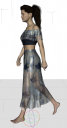
My render rig is a home-built 3.5 GHz 4770 running Windows 10 64-bit with a 1080 Ti. This simulation took 9 minutes to complete, is the first of five attempts that didn't crash, and only because I had V8 stand up instead of lie down. Worse, my first four attempts took 8 minutes to complete before they crashed.
While I'm grateful we no longer have to rely on third-party support for dynamic clothing, I'm sticking with morph dials until dForce is improved.

Daz 3D is part of 
Connect
DAZ Productions, Inc.
7533 S Center View Ct #4664
West Jordan, UT 84084
Licensing Agreement | Terms of Service | Privacy Policy | EULA
© 2026 Daz Productions Inc. All Rights Reserved.
Comments
Seems like you have something else causing an issue. I have a 5 year old Haswell i5 with a gtx 1070 and I get much faster results than that. I'm guessing it might be caused by the hair but don't quote me. Try making the hair invisible to dForce or just remove it until after the simulation.
Thanks for the tip. Now we're cooking. I removed the hair and the simulation finished in 30 seconds.
Any complex system is going to require some learning to embrace. It comes down to ROI.
So far the ROI for Dforce seems pretty good, as such things go.
Woohoo!
intersections cause the simulation to slow down
For me, the fastest results come from hiding EVERYTHING in the scene except the figure and the clothing item that you're making dynamic, you can always unhide everything once the sim is finished. Also you can turn down the resolution of the figure to Base and then turn it back up to High Resolution once the sim is done.
...as I usually create characters and pose them as individual scene subsets I guess it should work (whenever I can get 4.10 to DL).
Another thing that really cuts down on the sim time is to turn OFF where it says "Start Bones From Memorized Pose".
You don't need to hide/unhide - just turn off Visible in Simulation and leave it off.
Oh cool! Thank you for the tip, Richard! :)
Good old Visible in Simulation, that long-standing hint of the toys we have now....