DAZ3DIM: System Error - Code execution cannot proceed
 CO3DR
Posts: 163
CO3DR
Posts: 163
Due to other reasons, I have to re-install DAZ Studio from scratch.
I'm on Windows 10, and I normally use my User account, which does not have admin privileges. So, when I went to install DAZ3DIM, I got a UAC window. I entered my admin password, and then launched DAZ3DIM and it pretty much worked as expected. But, it launched as admin, and I don't generally want DAZ3DIM to have admin permissions. Before this reinstallation, I had no problem running DAZ3DIM sometimes as User and sometimes as Admin depending on circumstances.
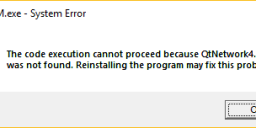
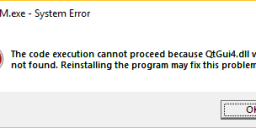
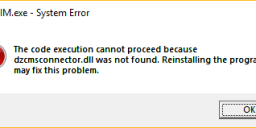
When I attempt to run DAZ3DIM as User, I receive four popup windows and it won't run. Generally, the messages are of the form:
DAZ3DIM.exe - System Error
The code execution cannot proceed because QtNetwork4.dll was not found. Reinstalling the program may fix this problem <OK>
The other dll's it cannot find are: dzcmsconnector.dll, QtGui4.dll, QtXml4.dll.
This is DAZ3DIM version 1.1.0.71


Daz 3D is part of 
Connect
DAZ Productions, Inc.
7533 S Center View Ct #4664
West Jordan, UT 84084
Licensing Agreement | Terms of Service | Privacy Policy | EULA
© 2026 Daz Productions Inc. All Rights Reserved.
Comments
Which security/AV software are you using?
Avira AV
I disabled Avira and re-installed twice, both as User (causing UAC window) and "Run as administrator". Either way, I get the same result when I try to run as User.
I also run Windows Defender Firewall.
I got it to work.
Another user was logged into the system, and was running a couple of apps including Paint3D. I logged them out, rebooted the system, did the installation again, and now I can run Install Manager as User again.
Thanks for the help!