Rigging - ARGH

GatorGator Posts: 1,320

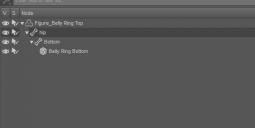
OK, I cannot figure out simple rigging for the life of me.  I found two instructions, neither of which I can follow for something working (correctly).

I have the mesh as OBJ.  I tried with the whole mesh as one OBJ, the second as two meshes as two OBJ files where I'd like the joint to be.


As one object, I tried this.  The problem here is that I create the Selection Sets in Daz Studio and save it out as a new OBJ, but when I import it they are not there.

http://docs.daz3d.com/doku.php/public/software/dazstudio/4/userguide/creating_content/rigging/tutorials/basic_rigging_preparation/start

http://docs.daz3d.com/doku.php/public/software/dazstudio/4/userguide/creating_content/rigging/tutorials/adding_bones_for_rigging/start


I found this method.  Design Anvil's about half way down.  On step two when re-import, the rigging only goes to one OBJ, unlike his which somehow get merged.

https://www.daz3d.com/forums/discussion/57873/merging-two-objects-into-one

What am I missing?  Or are there easier steps to follow?

Rigging_HOW.JPG
1073 x 1099 - 75K
Rigging_HOW02.JPG
544 x 273 - 16K

Comments

  • Richard HaseltineRichard Haseltine Posts: 108,667

    If you are using the Geometry Editor to split the OBJ into bones you need to create Groups, not Selection sets. Generally it's best to rig with a single OBJ.

  • AllenArtAllenArt Posts: 7,175

    Try these:

    The tutorial is for a pair of earrings, but the principle is exactly the same. I rigged a pair of earrings using this tutorial and had NO rigging experience and it worked.

    Laurie


  • Wow. That's pretty bad. I never even noticed that.

    Your confusion is totally understandable Mr. Scott. You are expressly directrd to create "Selection Sets" in the Daz documentation, but the current version of Studio does not use that term for the thing you are supposed to be making. That's just confusing.

    Probably, at the time that was written, the terms were different or something. Or, you know, the documentation being eternal WIP, it's just an error. Either way, what Richard said is the issue. I'm just letting you know you aren't crazy. The doc told you to do the wrong thing. In Studio "Selection Sets" are temporary ways of grouping faces. They can't be exported. Face Groups is what you need to make. The process would be the same, you just click on Face Group(s) where ever you were clicking Selection Set(s) before.

  • Richard HaseltineRichard Haseltine Posts: 108,667

    Wow. That's pretty bad. I never even noticed that.

    Your confusion is totally understandable Mr. Scott. You are expressly directrd to create "Selection Sets" in the Daz documentation, but the current version of Studio does not use that term for the thing you are supposed to be making. That's just confusing.

    Probably, at the time that was written, the terms were different or something. Or, you know, the documentation being eternal WIP, it's just an error. Either way, what Richard said is the issue. I'm just letting you know you aren't crazy. The doc told you to do the wrong thing. In Studio "Selection Sets" are temporary ways of grouping faces. They can't be exported. Face Groups is what you need to make. The process would be the same, you just click on Face Group(s) where ever you were clicking Selection Set(s) before.

    The heading says selection groups, which is the correct name when you are assigning them in the Joint Editor, but the body text does say Selection Sets. The problem is that it is, I think, assuming this will be done in the same external modeller as the initial mesh creation and theer Seelction Sets (at least for modo, and I think LW) is the correct term.

  • Wow. That's pretty bad. I never even noticed that.

    Your confusion is totally understandable Mr. Scott. You are expressly directrd to create "Selection Sets" in the Daz documentation, but the current version of Studio does not use that term for the thing you are supposed to be making. That's just confusing.

    Probably, at the time that was written, the terms were different or something. Or, you know, the documentation being eternal WIP, it's just an error. Either way, what Richard said is the issue. I'm just letting you know you aren't crazy. The doc told you to do the wrong thing. In Studio "Selection Sets" are temporary ways of grouping faces. They can't be exported. Face Groups is what you need to make. The process would be the same, you just click on Face Group(s) where ever you were clicking Selection Set(s) before.

    The heading says selection groups, which is the correct name when you are assigning them in the Joint Editor, but the body text does say Selection Sets. The problem is that it is, I think, assuming this will be done in the same external modeller as the initial mesh creation and theer Seelction Sets (at least for modo, and I think LW) is the correct term.

    That a different ball of wax, because they change names in Studio depending where you look. Face Groups in, well, everything except they become Selection Groups in Joint editor. But that would be a whole other way of confusing people. There is no correct term in external modelers that I'm aware of, because they all have different methods, and no single standard. Blender, for example, doesn't even have the capacity. It's all done by vertex groups.

    I can't think of a reasonable point to having the same entity called a Selection Group and a Face Group, though. As a guess, the intent is not to call them Selection Groups at all. That's just a label used to mark the bit of the UI were you pick Face Groups. Just guessing, but they are only called that in Joint tools. Every other tool that accesses them calls them Face Groups. 

    I suppose it's valid to argue that the documentation does call them by a right name, because things can have more than one name, but it's kind of a chicken v egg problem, then (Bad metaphor, though, obviously the egg came first). In order to understand what the documentation is saying, you need a solid understanding of what the documentation is saying. 

  • Richard HaseltineRichard Haseltine Posts: 108,667

    A Selection Group is a Face group used to select a bone, by clicking on an area of the model belonging to that face group. So in that case the naming has meaning - a model can have groups that are no assigned as Selection Groups.

  • hphoenixhphoenix Posts: 1,335

    Wow. That's pretty bad. I never even noticed that.

    Your confusion is totally understandable Mr. Scott. You are expressly directrd to create "Selection Sets" in the Daz documentation, but the current version of Studio does not use that term for the thing you are supposed to be making. That's just confusing.

    Probably, at the time that was written, the terms were different or something. Or, you know, the documentation being eternal WIP, it's just an error. Either way, what Richard said is the issue. I'm just letting you know you aren't crazy. The doc told you to do the wrong thing. In Studio "Selection Sets" are temporary ways of grouping faces. They can't be exported. Face Groups is what you need to make. The process would be the same, you just click on Face Group(s) where ever you were clicking Selection Set(s) before.

    The heading says selection groups, which is the correct name when you are assigning them in the Joint Editor, but the body text does say Selection Sets. The problem is that it is, I think, assuming this will be done in the same external modeller as the initial mesh creation and theer Seelction Sets (at least for modo, and I think LW) is the correct term.

    Actually, in LW they are 'parts'.....well, they may have changed it since 9.5, which is what I still use.....can't afford to upgrade LW, it's pretty pricey.

  • "Reasonable point," I said. There's no obvious reason why you can't just put "Face Groups" everywhere "Selection Group" appears in the UI. You'd get the same result. All selection groups are face groups, and no user facing reason to say anything about it. Thus, no reasonable point to making the distinction. Maybe there's an API reason, but there's lots of stuff distinct in the API with no user facing counterpart.

    I know why it's there. I can't think of a reason it has to be. So it remains a reasonable source of confusion. You have to already understand the distinction to understand the distinction.


  • Richard HaseltineRichard Haseltine Posts: 108,667
    hphoenix said:

    Wow. That's pretty bad. I never even noticed that.

    Your confusion is totally understandable Mr. Scott. You are expressly directrd to create "Selection Sets" in the Daz documentation, but the current version of Studio does not use that term for the thing you are supposed to be making. That's just confusing.

    Probably, at the time that was written, the terms were different or something. Or, you know, the documentation being eternal WIP, it's just an error. Either way, what Richard said is the issue. I'm just letting you know you aren't crazy. The doc told you to do the wrong thing. In Studio "Selection Sets" are temporary ways of grouping faces. They can't be exported. Face Groups is what you need to make. The process would be the same, you just click on Face Group(s) where ever you were clicking Selection Set(s) before.

    The heading says selection groups, which is the correct name when you are assigning them in the Joint Editor, but the body text does say Selection Sets. The problem is that it is, I think, assuming this will be done in the same external modeller as the initial mesh creation and theer Seelction Sets (at least for modo, and I think LW) is the correct term.

    Actually, in LW they are 'parts'.....well, they may have changed it since 9.5, which is what I still use.....can't afford to upgrade LW, it's pretty pricey.

    Yes, I use(d) Set Part in modo too (well, modo is by the same developers as the original LW) - but selection sets also work, as I recall (I had both in a model I made in modo and the result, exported to OBJ, was confusing - but that was a good few modo versions back).

  • GatorGator Posts: 1,320
    AllenArt said:

    Try these:

    The tutorial is for a pair of earrings, but the principle is exactly the same. I rigged a pair of earrings using this tutorial and had NO rigging experience and it worked.

    Laurie


    Awesome, thanks Laurie!  That was much easier to follow.  I followed this and it worked too.

    Face groups was also the thing that really threw me for a loop.

Sign In or Register to comment.