Grrr... did something stupid to my Surfaces Tab
 dracorn
Posts: 2,377
dracorn
Posts: 2,377
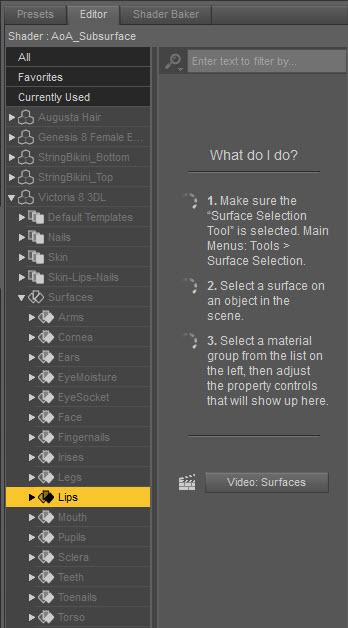
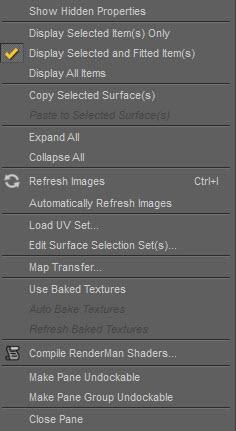
I messed up some setting on my surfaces tab.
With V8 selected, I click on a surface and its attributes are not showing in the window.
What did I do and how to I fix it?
Menu Settings
Surfaces won't show.jpg
348 x 628 - 57K
Surfaces menu.jpg
236 x 431 - 34K
Post edited by dracorn on

Daz 3D is part of 
Connect
DAZ Productions, Inc.
7533 S Center View Ct #4664
West Jordan, UT 84084
Licensing Agreement | Terms of Service | Privacy Policy | EULA
© 2026 Daz Productions Inc. All Rights Reserved.
Comments
I think you have the Show Sub Items box unchecked, at bottom-left.
Yes, that was it, thank you. I must have accidentally unchecked it.