

Test a new character Morph?

124»

Comments

  • MBuschMBusch Posts: 547

    I can suggest you to take a look at this video: 
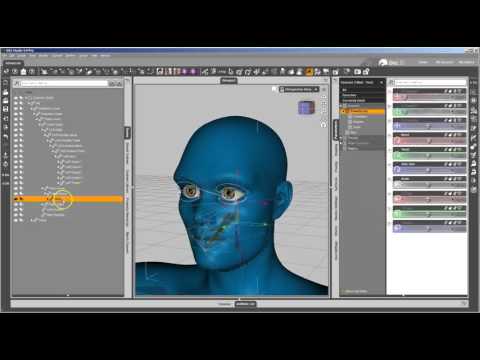
    You will see clerly as to do the rigging adjustment and save your morphs.

  • Tottallou said:

    @Singular Blues

    Thanks for the guide  I have copied this into my notes to try out later - Its nice to have something written down as I don't like video :)

    I'm also not a fan of video. I thought it was just because I like to read, but I once learned a whole lot from a video in French. I think I just don't like trying to absorb information by demo and by speech at the same time. And it's easier to skip backward in text.

    I have to admit, though, I learned how to use the Headsplit deformer from a video. I learned to make my own deformers for other figures from a Daz text tut, tho.

  • Divamakeup, I'm sorry. I had downloaded the new package then completely forgot to test it.

    It is all working as intended, and the pictures are attached where they should be. Only one issue. There's a copy of Victoria8's control dsf in there. It doesn't do anything for people who, like me, don't own V8. It's just a pointer to nowhere, but it could cause issues for people who do. (Odds are it wouldn't, but it could.) Also, it's probably not kosher to have that there, even if it's basically useless.

    Delete that, and it will be good to go.

  • 3Diva3Diva Posts: 11,973

    Yeah, doing the head and body has always been kind of a pain until the Attenuate by thing. I was just saying my aim was to make deformers for all the genesis figures. I really was brain dead at the time, or I'd have realized that wasn't a relevant statement.

    Making customized expressions is a little bit like adjusting rigging to shape, in that there's an ERC freeze involved. I do it by dialing in a smile then adjusting it. As a rule, I don't use any other smile control to make adjustments, and I try to keep the changes small. It's really a matter of feel.

    The key point to doing this is understand that ERC (Enhanced Remote Control) can connect pretty much any property to any other property.

    Load up a figure. Right click the parameters tab and go Edit mode.

    Select any limb of the figure, and move it. Do whatever you like. You could even use a pose preset. The main thing is to change the figure from the rest pose.

    Select the root node of the figure. Right click on any property group (not on the sliders on the right side, on the list in the left) in the parameters pane. Choose Create New Property. Name the Property "A0A0A0A01" The rest isn't important for right now. click create.

    Use the search box filter on the parameters tab to find A0A0A0A01. Dial it to 100%. ERC freeze. Click accept. 

    At this point, anything that was active on the figure is now slaved to that dial. If you had a character morph active, the dial will control that character's strength. If all you did was bend a limb, the dial will bend that limb. If you applied a pose preset, the dial will go from rest pose at 0 to the full preset at 100%.

    Close studio at the point. You don't want to save the morph or anything. It's just an exercise to illustrate the fundamental concept for making customized expressions.

    If you are making a custom expression, first dial up the base expression. Then make adjustments. (In Karli's case I moved the mouth corners back and up a bit and I think made the mouth narrower. She seemed to have that kind of face. Personally, I don't believe in perfect symmetry, so, as much as I could, I then separated this on right and lift, which are not the same, but similar. Once happy, I make sure to dial out the smile. I usually test the other smiles, at this point, but I make sure nothing but the tweeks I made is active before the next part.

    Then, with Karli, I made a slider for the right, a slider for the left and slider for both, with create property. At this point, while creating them, I should have set them to modifier/corrective, but I may not have. It's not strictly required that you set the modify type for correctives, but for Pose Controls and Shapes, you should. (When you import a morph it's automatically set as Modifier shape, but if you create a controller, like the slider I made to dial both the head and body at the same time, you have to set Modifier/Shape, or Modifier/Shape/Generated manually. What this does is tell Studio which of the restore or zero commands applies to this. If you don't set it at all, the only Restore/Zero Figure will apply. If you set Pose, the Figure command and Pose commands will apply. Similarly, setting Shape means the Restore/Zero Figure and Shape commands will apply.) These expression controls are not meant to be pose controls on their own. That are, instead, things that only happen when Karli Head is turned on. So you don't need to worry about their Modifier type as much. It's just probably a good idea to set it when you create the property.

    Now, because the Karli smile was pretty simple, I just dialed up the slider I made for the right, and hit ERC freeze. Then, in the ERC freeze window, I unchecked all the things related to left side of the face. I then unchecked the boxes at the bottom. I don't want the figure or rigging restored.  I click Accept. I then dial that morph off. I repeat for the left, this time unchecking stuff that applies to right side. I leave the boxes at the bottom checked, this time because I'm done recording, and I don't mind if the figure is restored now. IMPORTANT NOTE: When I was doing this, Karli was active, so each time through the ERC freeze, I made sure to Uncheck Karli. Always check you ERC freeze for thing you weren't planning to add to the controller.  With rigging, this is easy, if tedious. Rigging should always be Orientation, Rotation, or Translation. I've said in place, and I say again, you shouldn't bake scaling into the body or head morphs, but instead save that for character controls. It makes mix and match easier, which is the whole point of splitting morphs and making custom controls and what not. So, unless you really need something to make shape work, ERC Freeze for shapes should always be Orientation, Rotation, or Translation. Tedious to scroll through the list of hundreds of nodes, but not hard to check. For something like a custom expression, it's harder to check but usually vastly less to look at. Where as with the rigging, you just sort of look at the list as it scrolls, hoping your brain will ping on the thing that should not be there (that which does not say Orientation, Rotation, or Translation) with controllers, you actually have to read each items, and ask, "should this be here?"

    So at this point, I have a left control and right control. I dial them both to 100%, and then dial up the Both slider I created to 100% The ERC freeze that. Now I have a left control, a right control and control that controls those two controls.

    Remember when I showed the Property Hierarchy? Well, now I'm going to go into what it's main use is, as opposed to trying fix duplicate errors.

    Pick the both slider right click and show in property Hierarchy. In the parameters pane find the smiles (I tend to limit this to basic pose controls but if you have extend controls you might add them. I don't because sometimes vendors make stuff that calls the basic control, and sometimes the don't. If the extended control does call the basic, and you add the custom control to both, then it will be activated twice by the extended control). In the case of G8, that's Smile open, smile, both smile HDs, but not Smile Simple. So for each of those, I click drag it from the parameters tab to the property hierarchy, and drop it under Controllers > First stage. What this does is ERC freeze a link between the pose control and the adjustment control. At this point, whenever a smile is used, the adjusted expression will activate. Which is not what we want in the end. But we will get back to that.

    The right and left sliders I made are put through the same process and connected to Smile Simple Left and Right (which is why Smile Simple was excluded earlier. Simple simple activates SSL and SSR. If it also controlled the adjustment controller, then Smile Simple would end up doubled. If it seems a bit much to have this stuff for just two bits, you might be right. I have made controllers that create separate left and right versions of every smile and frown and most lip actions that aren't so split. People jst don't emote symmetrically, so I want that control. That's me, though.)

    The last bit is the magic. With the Hierarchy still open, find the Head morph in the parameters tab. Drag and drop that on each of the three new controllers under Controllers > Second stage in the Hierarchy.

    What this does is multiplies the value of the three items by the value of the head morph. If the head morph is off, then the expression adjusters are multiplied by zero and not activated. If the head morph is on, then the multiplication is by 1 and they activate whenever their controlling expression is used. And if the mead morph is mixed and matched, then the expression adjuster is only as strong as the head morph.

    At this point, (once you test all the things and make sure they are connected properly), you save the controllers just like any other morph. 

    Thank you so much for the great tutorial! I really appreciate you taking so much time to do that! Awesome - I can't wait to try this out! yes

  • Nah, no big deal. It's just a kind of brain dump. Hard work would be formatting it for clarity.

    Anyway, I thought you might find it useful. Your morphs are quite good. A few more little bells and whistles and you could go pro. Once you get this bit with the expressions down, all you need to learn is JCMs, and those are really just a variation on this theme. One might even call this a MCM, but it's A) not a morph, and B) only controlled by a morph in that the morph turns it on or off. It's less a Joint or Morph Comtrolled Morph than it is a pose controlled pose, but I figure PCP isn't an initialism that Daz would be keen on.

  • 3Diva3Diva Posts: 11,973
    edited July 2017

    Nah, no big deal. It's just a kind of brain dump. Hard work would be formatting it for clarity.

    Anyway, I thought you might find it useful. Your morphs are quite good. A few more little bells and whistles and you could go pro. Once you get this bit with the expressions down, all you need to learn is JCMs, and those are really just a variation on this theme. One might even call this a MCM, but it's A) not a morph, and B) only controlled by a morph in that the morph turns it on or off. It's less a Joint or Morph Comtrolled Morph than it is a pose controlled pose, but I figure PCP isn't an initialism that Daz would be keen on.

    I have no idea what JCMs and MCM is. lol 

    Thank you for the compliment - I'd love to get better at it and "go pro". 

    I don't know how to do textures though, so I'd probably have to team up with someone.

    BTW, I updated the file over at Rendo and credited you: https://www.renderosity.com/mod/freestuff/diva-karli---g8f-morph-updated-/77527

    Please let me know if you want to be credited by another name.

    Post edited by 3Diva on
  • This handle is fine for credits.

    I've thought a bit about how to do textures, myself. I can only assume the answer is very carefully. :) More helpfully, I figure the real way to go about it would be purchasing merchant resource skins, and modifying them. There's probably avance techniques to really break out of the ordinary, but for a first dablle into figre creation, it's not worth it.

    JCMs and MCMs are Joint Cotrolled Morphs and Morph Controlled Morphs. Bottom line, they are morphs that a driven by ERC links. JCMs are linked to the position of a bone. So, a muscle flex moprh is usually a JCM. MCMs are morphs driven by other morphs. Genesis 3 and 8 have a lot less use for those because they have fewer movements that are enitrely morph based. Previous figres might have entire expressions that were morph, and if you wanted to personalize that expression for another figure shape, you would need to create a corrective morph to the first morph. Then you'd assign the first morph to control the second, and the figure shape morph as a multiplier, so whn the shape was at zero, the second morph would also stay at zero.

    Unless a full body morph makes only very small changes to the figure, you end up needing JCMs, becauce the existing JCMs aren't really fit for your new shape. Of course, when they are close, but not quite right, you could make an MCM to correct for the difference. Since it's all just ERC, I figure the terms JCM and MCM are mostly for helping you see, at a glance, what any given corrective morph is for. "JCMrForearmBend35" tells you a lot about the morph without digging into it. JCM means it's bone controlled. rForearmBend is probably the bone. 35 hints that it probably maxes out at 35 degrees rotation. Could mean something else, but just looking at the morph label tells you a lot without having to open up any tools.

    Also, you don't have to sell full character set ups. There's a market for shapes, after all.  You could probably get started on custom heads or something. I'm not sure. You'd have to ask someone who does that if it's worth the effort.

Sign In or Register to comment.