How to share custom morphs?
 3Diva
Posts: 12,058
3Diva
Posts: 12,058
I've made some custom morphs in ZBrush, both partial face morphs, as well as full character morphs for G8F. How do I share the morphs? I've loaded them from ZBrush, saved them as Morph Assets - now I just need to know how to share them. What folders and files do I need? Is the original OBJ needed to be included? Etc.
Is there a tutorial on how to share custom morphs?
Here are some of the morphs:
Three full character morphs (so far, I plan on doing more):
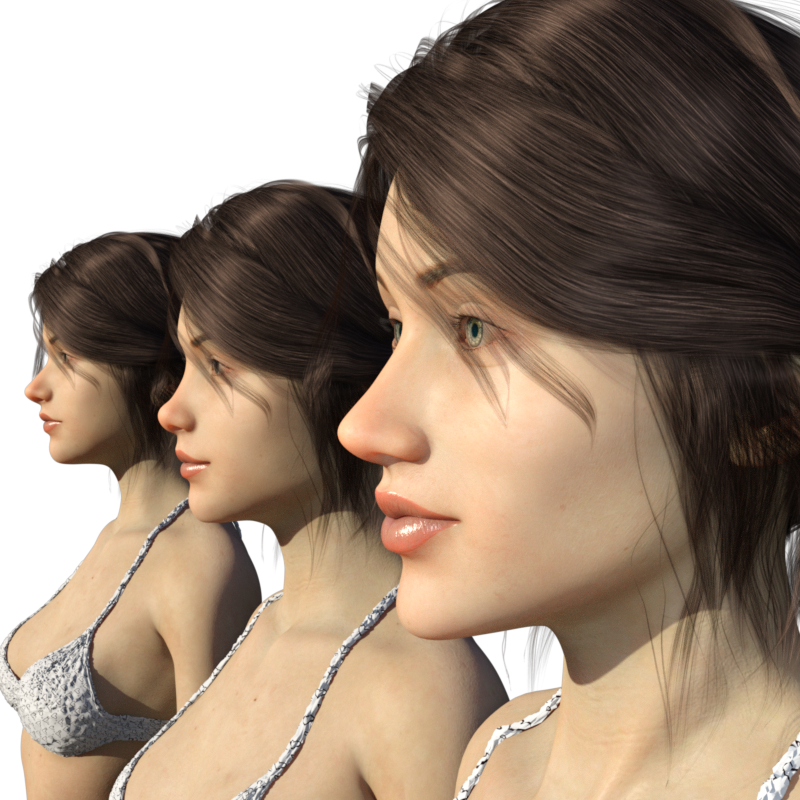
Some nose morphs:


Any help you guys can give me on how to share these (and other morphs I'm making), is much appreciated. :)

Daz 3D is part of 
Connect
DAZ Productions, Inc.
7533 S Center View Ct #4664
West Jordan, UT 84084
Licensing Agreement | Terms of Service | Privacy Policy | EULA
© 2026 Daz Productions Inc. All Rights Reserved.
Comments
Nice job on the noses. Somebody else in the Freebies section wrote up a nice mini-product creation for sharing guide a few months back but I don't remember their name.
Did you do them on the base figure? If you did them on a character, you need to bring them in with MLP using reverse deformation, but not on the base figure. Save them as shape assets. There will be no user-facing files, though you can create presets for them.
Your files should be in Data > Daz3D > Genesis<version> > Female > Morphs > <folder with your name> > <folder with product name> > <your morphs>
You know how to set up when you bring in with MLP?
And, no, no obj files (especially if done with a character).
Thanks! :) If you remember the name, please let me know.
Thanks, Cris. I wish there was a step by step tutorial. There would be more PAs joining the Daz dev community. It's not easy learning this stuff and the tutorials I could find where either really old or seem to leave out information.
I'll try and figure it out. :)
Me too. I remember seeing that tutorial and can't find it now either. I totally agree that its a bit of struggle to track down the info needed.