installation of Photoshop 3D bridges for Daz studio
 sebmar84
Posts: 0
sebmar84
Posts: 0
hello,
I've a big problem ! I am installing Daz studio but i'm blocking. The Photoshop bridges installation was failed. However, in Setting->Application my Photoshop CC is present. I am lost and do not know what to do! This is the second time I install Daz studio and the first time I had no problem. Sorry for my English, i'm French.
Seb
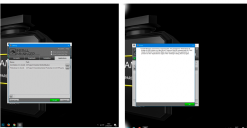
problemdaz.png
894 x 463 - 103K

Daz 3D is part of 
Connect
DAZ Productions, Inc.
7533 S Center View Ct #4664
West Jordan, UT 84084
Licensing Agreement | Terms of Service | Privacy Policy | EULA
© 2026 Daz Productions Inc. All Rights Reserved.
Comments
Please don't downsample screenshots - it makes them harder to read. I'm not sure whether it's your issue, but you appear to have the photoshop path set to the plug-ins folder - it should be the folder with the application.
i'm having problem with today's update to both bridges, too, and my directory paths are set correctly--Program Files/Adobe/Photoshop CC 2015.5/ . bridge updates have always installed happily to this path before.
they appear to install succesfully, then reappear in DIM's ready to download window.
j
You can have only one installed, release or Public beta. Is the last one isntalled showing in DS (Help>About Installed plug-ins)?